VPS 4GB
Start small with reliable VPS performance.
Special PriceSave 50%
Renews at $19.99/month
Core Resources
- 2 vCPU
- 4 GB RAM
- 80 GB SSD Storage
- Unmetered Transfer
Deploy Now
30-day money back guarantee!


Jitsi VPS Docker Hosting
Jitsi Meet runs four services in one stack, and a GreenGeeks VPS with public IP, open UDP 10000, and a domain turns apt install into a meeting server.






Looking for persistent team chat? Discover our Mattermost VPS.
Self-hosting Jitsi wants dedicated CPU, a public IP, open UDP 10000, and a real domain, and GreenGeeks VPS plans deliver all four under 99.9% uptime.
Prosody is single-threaded and JVB wants CPU, and dedicated vCPU keeps both responsive at peak load.
JVB sends each participant only what they need, and steady low-jitter bandwidth keeps audio crisp.
VPS gives a public IP and a firewall you control, and UDP 10000 opens cleanly for the media.
Calendars and recurring standups assume the room is up, and 99.9% uptime keeps the meeting URL live.
Full root access, guaranteed resources, and unmetered transfer — you take control.
Start small with reliable VPS performance.
Renews at $19.99/month
Core Resources
30-day money back guarantee!
Scale up apps, databases, and containers.
Renews at $39.99/month
Core Resources
30-day money back guarantee!
Run production workloads with more resources.
Renews at $79.99/month
Core Resources
30-day money back guarantee!
High-capacity VPS for demanding applications.
Renews at $109.99/month
Core Resources
30-day money back guarantee!
Jitsi Meet is a free, open-source video conferencing platform built on WebRTC and maintained by 8x8 under Apache 2.0. It runs in any modern browser with no plugin and no account, and native apps cover iOS and Android. The default install on Ubuntu uses Debian packages straight from the project repo, which keeps upgrades simple over the long haul.
The stack is four cooperating services. Prosody handles XMPP signaling and presence on the host, Jicofo orchestrates each conference room, JVB is the Selective Forwarding Unit that relays media without re-encoding, and the optional Jibri agent joins as a hidden participant when you want recording or live streaming on a separate machine.
A self-hosted Jitsi instance covers team standups, remote interviews, client calls, customer support sessions, online classes with breakout rooms, public webinars with iframe embeds via the External API, and private 1:1 conversations that stay end-to-end encrypted between two browsers without ever passing through the bridge layer.
Self-hosting unlocks moderator control because every join on meet.jit.si is granted moderator status by default. It guarantees bandwidth headroom for your team on busy days, lets you white-label the UI for client-facing work, and keeps meeting metadata on a server you operate yourself. Iframe embeds work for SaaS products too.

The browser client covers screen sharing for a full screen, an application window, or a single browser tab, plus virtual backgrounds and background blur powered by the MediaPipe Meet Segmentation model running in the browser. Group meetings include up to 75 breakout rooms, in-meeting chat with emoji, polls, reactions, raise-hand, password-protected rooms with a waiting-room lobby, speaker stats, and calendar integration.
Recording and live streaming go through Jibri on a separate host. Group E2EE covers audio, video, and screen-sharing through insertable streams, but it does not cover chat or polls and cannot be combined with recording, live streaming, or transcription on the same call.
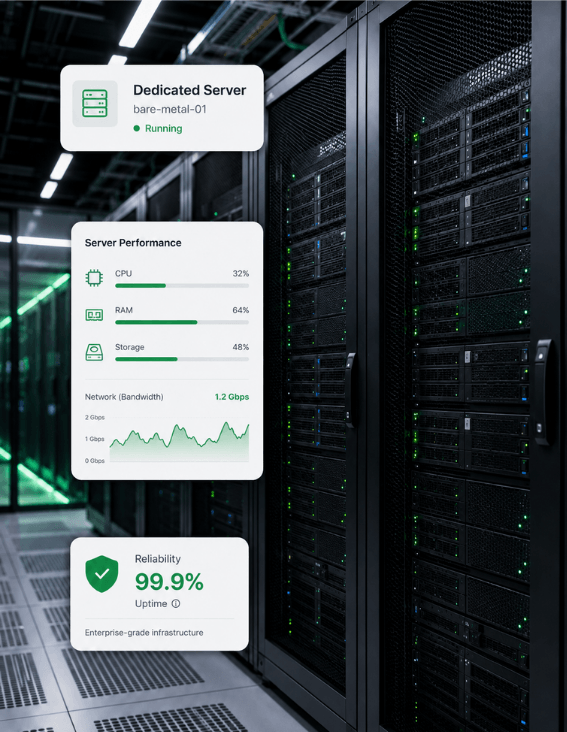
Everything you need to know about self-hosting Jitsi Meet on GreenGeeks VPS.
Jitsi Meet is a free, open-source, browser-based video conferencing platform built on WebRTC, maintained by 8x8 since 2018, and licensed under Apache 2.0 for any kind of deployment you want to run on your own VPS or cloud host. It runs from any modern browser with no plugin or account required and is the most popular open-source self-hosted alternative to Zoom and Google Meet today. Native iOS and Android apps connect to the public meet.jit.si by default and can be pointed at any self-hosted instance.
One-to-one calls are end-to-end encrypted by default using DTLS-SRTP, with media flowing directly between the two browsers without touching the videobridge. Group calls add an extra E2EE layer through insertable streams that prevents the relaying videobridge from reading content on the wire. All transport is TLS-encrypted at the network layer. Trust still depends on the server operator, which is why privacy-sensitive teams self-host the entire stack.
A single JVB with adequate resources typically handles around 75 to 100 participants in one conference, with quality degrading as that count climbs higher. Above that range, the architecture scales horizontally by adding more JVB instances, which is the canonical Jitsi answer to scale by adding bridges rather than adding RAM on one host. The public meet.jit.si caps practical meetings at roughly 75 active participants.
Three ports are required at minimum on the host running JVB. TCP 443 carries HTTPS for the web app and signaling traffic between client and server, TCP 80 covers Let's Encrypt verification and HTTP redirects from clients on initial visits, and UDP 10000 carries the videobridge media for audio and video traffic at runtime. Behind NAT, the server must also map the public IP via /etc/jitsi/videobridge/jvb.conf or media fails silently.
Recording requires installing Jibri, a separate component that joins each meeting as a hidden participant and uses FFmpeg to encode the meeting to disk or stream it to YouTube, Twitch, or Facebook Live. The Jitsi handbook explicitly recommends running Jibri on its own host because it consumes substantial CPU and RAM during a recording and can exhaust disk space on the Jitsi Meet box. One Jibri instance handles one meeting at a time with no workaround for that limit.
Yes. The self-hosted Jitsi Meet stack is free software under the Apache 2.0 license, and the public meet.jit.si instance is also free to use with no account at all on any device or browser type. 8x8 also sells a paid hosted tier called Jitsi as a Service that starts at roughly $12 per month for up to 20 participants, but it is optional and unrelated to the open-source build. For a self-hosted server you only pay for the VPS underneath.
No. On meet.jit.si and most self-hosted instances, users join by clicking a meeting URL with no signup, no email confirmation, and no app install required for desktop browsers running modern WebRTC. Native iOS and Android apps exist for mobile users who prefer the app surface over the mobile browser. Moderators on a self-hosted instance can still gate access with a room password, a waiting-room lobby, or by binding the prosody auth layer to an LDAP directory.
The official handbook recommends 8 GB RAM for production deployments, 4 GB for small meetings under twenty people, and 2 GB only for test servers running a handful of users. CPU sits at 4 dedicated cores for a basic server build across the full stack of services. Disk is about 20 GB of standard storage unless you log heavily, and SSD is described as nice to have rather than required. Network matters most for video conferencing workloads.
Yes, for any production deployment on the public internet. The Debian install prompt asks for a fully qualified domain name that the install will bind the Let's Encrypt certificate to, and the value must match a real DNS record before the certificate step succeeds. A wildcard cert works for sub-domains, and the Let's Encrypt helper script ships inside the package at /usr/share/jitsi-meet/scripts.
Yes, with limits. Group E2EE in Jitsi covers audio, video, and screen-sharing through an extra cipher layer on top of DTLS-SRTP using insertable streams to keep the bridge out of plaintext content on the wire. It does not cover in-meeting chat, polls, reactions, or transcription. Several features cannot be used while E2EE is enabled, including recording through Jibri, live streaming to YouTube, and transcription.
Run self-hosted Jitsi Meet on GreenGeeks VPS hosting — dedicated CPU for Prosody and JVB, a public IP with open UDP 10000, free SSL via Let's Encrypt, and 24/7 support, all on 300% renewable-powered servers.
Dedicated vCPU keeps Prosody and JVB responsive at peak load.
Low-jitter datacenter bandwidth for crisp group audio and video.
Public IP and open UDP 10000 required for the media bridge.
300% renewable energy match on every VPS.