VPS 4GB
Start small with reliable VPS performance.
Special PriceSave 50%
Renews at $19.99/month
Core Resources
- 2 vCPU
- 4 GB RAM
- 80 GB SSD Storage
- Unmetered Transfer
Deploy Now
30-day money back guarantee!


Ollama VPS Docker Hosting
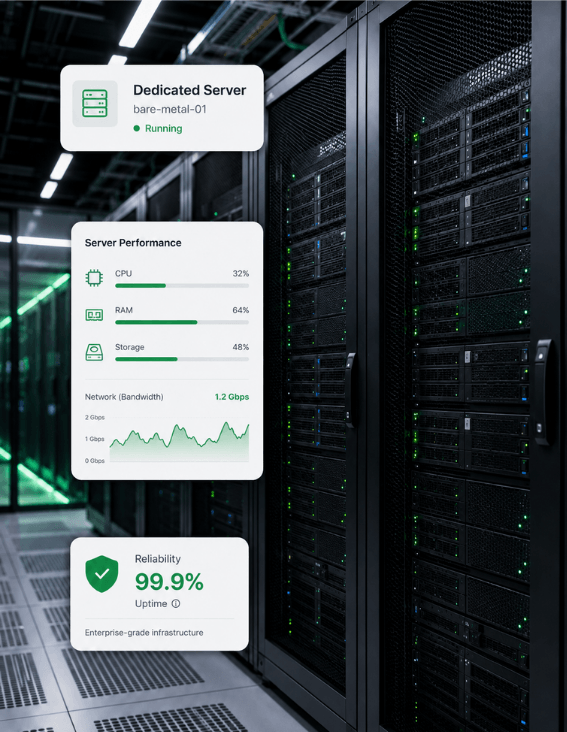
A private Ollama server runs on a GreenGeeks VPS, with the memory smaller models need, CPU throughput for tokens, and SSD storage for model weights too.






Building a RAG stack? Pair it with our Chroma VPS vector database.
A VPS gives Ollama the memory small models want, the CPU throughput steady token output needs, SSD room for the weights, and an always-on private API.
Roomy VPS memory keeps a 7B or 13B model loaded and ready, with plenty of headroom for the KV cache.
A modern CPU produces 5 to 15 tokens per second on a quantized 7B model, fast enough for many tasks.
Fast SSD storage saves multi-GB Ollama model files and reads them into memory quickly on every load.
A 99.9% uptime target keeps your Ollama API reachable for any app, agent, or script that calls it.
Full root access, guaranteed resources, and unmetered transfer — you take control.
Start small with reliable VPS performance.
Renews at $19.99/month
Core Resources
30-day money back guarantee!
Scale up apps, databases, and containers.
Renews at $39.99/month
Core Resources
30-day money back guarantee!
Run production workloads with more resources.
Renews at $79.99/month
Core Resources
30-day money back guarantee!
High-capacity VPS for demanding applications.
Renews at $109.99/month
Core Resources
30-day money back guarantee!
Ollama is a free, open-source tool that downloads and runs open large language models on your own machine or server. The project is MIT-licensed and wraps the llama.cpp inference engine, adding a clean command line, automatic model fetching, GGUF quantization handling, and an OpenAI-compatible REST API on port 11434.
The workflow is short. Install Ollama with a single command, run ollama pull to download a model, and ollama run to start chatting. The Ollama library covers more than 4,500 models in May 2026, with families like Llama, Mistral, Gemma, DeepSeek, Phi, and Qwen, along with embedding models for retrieval and vision models that read images. The engine itself is free, and the models are free.
The most common build is a private chatbot or internal assistant that processes documents, drafts replies, and answers questions without sending data to a cloud provider. Teams use Ollama for retrieval-augmented generation over their own FAQs, manuals, and support docs, often paired with a vector store like Chroma or Weaviate and the nomic-embed-text embedding model.
Developers also point coding assistants like Continue at a local Ollama backend, swapping a hosted API for a free local one with no per-token billing. Data and ops teams plug it into n8n and other automation tools through the OpenAI-compatible API for invoice extraction, ticket classification, and meeting-notes-to-tasks workflows. Everything happens on your own hardware, with no prompts or replies leaving the server.
Ollama exposes models through both a native REST API and an OpenAI-compatible API at port 11434. The OpenAI routes cover chat completions, completions, embeddings, and model listing, so apps written against the OpenAI SDK can point at a local model with a one-line URL change. The native routes add pull, delete, create, show, and a running-models listing for managing the library from a script.
The engine handles GGUF quantization on its own, with Q4_K_M as the default tag that holds 92 to 95 percent of full-precision quality. A Modelfile then lets you bake a custom model on top of any base, with a fixed system prompt, temperature, and context length. Embedding models like nomic-embed-text round out a local RAG stack.
Everything you need to know about self-hosting Ollama on GreenGeeks VPS.
Ollama is a free, open-source tool that downloads and runs open large language models on your own machine or server. The project is MIT-licensed and bundles a clean command line, automatic model fetching, quantization handling, GPU and CPU detection, and an OpenAI-compatible REST API on port 11434. It supports model families including Llama, Mistral, Gemma, DeepSeek, Phi, and Qwen, alongside vision models and embedding models for retrieval-augmented generation. The shorthand is package manager plus inference server combined into one tool.
No, Ollama runs on CPU alone, with throughput as the trade-off. A modern 8-core CPU on a quantized 7B model produces roughly 5 to 15 tokens per second, while a high-end GPU on the same model gets 40 to 80 tokens per second or more. For small models like Llama 3.2 3B or Phi-3.5 3.8B, CPU-only performance is comfortable on a VPS, and is a sensible default for privacy-focused work that does not need frontier speed at scale.
Default Q4_K_M model files run a few gigabytes each. A 7B model is about 4.1 GB on disk, an 8B is about 4.6 GB, a 13B about 7.9 GB, and a 70B around 40 GB. Pulling several models for different tasks adds up fast, since each new tag downloads a separate file. Embedding models are smaller, in the hundreds of megabytes. For a personal Ollama server, 64 to 100 GB of SSD storage gives room for a few mid-sized models and growth.
The Ollama library has more than 4,500 models as of May 2026, with sizes from 1B parameters up past 70B. Major families include Llama from Meta, Mistral, Gemma from Google, DeepSeek, Phi from Microsoft, Qwen from Alibaba, and gpt-oss, plus newer entries like Kimi, GLM, and MiniMax. Vision models such as LLaVA accept images alongside text. Embedding models like nomic-embed-text output 768-dimensional vectors for retrieval-augmented generation work over your own files.
Ollama is a common engine for local retrieval-augmented generation work on your own files. The /api/embeddings endpoint and an embedding model like nomic-embed-text produce 768-dimensional vectors that pair with vector stores such as Chroma, Weaviate, or pgvector. Frameworks like LangChain and LlamaIndex have built-in adapters that point at an Ollama base URL, so a private RAG chatbot over your own documents can run end to end on the same VPS, without sending any data outside your own infrastructure.
The Ollama engine is free under the MIT license, and the open-source models it runs are free as well. There are no per-token charges and no rate limits, so the only ongoing cost is the hardware and electricity behind your server. Ollama Inc. now also sells an optional paid hosted tier called Ollama Cloud, with monthly plans for larger models that need datacenter GPUs. The hosted plan is not required for local or self-hosted use of any kind in 2026.
A rule of thumb is roughly 0.6 GB of memory per billion parameters at the default Q4_K_M quantization, plus headroom for the context window the model holds. In practice, 8 GB of RAM comfortably runs a 7B model, 16 GB runs a 13B, and 32 GB is the recommended headroom for 13B-and-up workloads on CPU. Larger models, longer contexts, and concurrent requests push the requirement up. A VPS in that 8 to 32 GB range fits most personal and small-team work.
Once a model has been pulled to disk, Ollama needs no internet to use it. Chat, completion, embeddings, and retrieval-augmented generation all run locally against the files in your Ollama directory. The engine only talks to the internet again when you pull a new model or check for an update. That is the main reason teams in finance, healthcare, and government environments choose Ollama — prompts and responses stay on your own infrastructure, even on an air-gapped server.
Ollama has two APIs that share the same engine. The native REST API at port 11434 covers /api/chat, /api/generate, /api/embeddings, /api/pull, /api/delete, and a /api/ps endpoint for inspecting running models. The OpenAI-compatible API sits at /v1 on the same port and mirrors the OpenAI routes for chat completions, completions, embeddings, and model listing. Apps built against the OpenAI SDK can switch to a local Ollama backend with only a base URL change in the client config.
A VPS is one of the more common setups for the tool. A VPS with 4 to 16 GB of RAM, a few CPU cores, and 50 to 100 GB of SSD storage handles small-to-mid models like Llama 3.2 3B, Phi-3.5 3.8B, and quantized 7B variants comfortably for most uses. Larger models and high-concurrency production loads do better on GPU-accelerated hardware, but most personal, team, and RAG use cases fit a CPU-only VPS without much trouble.
Run a private Ollama server on GreenGeeks VPS hosting — RAM for small to mid-sized models, CPU throughput for token output, SSD storage for model weights, and an always-on API, all on 300% renewable-powered servers.
Roomy RAM keeps a 7B or 13B model loaded with KV cache headroom.
Modern CPU delivers 5 to 15 tokens per second on quantized 7B models.
SSD storage holds multi-GB model weights and loads them quickly.
300% renewable energy match on every VPS.