VPS 4GB
Start small with reliable VPS performance.
Special PriceSave 50%
Renews at $19.99/month
Core Resources
- 2 vCPU
- 4 GB RAM
- 80 GB SSD Storage
- Unmetered Transfer
Deploy Now
30-day money back guarantee!


Syncthing VPS Docker Hosting
Run Syncthing on a GreenGeeks VPS as an always-on peer in your sync cluster. Because Syncthing is peer-to-peer, a server that never sleeps keeps every device in sync even when your laptop and phone are offline.






Syncthing is decentralized, so it shines when at least one peer is always online, and a GreenGeeks VPS gives you that always-on node with the storage, bandwidth, and control it needs.
A VPS never sleeps, so it is the peer that is always reachable, letting your laptop and phone sync through it any time.
Sync speed depends on disk and network, and SSD storage with generous transfer keeps large folders moving fast.
The value of an always-on peer is that it is always up, and 99.9% uptime plus 24/7 support keeps the cluster converged.
Opening the sync and discovery ports, firewall rules, and a GUI reverse proxy all need root, which a VPS provides.
Full root access, guaranteed resources, and unmetered transfer — you take control.
Start small with reliable VPS performance.
Renews at $19.99/month
Core Resources
30-day money back guarantee!
Scale up apps, databases, and containers.
Renews at $39.99/month
Core Resources
30-day money back guarantee!
Run production workloads with more resources.
Renews at $79.99/month
Core Resources
30-day money back guarantee!
High-capacity VPS for demanding applications.
Renews at $109.99/month
Core Resources
30-day money back guarantee!
Syncthing is a continuous file synchronization program that keeps files identical across two or more devices in real time. It has been built since 2014 as a fully open-source project written in Go and released under the Mozilla Public License 2.0. Unlike cloud services, Syncthing is peer-to-peer and decentralized: your data syncs directly between your own devices and is never stored on a third-party server.
Every device has a unique cryptographic device ID, and all traffic between peers is encrypted with TLS using the Block Exchange Protocol. Syncthing has no external database — it keeps its file index in a small embedded store on disk. A web GUI on port 8384 manages folders and devices, while the sync protocol itself runs on port 22000 over TCP and UDP.
Teams and individuals use Syncthing to keep folders mirrored across laptops, phones, NAS boxes, and servers without any cloud account. It powers private file sync between machines, off-site backup targets, photo and document libraries shared across a household, and a self-hosted alternative to Dropbox or Google Drive where the data never leaves hardware you control.
Syncthing supports send-only and receive-only folders, per-folder ignore patterns, and file versioning with simple, staggered, trash-can, and external strategies so deleted or changed files can be recovered. Untrusted (encrypted) devices let a peer store data it cannot read, which makes a VPS or a friend's server a safe off-site replica without exposing your files to it.

Syncthing handles NAT traversal automatically and falls back to community or self-hosted relay servers when a direct connection between two peers is not possible, so devices behind home routers still sync. Local discovery on the LAN and global discovery servers help peers find each other, and an always-on VPS node makes those connections reliable by being reachable from anywhere at any time.
On the security side, every connection is mutually authenticated with TLS and device IDs, there is no central account or server to compromise, and the web GUI can be protected with a username, password, and an HTTPS reverse proxy. Syncthing is lightweight, with memory use scaling mainly with the total number of files it tracks rather than their size.
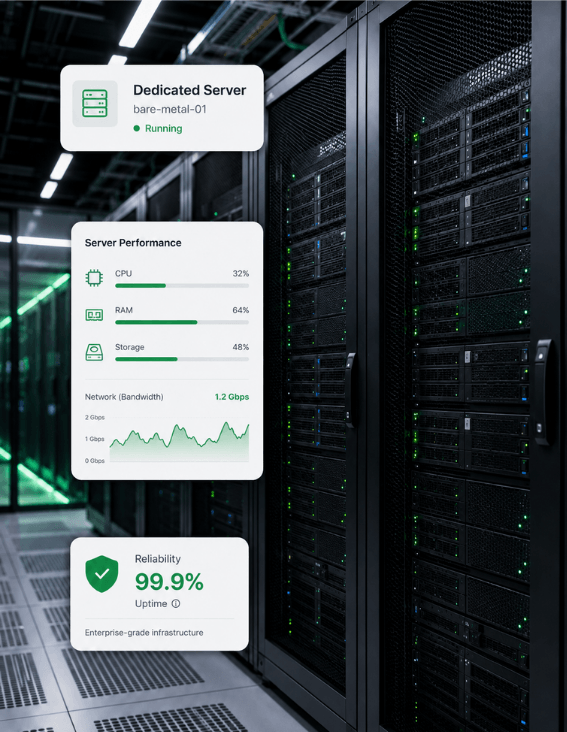
Everything you need to know about running Syncthing on GreenGeeks VPS.
Syncthing is a continuous, open-source file synchronization program that keeps files identical across two or more devices in real time. It is peer-to-peer and decentralized, so your data syncs directly between your own devices over encrypted connections and is never stored on a third-party cloud server. It covers private folder sync across laptops, phones, NAS boxes, and servers, file versioning for recovery, send-only and receive-only folders, and encrypted untrusted peers for safe off-site replicas.
Syncthing is very light on resources. It is written in Go, ships as a single binary, and runs happily on low-power hardware like a Raspberry Pi or a small VPS. CPU use is modest outside of active transfers, and memory use scales mainly with the total number of files being tracked across all folders rather than with the size of those files, so a node syncing many small files needs more RAM than one syncing a few large ones.
Syncthing uses TCP and UDP port 22000 for the actual sync protocol between peers, UDP port 21027 for local network discovery, and TCP port 8384 for the web GUI. On a VPS you open 22000 in the firewall so other devices can connect to the always-on node, and the GUI on 8384 is normally placed behind an HTTPS reverse proxy such as NGINX rather than exposed directly to the internet.
Syncthing needs very little RAM for typical use. A node syncing a modest number of files runs comfortably in a few hundred megabytes, which is why it is popular on Raspberry Pis and small servers. Memory grows with the total file count across all synced folders because Syncthing keeps an index of every file, so a deployment tracking hundreds of thousands of files wants 1 to 2 GB of RAM, while smaller setups need far less.
No. Syncthing is peer-to-peer and decentralized, so your files are only ever stored on the devices you choose to sync them to and are transferred directly between those devices over encrypted connections. There is no central Syncthing cloud, and the project's optional discovery and relay servers only help peers find and connect to each other — they never have access to your unencrypted file contents.
Yes. Syncthing is fully free and open source under the Mozilla Public License 2.0, with no paid tiers, seat fees, or capacity limits. There is no commercial edition and no account to create — the whole product is the open-source application, so running it on your own VPS gives you the complete feature set at no license cost.
Yes. Every device has a unique cryptographic device ID, and all traffic between peers is encrypted and mutually authenticated with TLS using the Block Exchange Protocol. Because Syncthing is decentralized with no central server or account, there is no third party that can read your data or single point to compromise. Optional untrusted-device encryption even lets a peer store data it is unable to decrypt, which is ideal for an off-site replica.
Two install paths are common. Run the official syncthing/syncthing Docker image with port 22000 published for sync and 8384 for the GUI, mounting a volume for the synced folders and config, or download the single Syncthing binary for your platform and run it under a service manager such as systemd. After first start, you connect devices by exchanging their device IDs and accepting the shared folders on each side.
Syncthing only syncs two peers when both are online at the same time, so a network of laptops and phones that are frequently asleep or offline can drift out of sync. Running Syncthing on a VPS gives you an always-on node that every other device can reach at any hour, so changes propagate as soon as any one device comes online. The VPS also acts as a reliable, well-connected relay and an off-site replica of your data.
Yes. Syncthing offers per-folder file versioning so that changed or deleted files can be recovered rather than lost. The available strategies are simple versioning (keep a fixed number of old copies), staggered versioning (keep progressively fewer copies as files age), trash-can versioning (move deleted files to a recycle folder), and external versioning (hand files to a custom command). This makes a Syncthing VPS node a practical lightweight backup as well as a sync hub.
Run Syncthing on GreenGeeks VPS hosting as an always-on sync node — continuous encrypted peer-to-peer synchronization, SSD storage, dedicated bandwidth, root access for port and firewall control, and 99.9% uptime, all on 300% renewable-powered servers.
An always-on node keeps every device in sync even when the others are offline.
SSD storage and dedicated bandwidth keep large folders syncing fast.
Root access for sync and discovery ports, firewall rules, and a GUI proxy.
300% renewable energy match on every VPS.