VPS 4GB
Start small with reliable VPS performance.
Special PriceSave 50%
Renews at $19.99/month
Core Resources
- 2 vCPU
- 4 GB RAM
- 80 GB SSD Storage
- Unmetered Transfer
Deploy Now
30-day money back guarantee!


Transmission VPS Docker Hosting
Run Transmission as a headless, always-on BitTorrent daemon on a GreenGeeks VPS. Download and seed large public datasets and Linux distributions on a fast server, then pull the files down to your own machine over SFTP.





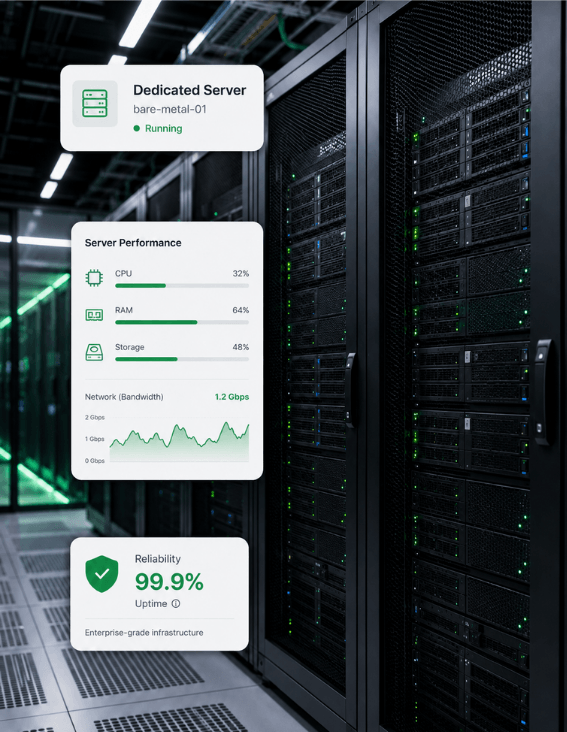
A seedbox needs a server that is always online with real bandwidth, fast storage, and full control of its ports, and a GreenGeeks VPS provides all three under 99.9% uptime.
A VPS never sleeps, so transfers keep running and you seed back to the swarm around the clock without leaving a home PC on.
Torrent throughput depends on disk and network, and SSD storage with generous transfer keeps large downloads and seeding fast.
Seeding only counts while you are online, and 99.9% uptime plus 24/7 support keeps your daemon contributing to the swarm.
Opening the peer port, firewall rules, a VPN, and a web-UI reverse proxy all need root, which a VPS provides.
Full root access, guaranteed resources, and unmetered transfer — you take control.
Start small with reliable VPS performance.
Renews at $19.99/month
Core Resources
30-day money back guarantee!
Scale up apps, databases, and containers.
Renews at $39.99/month
Core Resources
30-day money back guarantee!
Run production workloads with more resources.
Renews at $79.99/month
Core Resources
30-day money back guarantee!
High-capacity VPS for demanding applications.
Renews at $109.99/month
Core Resources
30-day money back guarantee!
Transmission is a free, open-source, cross-platform BitTorrent client first released in 2005 and released under the GNU GPL. It is known for being fast, lightweight, and native rather than bloated, and it ships in several forms: a desktop app for macOS and Linux, a command-line client, and transmission-daemon, a headless background service ideal for running on an always-on server.
On a server you run transmission-daemon and control it through its web interface on port 9091 or the RPC API, with peer traffic flowing over port 51413 by default. Transmission has no external database — it keeps its settings, torrent files, and resume state in a config directory on disk, which makes it trivial to back up and move between machines.
Transmission is widely used to download and distribute large public files efficiently over BitTorrent: Linux distribution ISOs, open datasets from sources like Academic Torrents, game mods, and software releases that publishers ship as torrents to save bandwidth. Running it on a VPS turns it into a seedbox that downloads at server speeds and seeds back to the community continuously.
The typical workflow is to add a torrent or magnet link through the web UI, let the always-on daemon download it to fast server storage, and then transfer the finished files to your own computer over SFTP or HTTPS. Watch directories can auto-add .torrent files dropped into a folder, and speed limits and scheduling keep bandwidth use under control.

Transmission supports magnet links, DHT for trackerless torrents, Peer Exchange and Local Peer Discovery, protocol encryption, µTP, IPv6, and webseeds. A watch directory auto-loads new .torrent files, per-torrent and global speed limits with a scheduler control bandwidth, and blocklists let you filter peers. The whole feature set is available headlessly through transmission-daemon.
Remote control is a core strength: the built-in web UI, the transmission-remote command-line tool, a documented RPC API, and many third-party desktop and mobile apps can all drive the same daemon. The web interface should be secured with a username and password, an RPC host whitelist, and an HTTPS reverse proxy such as NGINX in front of port 9091.
Everything you need to know about running Transmission on GreenGeeks VPS.
Transmission is a free, open-source, cross-platform BitTorrent client known for being fast, lightweight, and native. It comes as a desktop app, a command-line client, and transmission-daemon, a headless background service designed for always-on servers. On a VPS it acts as a seedbox: it downloads torrents at server speed, seeds them back to the swarm continuously, and is controlled through a web interface or RPC API rather than a desktop GUI.
Transmission is famously light on resources. The daemon runs comfortably on a single CPU core and a few hundred megabytes of RAM, which is why it is popular on routers, NAS devices, and Raspberry Pis. The main practical limits for a seedbox are disk space for the files you download and seed, and network bandwidth, rather than CPU or memory, both of which a VPS plan can scale up as your library grows.
Two install paths are common. Install the transmission-daemon package from your distribution's repositories and manage it with systemd, or run a Docker image such as linuxserver/transmission with the web port mapped to 9091 and the peer port to 51413, mounting volumes for downloads and config. After install, edit settings.json (with the daemon stopped) or use the web UI to set the download directory, authentication, and RPC whitelist.
A seedbox is a remote server with high bandwidth dedicated to downloading and seeding torrents continuously. Running Transmission on a VPS gives you exactly that: an always-on daemon that downloads at server speeds, seeds back to the swarm 24/7 to maintain a healthy ratio, and keeps torrent activity off your home connection. You then retrieve completed files from the VPS to your own device over SFTP or HTTPS whenever you like.
Yes. Transmission supports magnet links, DHT for trackerless torrents, Peer Exchange (PEX) and Local Peer Discovery (LPD), protocol encryption, the µTP transport, IPv6, and webseeds. These features are all available in the headless transmission-daemon, so a VPS install has the same capabilities as the desktop app, just controlled remotely through the web UI or RPC instead of a local window.
Yes. Transmission is fully free and open source, released under the GNU General Public License, with no paid tiers, seat fees, or capacity limits. There is no account to create and no commercial edition — the whole product is the open-source application, so running it on your own VPS gives you the complete feature set at no license cost.
Transmission uses TCP port 9091 for its web interface and RPC API, and TCP and UDP port 51413 by default for peer connections, though the peer port is configurable. On a VPS you open the peer port in the firewall so other peers can connect for better speeds and ratio, while the web interface on 9091 is normally placed behind an HTTPS reverse proxy rather than exposed directly to the internet.
Transmission needs very little RAM. The daemon runs well in a few hundred megabytes even while handling many active torrents, which is why it suits low-power hardware. For a busy seedbox, 1 GB of RAM is plenty and the real constraints are disk space and bandwidth, so VPS plans are usually chosen by storage and transfer rather than by memory.
Transmission's web interface and RPC should never be exposed unauthenticated to the internet. Set a username and password in the RPC settings, restrict access with the rpc-whitelist, and place an HTTPS reverse proxy such as NGINX in front of port 9091 with a TLS certificate from Let's Encrypt. Root access on a VPS also lets you add a firewall and optionally route traffic through a VPN for additional privacy.
Yes, in several ways. The built-in web UI on port 9091 manages torrents from any browser, the transmission-remote command-line tool drives the daemon over RPC, and a documented RPC API lets scripts and third-party clients connect. Many desktop and mobile apps speak the same RPC protocol, so you can add, monitor, and manage torrents on your VPS seedbox from a phone or laptop wherever you are.
Run Transmission on GreenGeeks VPS hosting as an always-on seedbox — a lightweight BitTorrent daemon with web UI and RPC control, SSD storage, dedicated bandwidth, root access for ports and firewall, and 99.9% uptime, all on 300% renewable-powered servers.
An always-on daemon downloads and seeds 24/7 without a home PC running.
SSD storage and dedicated bandwidth keep large transfers and seeding fast.
Root access for the peer port, firewall, VPN, and a secure web-UI proxy.
300% renewable energy match on every VPS.