
Your GreenGeeks hosting account includes the ability to run your choice of several versions of PHP. This tutorial will show you how to change your PHP version using our cPanel interface.
Log in to GreenGeeks and access your cPanel.
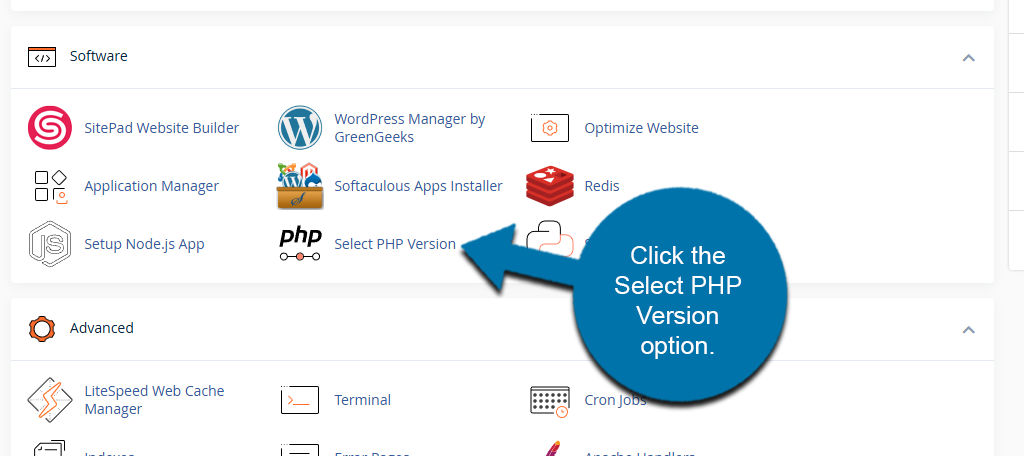
Locate the Software section and click the Select PHP Version option.
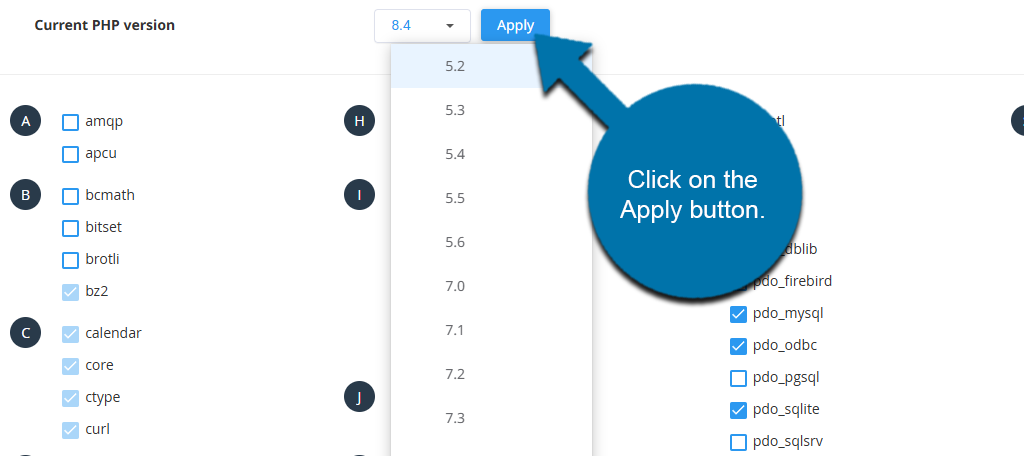
Use the drop-down to select the version you wish to use.
By default, the latest stable version (called the “native” version) will be selected and is already active. So if you wish to use the native version, you don’t need to make any of the changes described here.
Click on the Apply button to change the version.
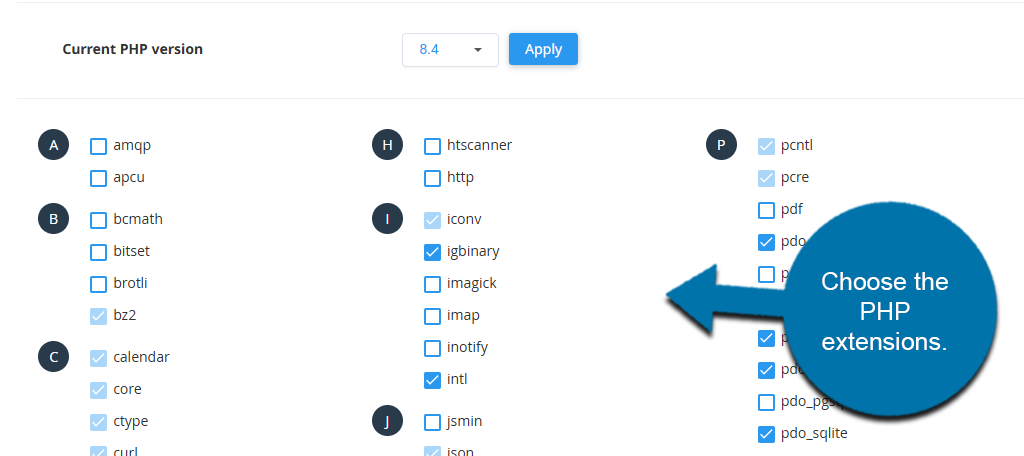
If you select a PHP version other than the native version, the PHP extensions list will appear. Sometimes, when choosing a new version, no extensions will be selected or activated.
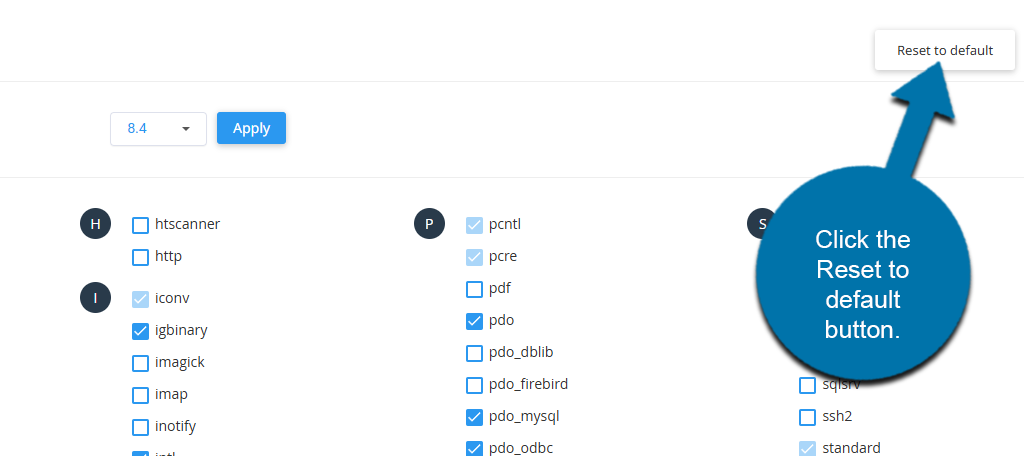
If no extensions are selected or activated for your new PHP version, click the Reset to default button. That will activate some of the most commonly used PHP extensions.
Can I Run Multiple Versions of PHP on a single cPanel Account?
By default, GreenGeeks PHP Selector sets a single PHP version to use across the entire account.
Although not recommended, if you need to use a separate version of PHP for a specific site or sub-folder, it’s possible to do this using custom .htaccess entries in that folder.
As an example, to set PHP 8.4, add the following lines to the top of the .htaccess file in the directory where the separate PHP version is to run.
<FilesMatch "\.(php4|php5|php3|php2|php|phtml)$">
 SetHandler application/x-httpd-alt-php84-lsphp
</FilesMatch>
To use another version of PHP, replace php84 with the version you need to run, i.e., for PHP 8.5:
SetHandler application/x-httpd-alt-php85-lsphp
If you need help to run multiple versions of PHP under one cPanel, contact the Technical Support Team for assistance.
Related articles
Configuring PHP Environment Variables
PHP Versions Available (as of March 2026)
- 8.5
- 8.4 [Default/Native version]
- 8.3
- 8.2
- 8.1
- 8.0
- 7.4
- 7.3
- 7.2
- 7.1
- 7.0
- 5.6
- 5.5
- 5.4
- 5.3
- 5.2
If you run into any problems or have any questions, don’t hesitate to contact a member of our Support Staff by opening a ticket in GreenGeeks.