
It’s important to provide up-to-date contact information for your account so we can contact you should the need arise.
If your street address, telephone number, or email address should change, please update your account contact information.
Updating Account Contact Information at GreenGeeks
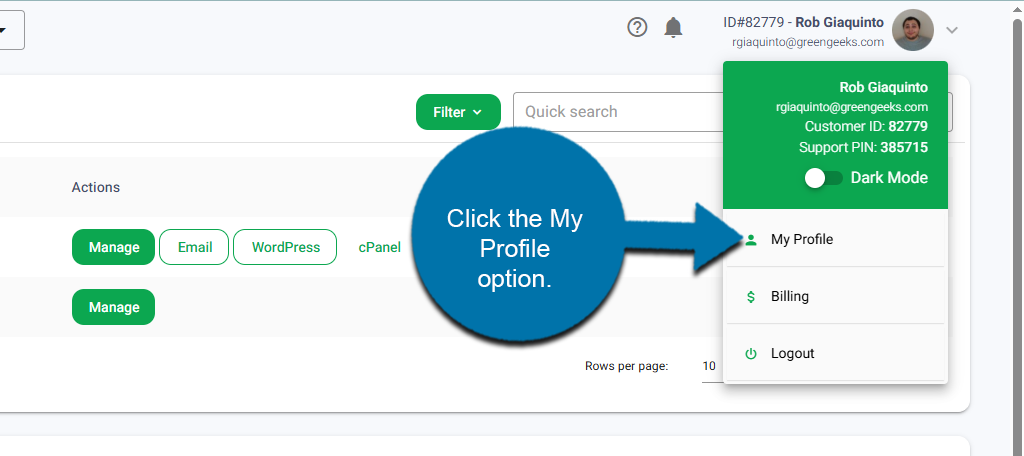
Using the drop-down arrow on the top right of your screen, click the My Profile option from the drop-down list.
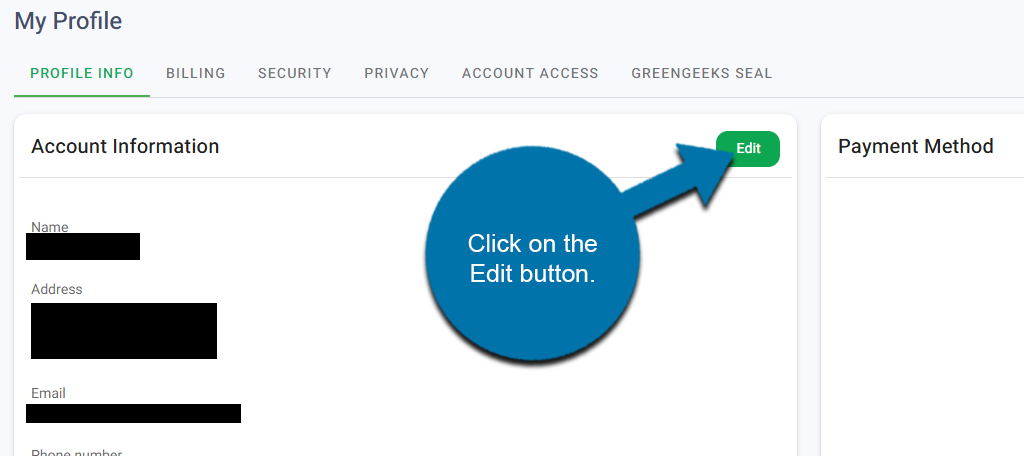
In the Account Information section, click on the Edit button.
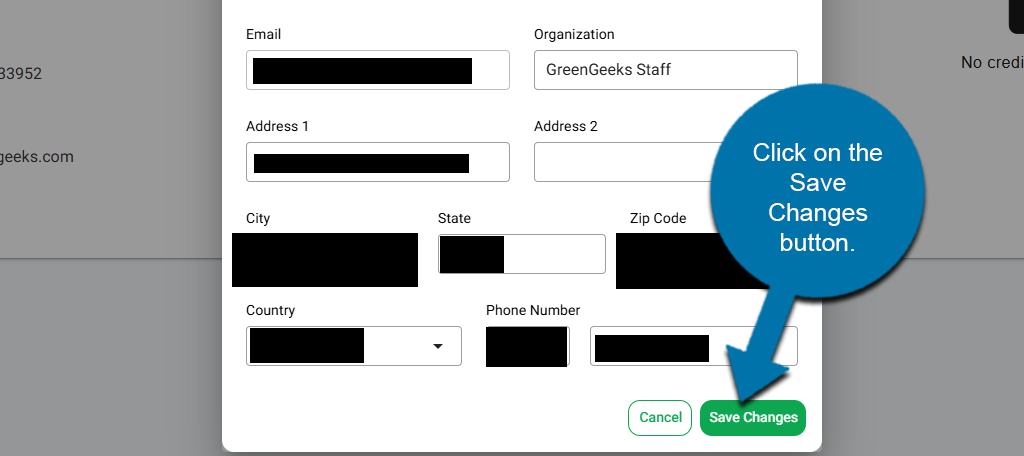
A pop-up window will appear, allowing you to edit the existing account information. Change the fields as you see fit. When you are done, click on the Save Changes button at the bottom.
NOTE: In order to change the primary email address or name on the account, you’ll have to open a support ticket. This is to provide security regarding the information in your account.
We recommend using a contact email address that is not associated with your domain name, so we will still be able to contact you if there is a problem with your domain.