
The GreenGeeks App Installer is one of the fastest ways to install applications on your server. It is easy to use and accessible from your GreenGeeks hosting account. You can use it to install a wide array of applications, including CMS like WordPress.
This tutorial will demonstrate how to use the GreenGeeks App Installer to install WordPress on your domain.
Accessing GreenGeeks App Installer
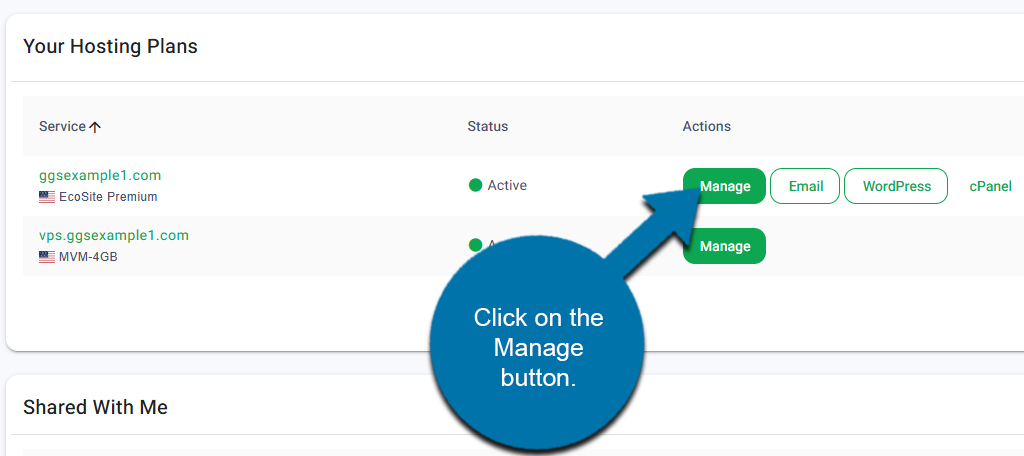
Start by logging into your GreenGeeks account. Locate the domain that you wish to install WordPress on and click on the Manage button next to it.
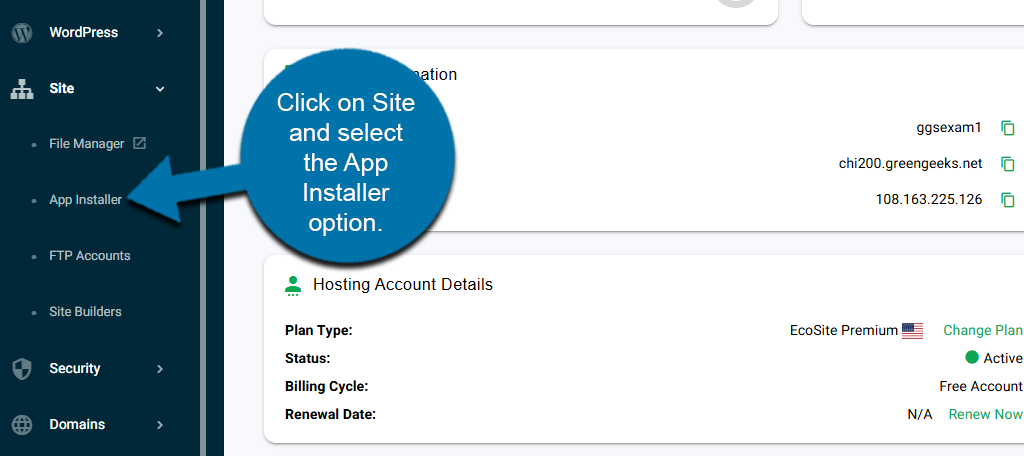
On the left-panel, click on Site and select the App Installer option.
Installing WordPress
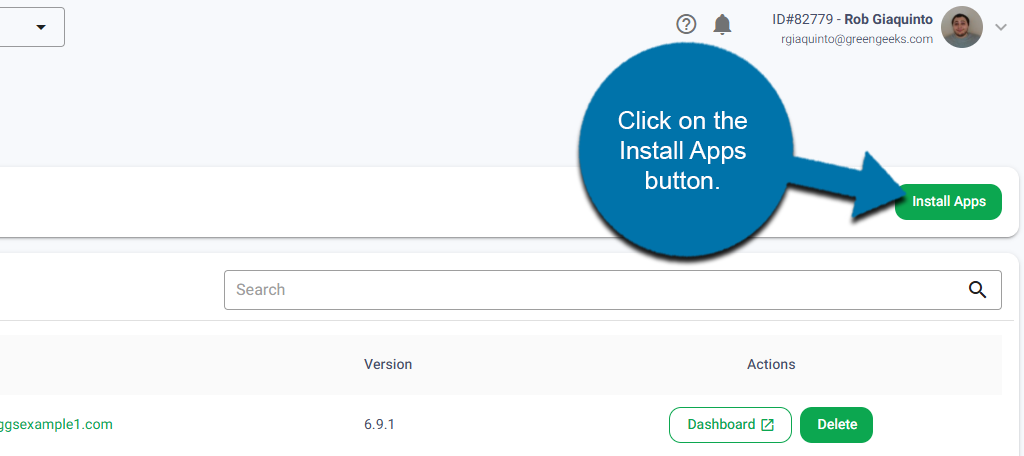
You will now be in the GreenGeeks App Installer. If you already have applications installed, they will appear in a list on this page. Click on the Install Apps button.
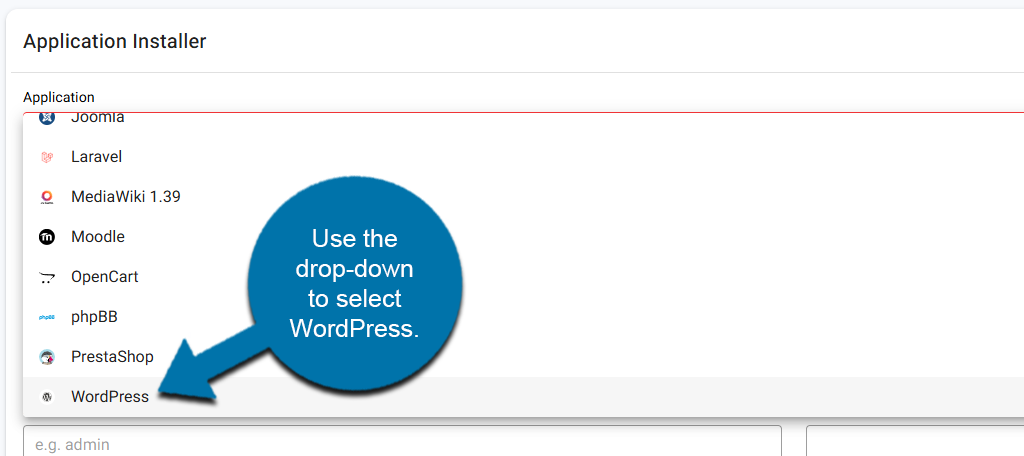
In the Application field, use the drop-down to select WordPress. It is alphabetical, so it should be at the bottom.
Below this should be the protocol and domain name, which is already entered. This is followed by the Installation path, which should be fine by default, but you can change it if needed. Finally, you will need to enter an Admin Username and Password for your WordPress account.
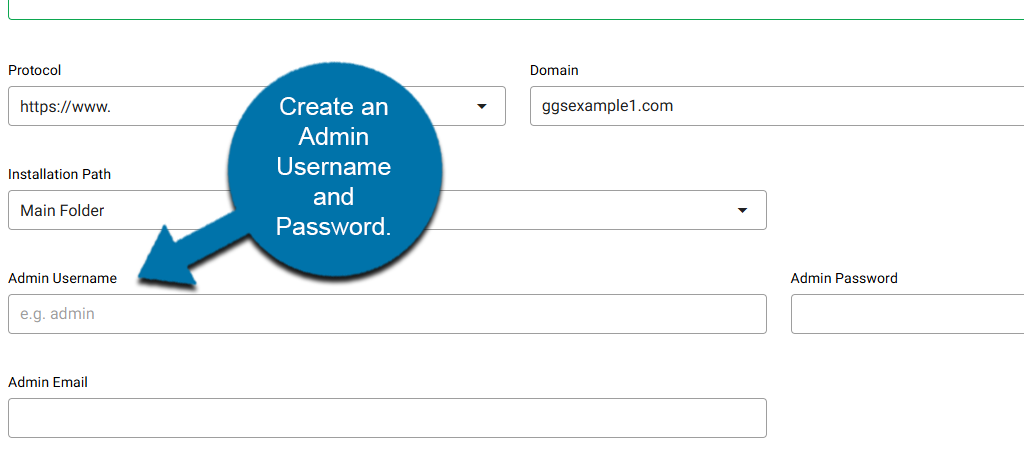
Be sure to pick a strong password that contains Upper & Lower case letters, numbers, and symbols. You can also use the Generate button to generate a strong password. Make sure to write this information down, as you will need it to log into WordPress when the installation is complete.
To finish, click on the Install Application button.
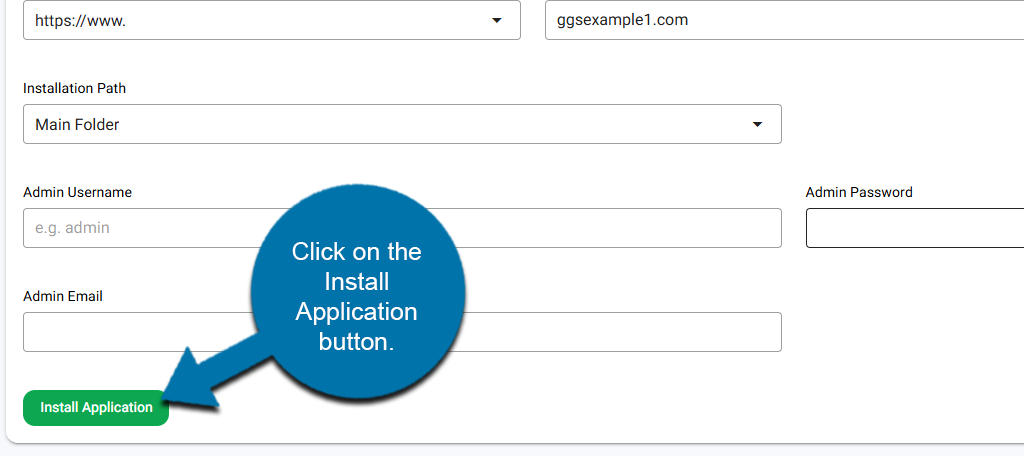
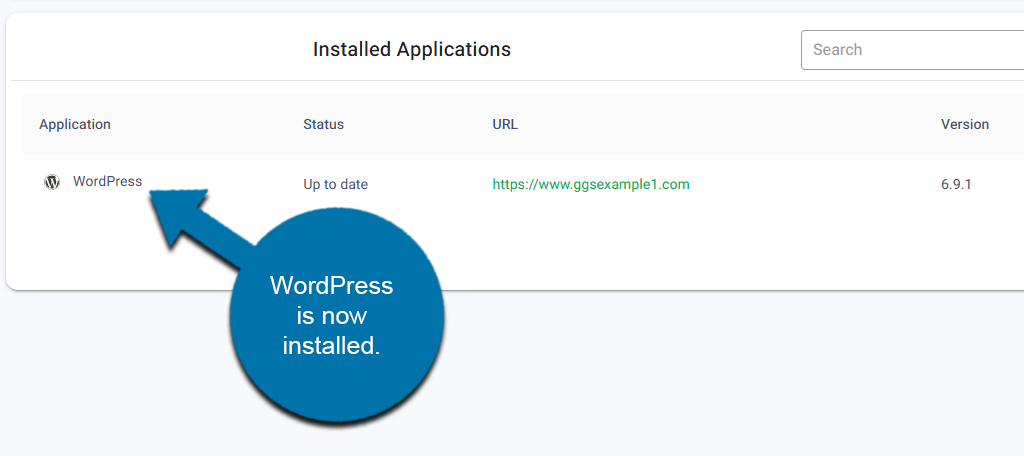
This will begin the installation process. When it is finished, you will see WordPress added to the list of Installed Applications.
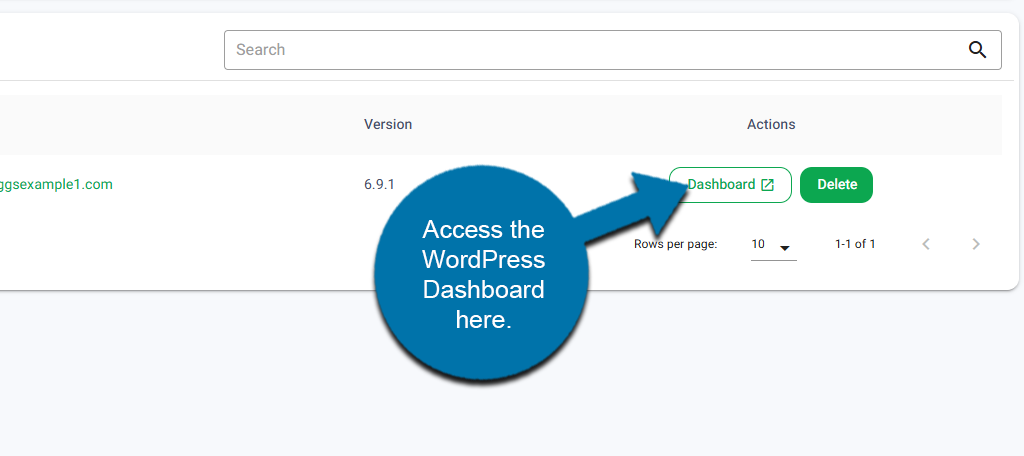
You can now access your WordPress install at anytime by clicking on the Dashboard button next to the install and entering the login information you created earlier.
FAQ
The GreenGeeks App Installer supports over a dozen applications, including popular options like Joomla, Moodle, OpenCart, Drupal, and more.
While we are working on expanding the choices, you always have the option of using the Softaculous App Installer, which offers hundreds of applications you can choose from.
Yes, simply go to the application list and click on the Delete button next to the installation. You will need to confirm that you want to do it, but the process takes less than a minute. Just keep in mind to back up any files before you do it.
The GreenGeeks Apps Installer was designed to be a streamlined installation experience for popular apps. It is easier for beginners looking to get started with a new website.
You’re Just Getting Started
Installing WordPress is just the first step. You will now need to customize your installation by building your site from scratch. Alternatively, you could give the GreenGeeks AI Website builder a try to speed up the process.
Keep in mind that you can also install WordPress using the Softaculous Apps Installer.