
When something is not working right on a website, identifying the issue can be challenging. One of the best tools you can use to help is the server logs. Server logs contain detailed information about errors, critical issues, and general server activity (traffic, resource usage, etc.).
Unfortunately, many users struggle to find the server logs, but this guide will demonstrate how.
How to Find the Server Logs
Server logs can be accessed at any time from the cPanel. Start by logging into your GreenGeeks account and accessing the cPanel for the customer’s account.
Once in the cPanel, locate the Metrics section. Here, several types of logs can help you troubleshoot problems. First and foremost are the error logs, which you can access by clicking on the Errors option.
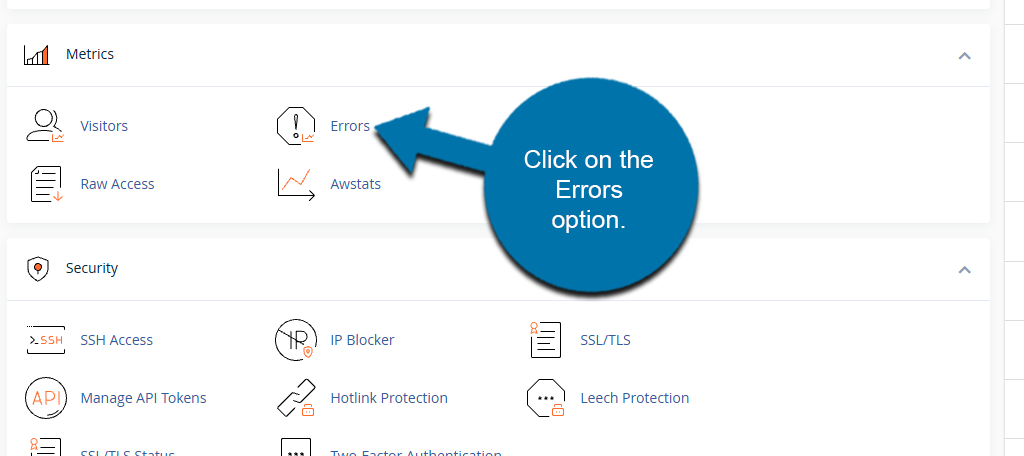
The error logs will display a list of errors the website has encountered. This can help you identify what is causing an error. If no errors have occurred, you will be informed that no errors have occurred, which can also help you rule out certain problems.
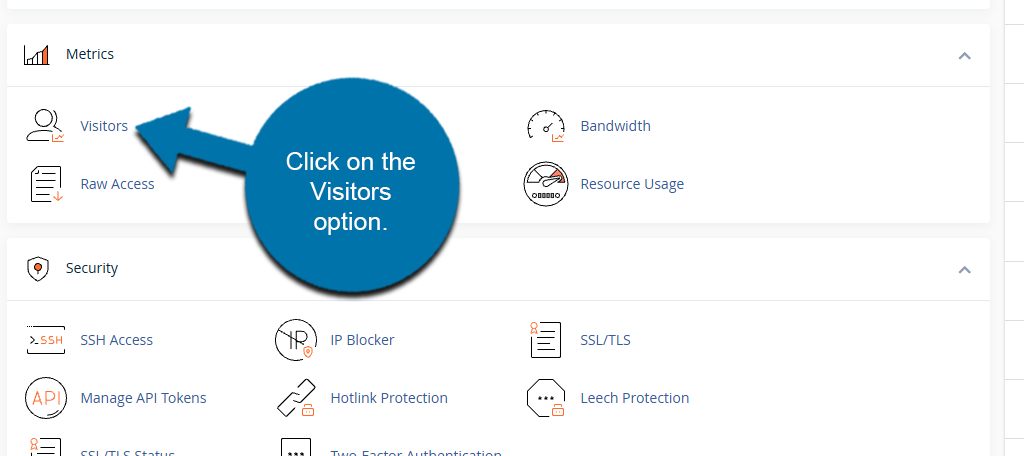
If you click on the Visitors option, you can see a full list of server activity. This includes the visitor’s IP address, what they accessed, what time they visited, and more. You can use this to determine if a spike in traffic is the reason why an error occurred.
When to Use the Server Logs
Server logs are a lifeline for resellers trying to identify and fix issues for customers. In most cases, customers do not know what the root problem is when they ask for help; thus, it falls on you to find what is wrong and figure out how to fix it.
All websites are unique, which can make tracking down issues incredibly difficult; thus, server logs can help solve the problem. So when should you use them?
Anytime you are trying to troubleshoot a problem on a customer’s website.
Being able to clearly see what is wrong with a website, and then monitor traffic and resource usage around that time, is invaluable. And frankly, without this information, you are trying to find a needle in a haystack.
The top issues that server logs can be effective at identifying include:
- Application Failure
- Security Breeches
- Exceeding Resource Limits