
The GreenGeeks Dashboard has been updated to include the GreenGeeks App Installer. This tool allows you to quickly and easily install applications on sites from the dashboard. Thus, you will no longer need to access the cPanel and use the Softaculous app installer, although the option still exists.
This tutorial will demonstrate where to find and how to use the GreenGeeks App Installer.
How to Find the GreenGeeks App Installer
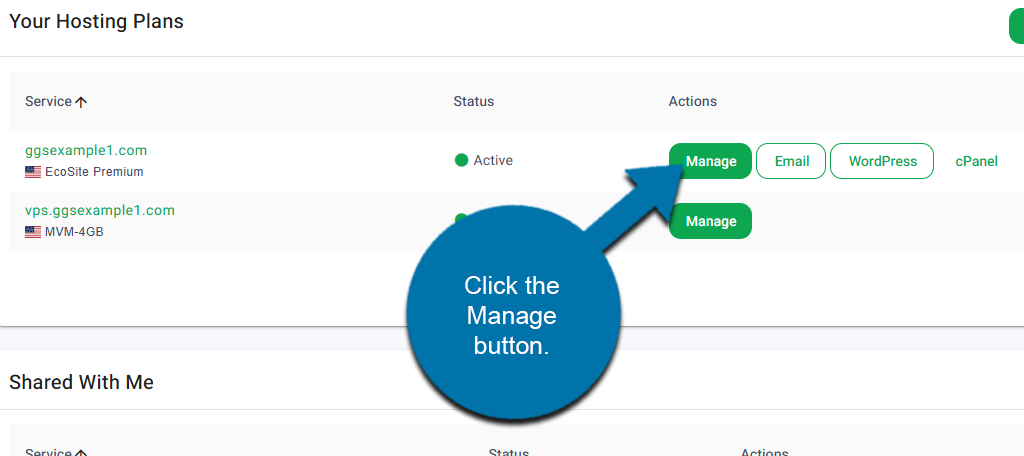
Start by logging into your GreenGeeks account. Locate the domain you wish to install an app on, then click the Manage button next to it.
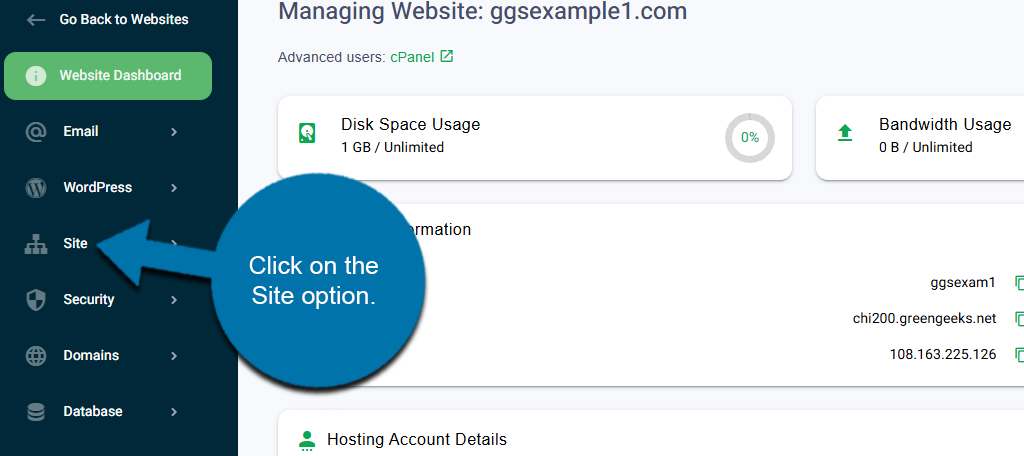
On the left-hand panel, click on the Site option.
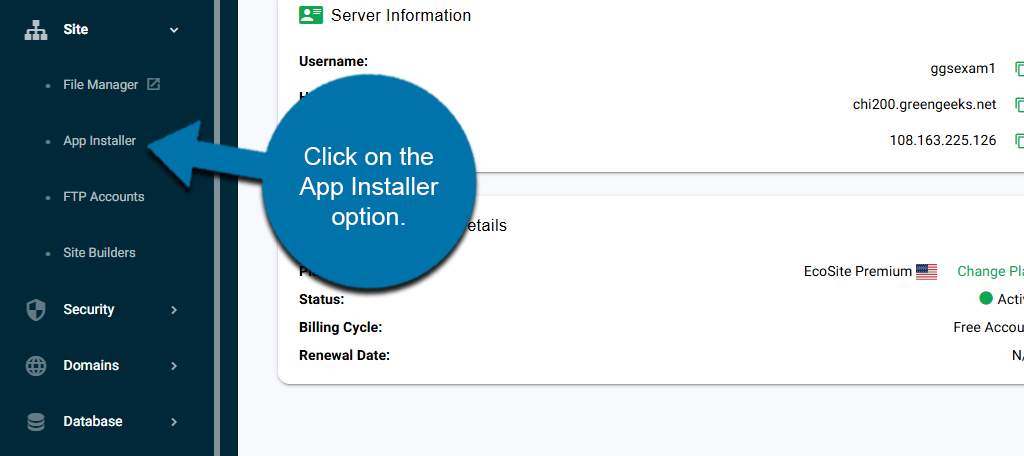
This will reveal additional options. Click on the App Installer option.
This will open up the GreenGeeks App Installer.
How to Use the GreenGeeks App Installer
The GreenGeeks App Installer allows you to do two things. This includes installing applications on your website, and the second is deleting them.
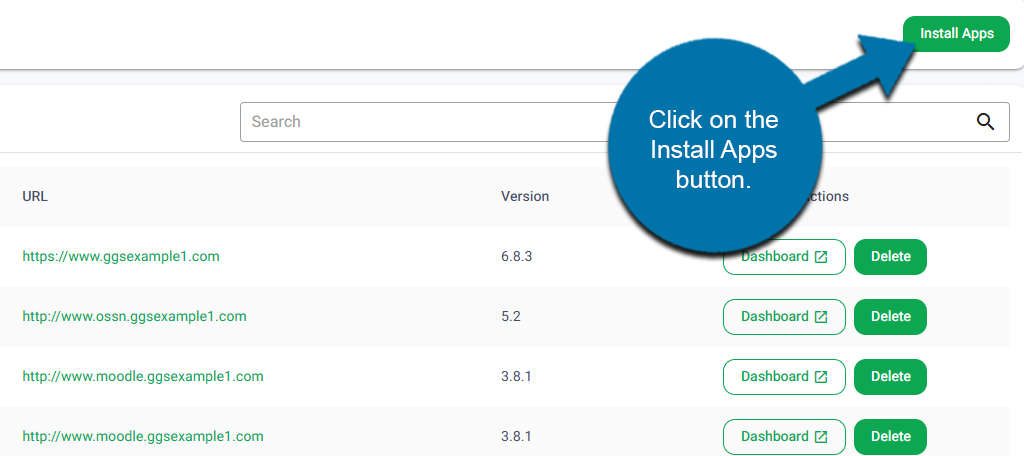
Let’s start with how to install a new application. At the top of the page, click on the Install Apps button.
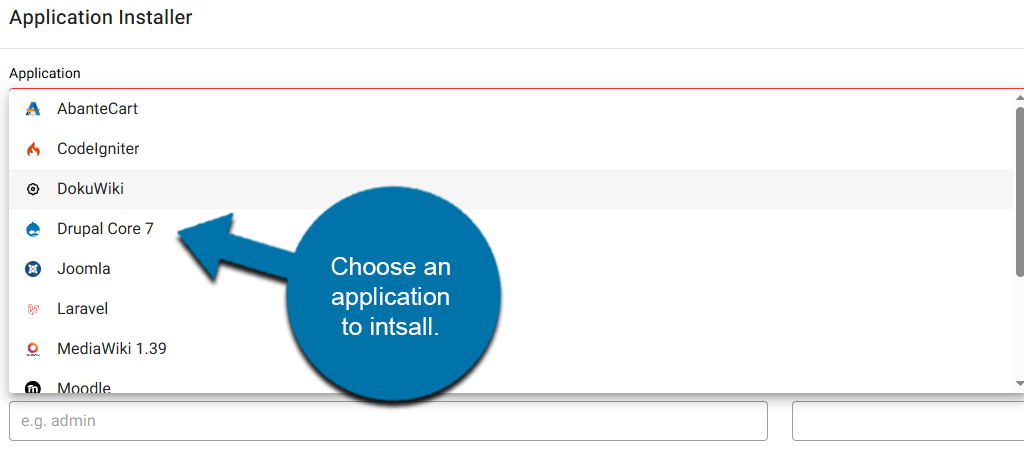
This will open up the Application Installer section. At the top, use the drop-down to select the application you wish to install.
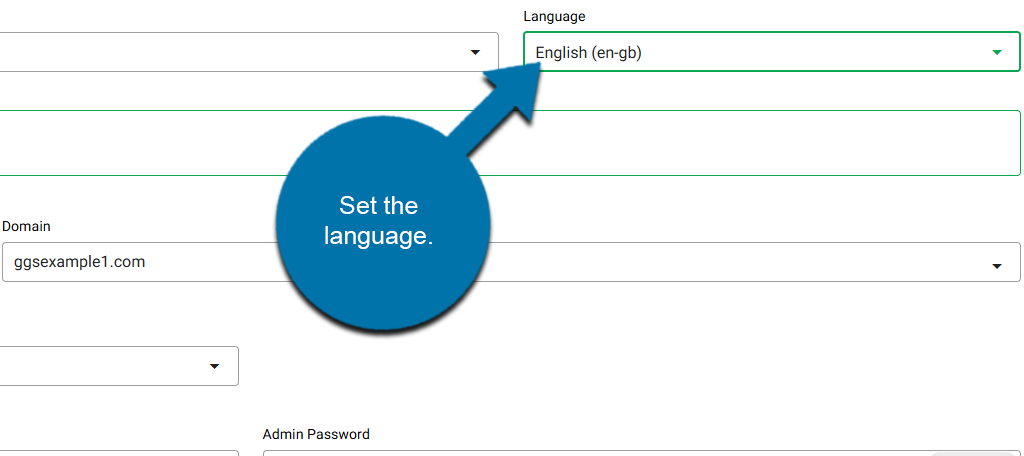
Next to this option, choose the language that the app will use.
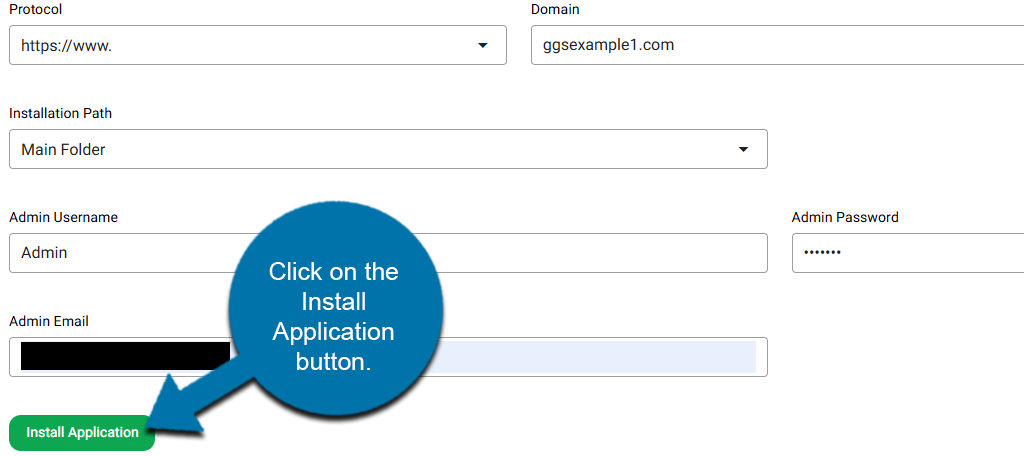
Below this, you will see a short blurb about the application you have chosen. This is followed by fields for the protocol, domain name, and installation path. The default options should be fine, but you can freely change them if you need to.
Below this will be three fields for the Admin Username, Admin Password, and Admin Email. Fill out these fields and write this information down as you will need it to access the application you are installing.
NOTE: Never use “admin” as the Admin Username. It’s a security issue that gives hackers half of your credentials, as admin is the most common to try first.
Click on the Install Application button to finish.
The installation process will begin. This process will typically take around 1 minute to complete. After it is completed, it will be added to the list of applications on this page.
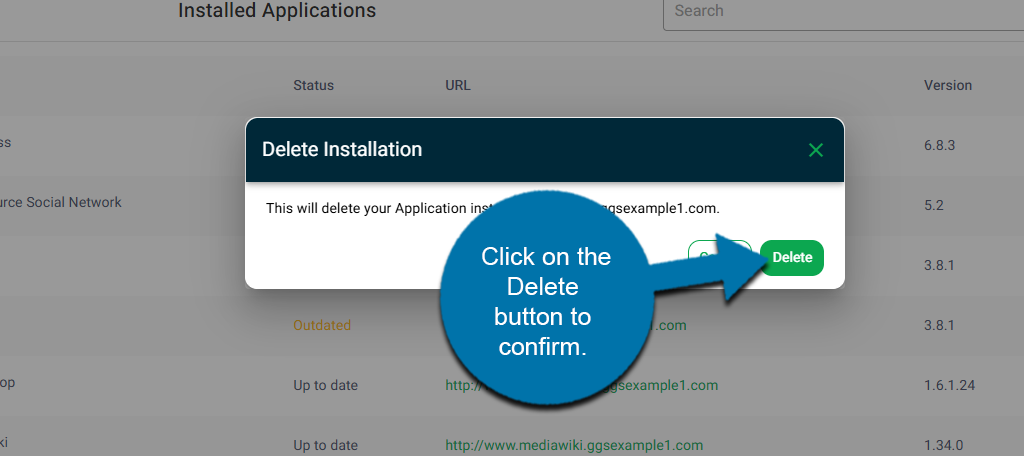
If at any point you wish to delete this or a different application, simply click on the Delete button next to it.
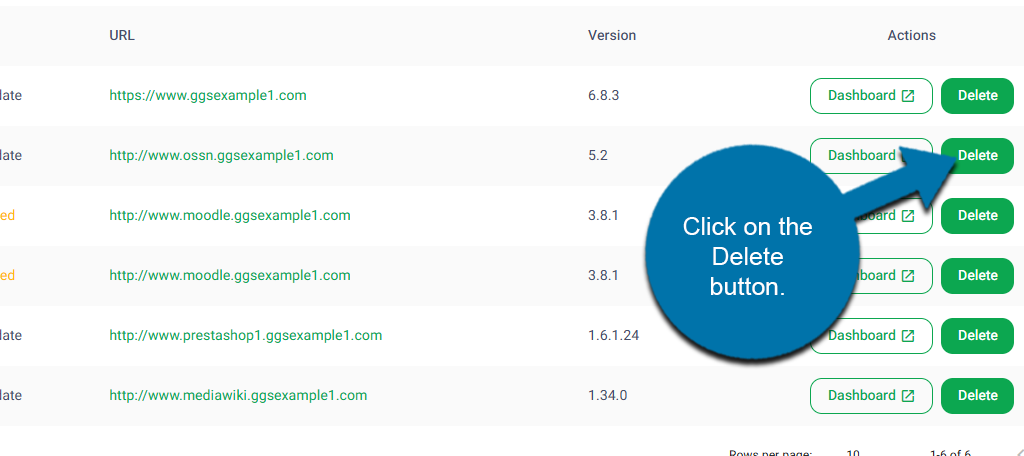
A small window will appear asking if you are sure. Click on the Delete button to confirm.
And after a moment, it will be deleted.
Start Using the GreenGeeks App Installer Today
The GreenGeeks App Installer is the easiest way to install applications on a domain, and thus, it will surely be a powerful tool. If you need any further assistance, feel free to reach out to our support team for additional help.