
If, for any reason, you want to change your primary domain, you can do it at any time from the GreenGeeks Dashboard. To do so, log in to your GreenGeeks dashboard.
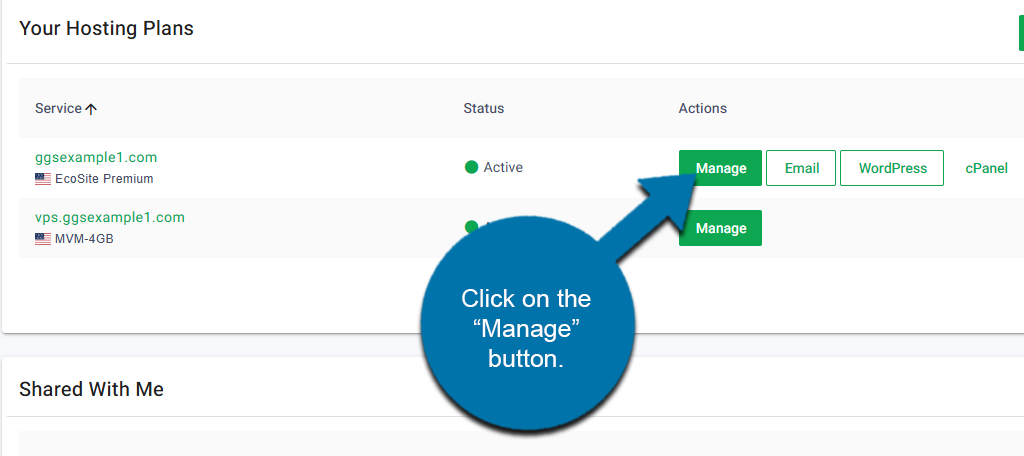
Locate the domain that you wish to change the primary for. Click on the “Manage” button next to it.
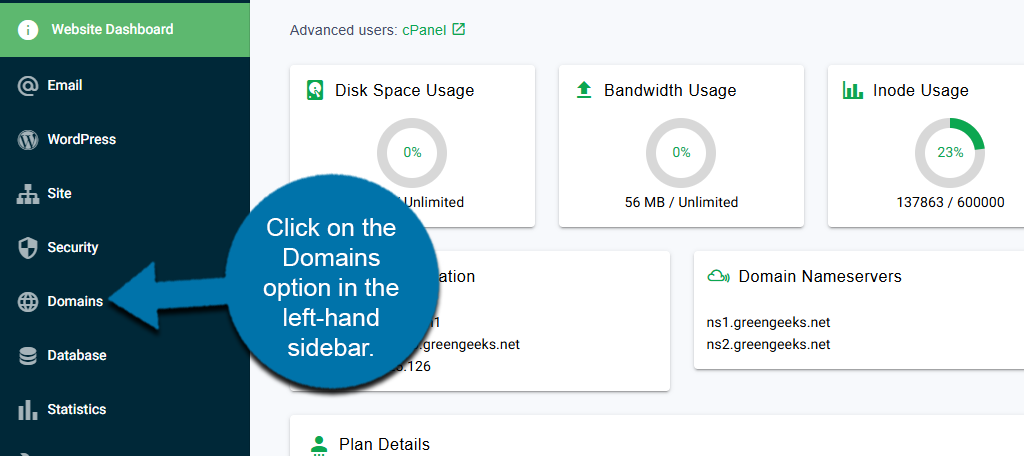
Click on the Domains option in the left-hand sidebar.
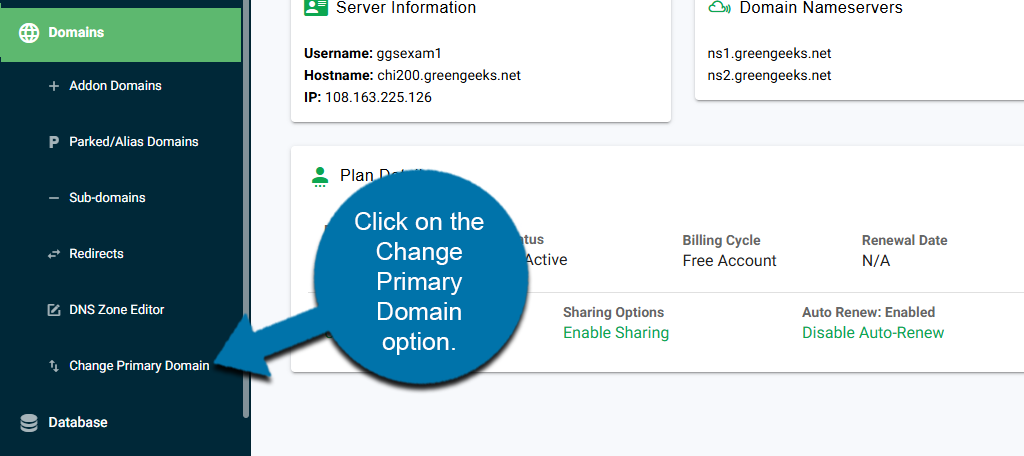
This will reveal additional options. Click on the Change Primary Domain option.
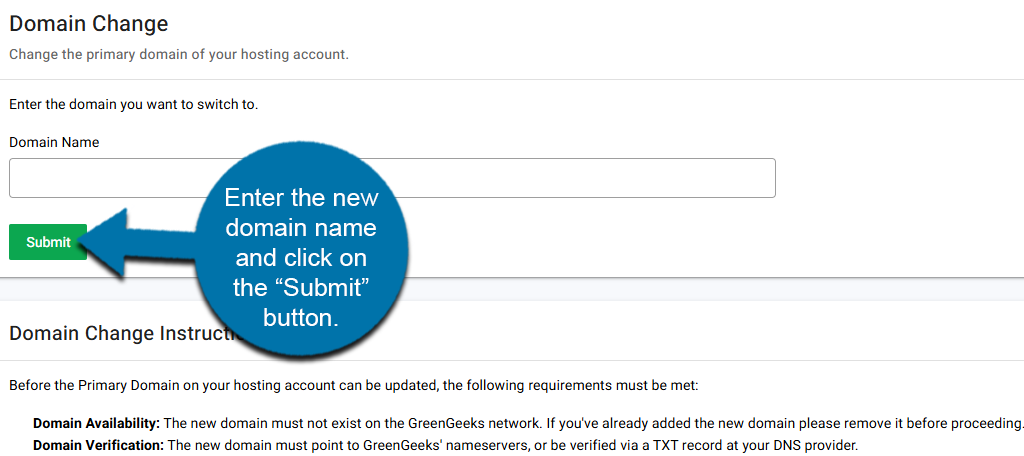
Before the Primary Domain on your hosting account can be updated, the following requirements must be met:
- Domain Availability: The new domain must not exist on the GreenGeeks network. If you’ve already added the new domain, please remove it before proceeding.
- Domain Verification: The new domain must point to GreenGeeks’ nameservers, or be verified via a TXT record at your DNS provider.
As long as these conditions have been met, simply enter the new domain name that you would like to make your primary in the available text box and click on the “Submit” button.
This will switch to a new primary domain. If you need any additional help, you can contact GreenGeeks Support for further assistance.