
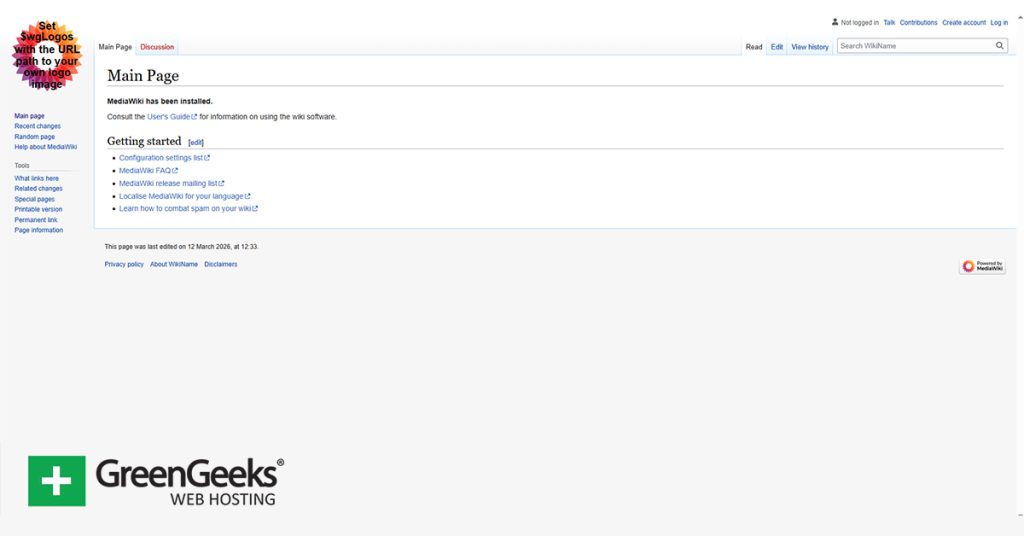
Wikipedia is one of the most visited websites on the internet, and it is built using MediaWiki. If you are interested in building a Wiki on a GreenGeeks server, you can install MediaWiki today using the GreenGeeks App Installer.
The GreenGeeks App Installer is simple to use and only takes a few minutes to finish the installation. It supports over a dozen popular applications. Thus, it is the best option to install apps for both new and experienced users.
This tutorial will demonstrate how to install MediaWiki using the GreenGeeks App Installer.
What Is MediaWiki?
MediaWiki is the software that powers Wikipedia. It is a collaborative tool that allows multiple users to edit content on the site. It also keeps track of who makes an edit, and what that edit was, thus allowing you to track bad actors.
Many fan communities will create a dedicated wiki for their favorite properties, such as television shows, movies, video games, book franchises, and so on. However, Businesses will also use MediaWiki to build knowledge bases, documentation hubs, and more.
If you need to build a highly collaborative site for multiple users to freely edit, then MediaWiki is the best choice.
How to Install MediaWiki Using GreenGeeks App Installer
MediaWiki is among the applications that the GreenGeeks App Installer supports, thus it is the best tool for the job. The installation process will only take a few minutes to complete.
Step 1: Access the GreenGeeks App Installer
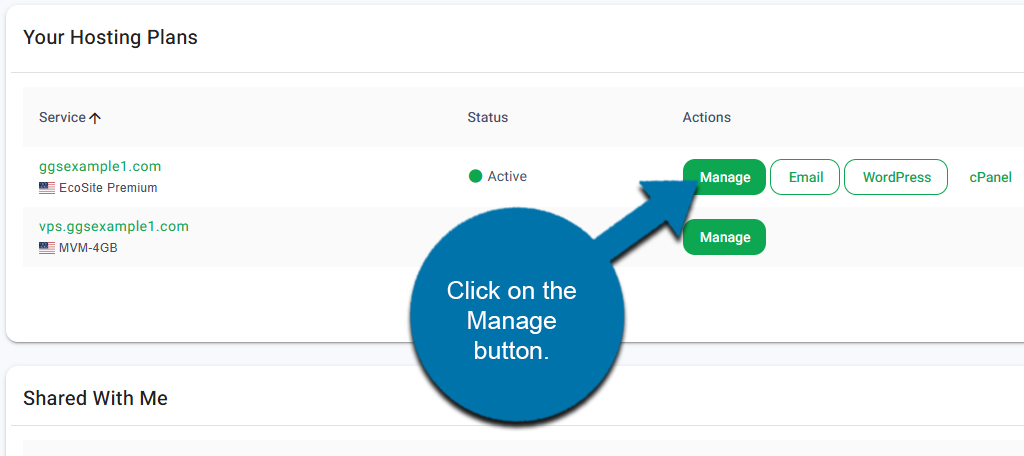
Start by logging into your GreenGeeks account. Locate the domain that you want to install MediaWiki on and click on the Manage button next to it.
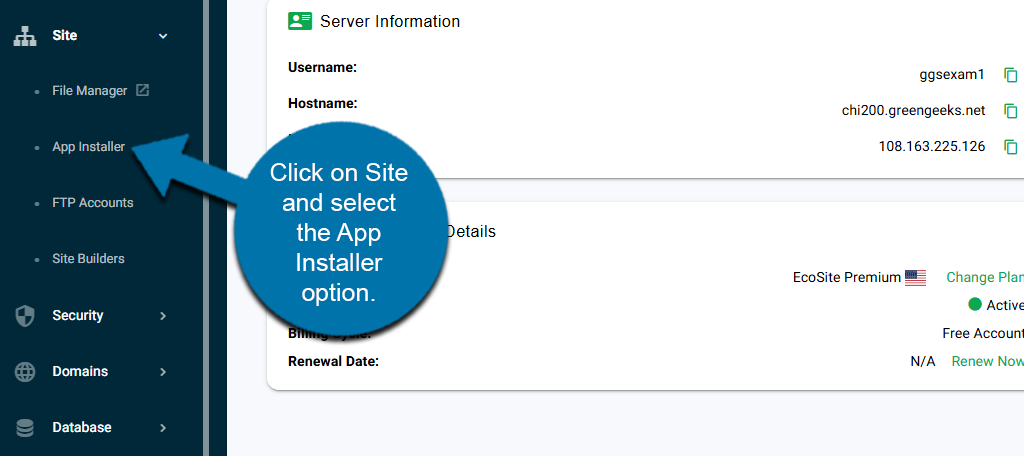
On the left-hand panel, click on Site and select the App Installer option.
This will bring you to the App Installer.
Step 2: Install MediaWiki Using the GreenGeeks App Installer
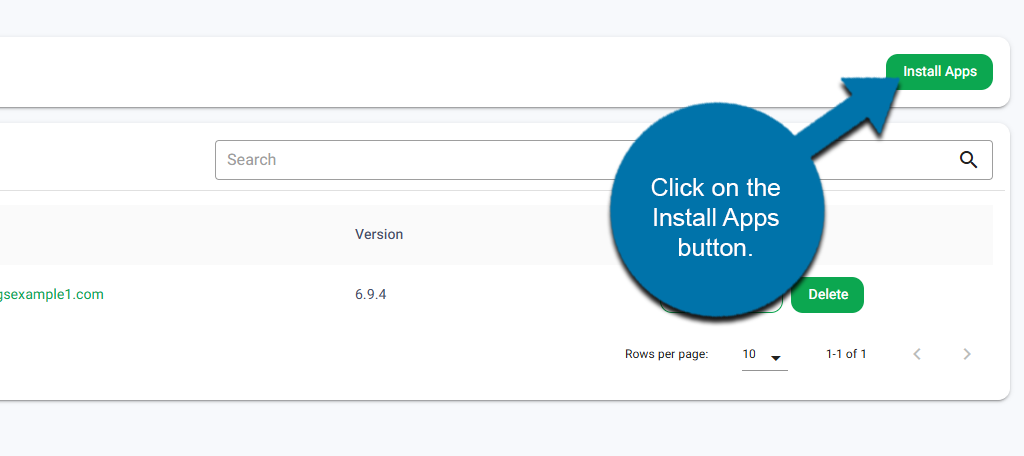
Now that you are in the GreenGeeks App Installer, it is time to install MediaWiki. Click on the Install Apps button.
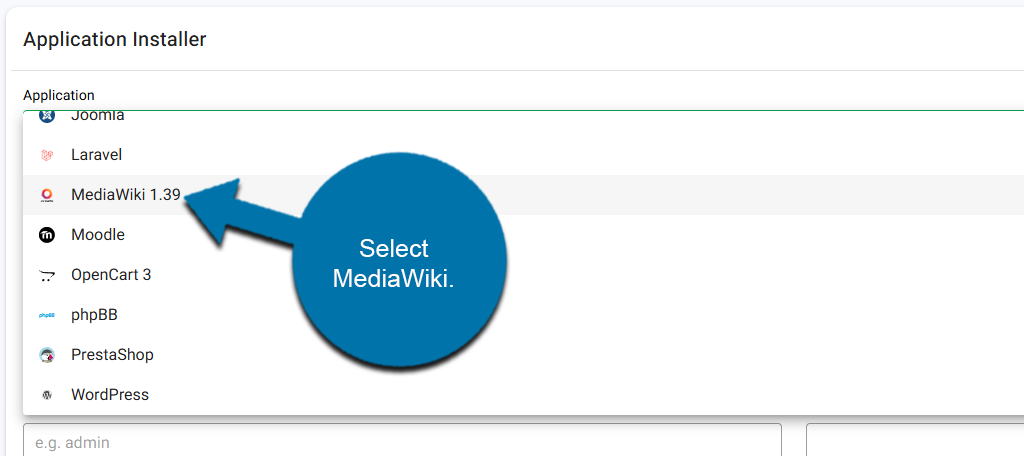
Use the Application drop-down to select MediaWiki.
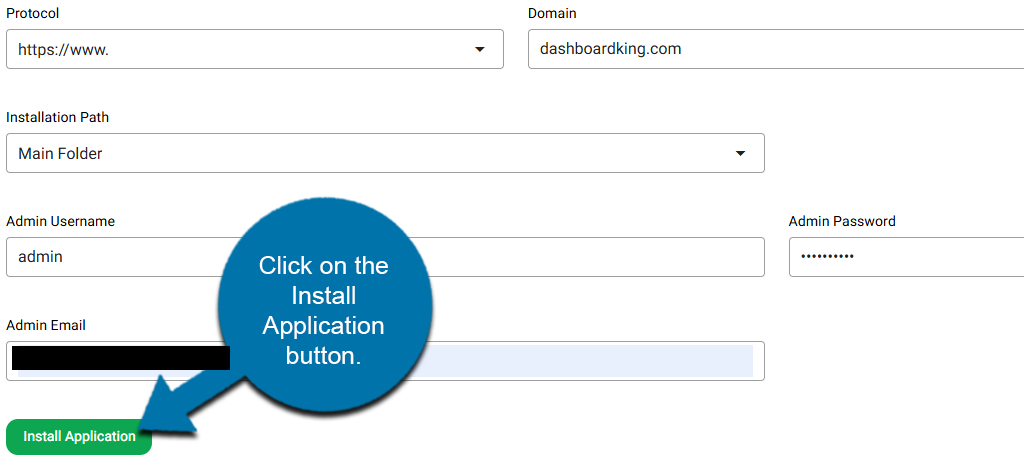
Fill in the rest of the fields, including the protocol, domain, installation path, admin username, admin password, and admin email. When you are finished, verify that the information is correct and click on the Install Application button.
Note: Be sure to write down your login information. You will need this to access your MediaWiki after it installs.
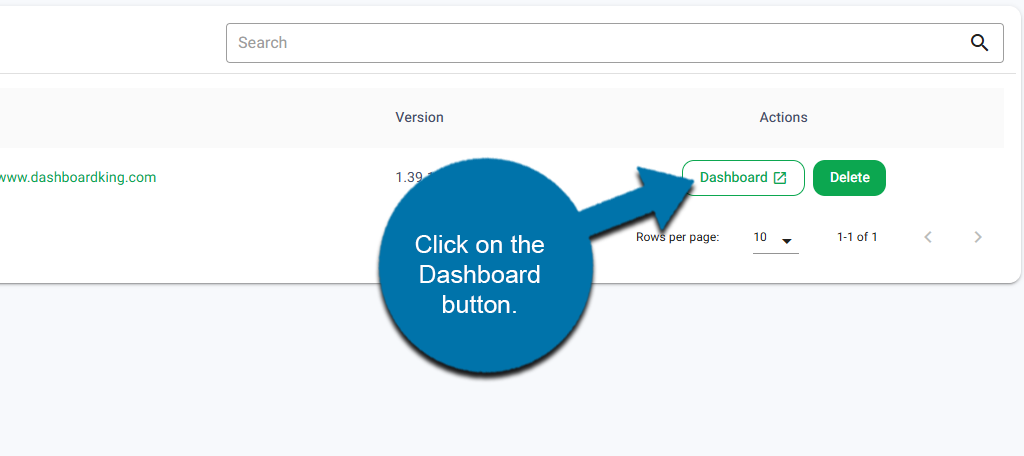
This will begin the installation process. After a few moments, the GreenGeeks App Installer will install MediaWiki. Once the process is complete, you will see it in the list of installed applications.
Click on the Dashboard button next to it.
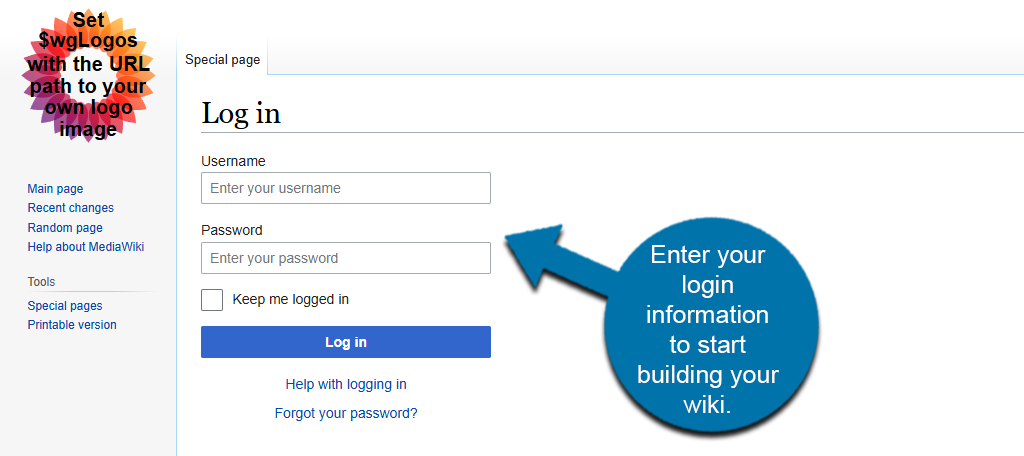
This will bring you to the MediaWiki login page. Enter the information you entered earlier to begin building your wiki.
Once you log in to MediaWiki, you will see the main page of your new Wiki ready to edit.
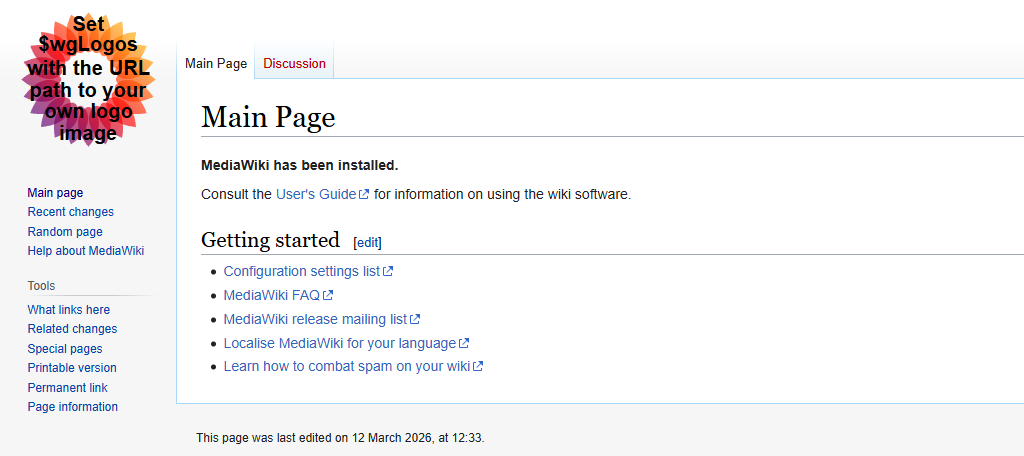
And that concludes using the GreenGeeks App Installer to install MediaWiki. If you need additional help getting started with MediaWiki, check out our other tutorials for it.
Start Building With MediaWiki Today
Installing MediaWiki is just the first step; now it is time to start building your own wiki today. Take time to analyze other wikis and how they are structured, and get the word out about your wiki to the fandom at large.
This will help invite other collaborators who can fill in information on your wiki and correct errors and inconsistencies. That said, also be mindful that there are bad actors out there who will purposefully put wrong information and offensive material if left unchecked.
Wikis are very popular, and if done right, can bring in a lot of traffic, so get building today with GreenGeeks.