
The GreenGeeks dashboard is the brain for your entire setup. It is here that you will be able to build, manage, and create. You will need to have your appropriate email and password to log in to GreenGeeks. This is found in the Welcome Email that was sent to you when you finished the initial account setup.
Log in to GreenGeeks
You will be able to access your cPanel and everything else from GreenGeeks. Log in to GreenGeeks.
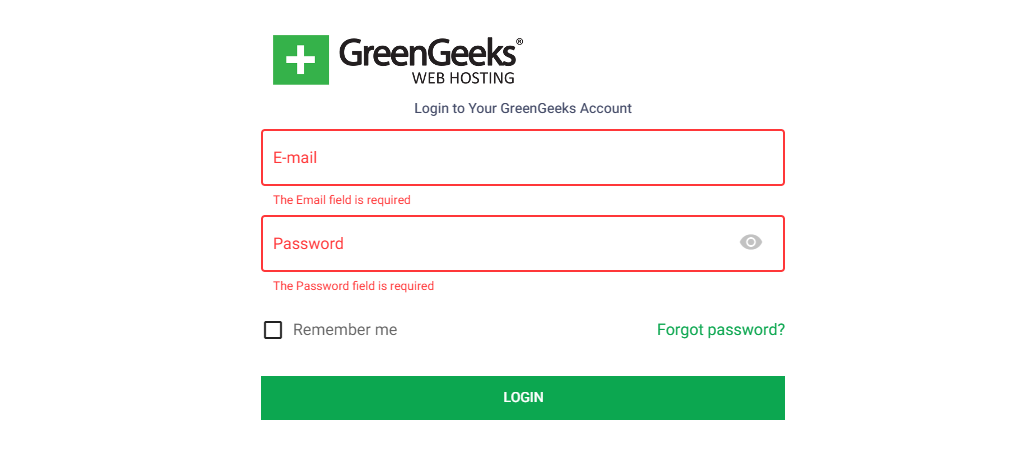
If by some chance you did not receive a Welcome Email, please click on the “Forgot Password” link, and if you still have issues, contact our Support Department, and we will assist you right away
Pointing Your Domain Name to GreenGeeks
If you did not register your domain name with GreenGeeks, you will need to point the domain to our hosting platform. Log in to your domain registrar’s portal and set the following recommended GreenGeeks Nameservers:
- Nameserver 1: ns1.greengeeks.net (75.2.69.7)
- Nameserver 2: ns2.greengeeks.net (99.83.188.187)
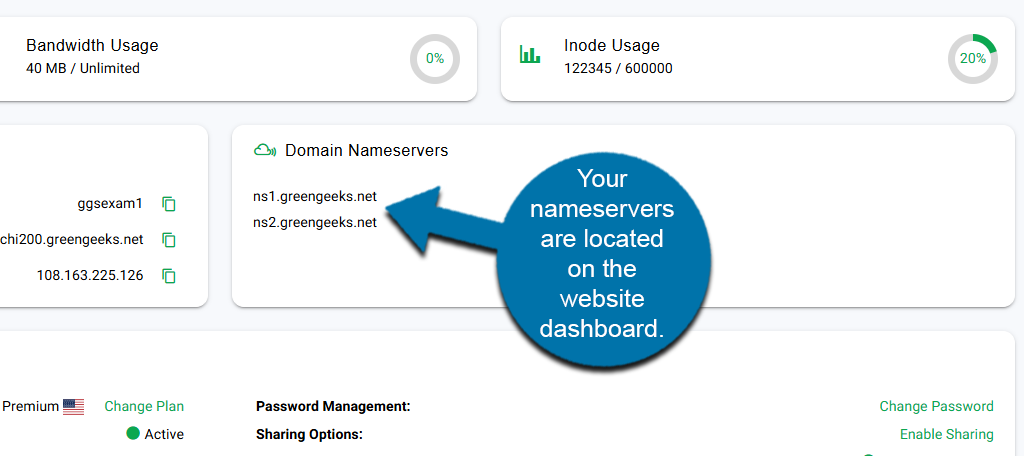
Note: GreenGeeks DNS uses Anycast technology. This means that your DNS traffic will automatically be routed to the nearest geographic location for the best performance possible.
Setting Up Your Website
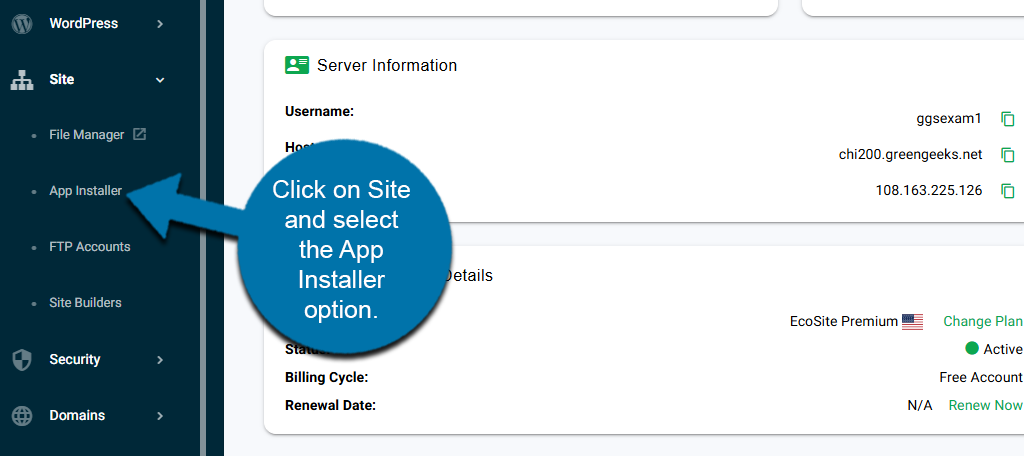
Setting up your website is easy with the GreenGeeks App Installer. From your dashboard, you can install apps directly to your site quickly and easily. This includes apps like WordPress, Moodle, Joomla, and more.
To find it, click on Site and select the App Installer option on the left-hand panel.
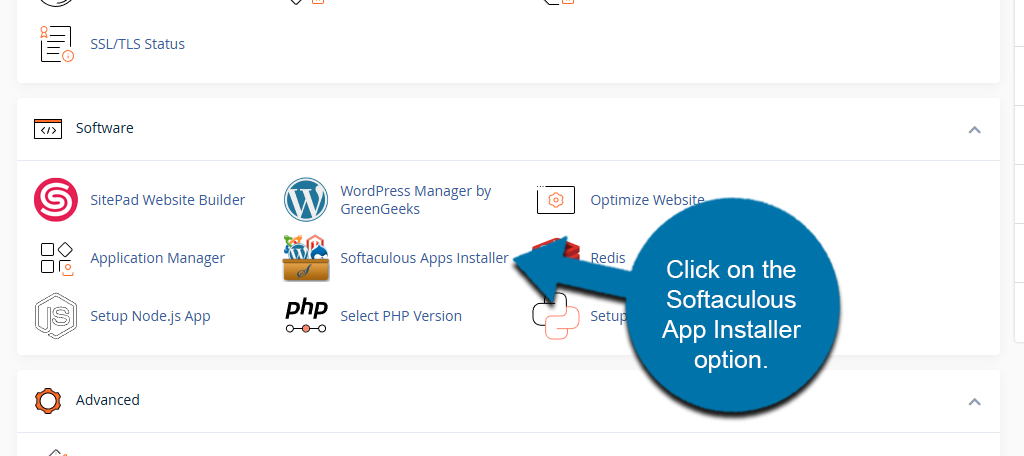
You can also use Softaculous to install various web design apps. While the GreenGeeks App Installer is usually quicker, you still have access to everything Softaculous offers.
To find Softaculous, access your cPanel. Once there, locate the Software section and click on the Softaculous App Installer option.
For more detailed information on creating a website from start to finish checkout the GreenGeeks step-by-step guide for creating a website.
Setting Up Email
You can easily create and set up emails in GreenGeeks. Follow our easy-to-understand guides on email setup with GreenGeeks.
- Setting Up Email Accounts in GreenGeeks
- How to Set Up Email Accounts in Microsoft Outlook
- How to Set Up Email Accounts in macOS and Mail
- How To Setup Email Forwarding
- How To Use POP3, SMTP, and IMAP Protocols
Contact our Support Department if you have any questions via email.
Create FTP Accounts
Using FTP to manage files is a great way to work on the go when you can’t (or don’t want to) log in to GreenGeeks to access cPanel. Here is everything you need to know about FTP and GreenGeeks.
- How To Use FileZilla (Ultimate Guide)
- How to Set Up Additional FTP User Accounts
- How To Use the cPanel File Manager
- How To Use FTP to Manually Update WordPress
Contact our Support Department for additional help if needed.