WordPress reaches the database server before it ever names a database. That makes this error a host-or-credentials failure and nothing else. The public page shows the bare heading in the browser’s default serif. The admin version at /wp-admin/ prints the live DB_HOST value into the message, so the string after “database server at” is whatever is written in wp-config.php.
That one screen rules out most of what gets blamed for this error. The rest of the diagnosis splits on frequency, since reloading the failing page 10 times separates a credentials fault from a server-side one.
What Error Establishing a Database Connection Means
WordPress emits that string from two functions and nowhere else. wpdb::db_connect() fires when a connection attempt fails, and dead_db() fires when a later request finds the database gone. Both are testing PHP’s ability to open an authenticated connection to a MySQL server, and both return HTTP 500 on purpose. That stops search engines caching the message as though it were the page.

The heading itself is the first piece of evidence, and WordPress has three of them for three unrelated problems.
Error Establishing a Database Connection
The connect-time failure has two renderings, one with the WP_ADMIN constant present and one without. A visitor gets the heading alone on a white page with no body text under it. Loading /wp-admin/ prints the full message, which names the username and password in wp-config.php as one possibility and contact with the database server at the DB_HOST value as the other. Whether that printed host is the right one comes up further down, in the section on DB_HOST.
Error Reconnecting to the Database
The reconnect message means something different from the connect-time failure. wpdb::check_connection() tests a live connection with a DO 1 query, and when that fails it calls db_connect() again several times with a one-second pause between attempts before giving up. Seeing this message means WordPress authenticated successfully and then lost the connection partway through the request. That sequence implicates the server itself. Core says as much in the message, whose second bullet asks about the database server being under particularly heavy load.
One or More Database Tables Are Unavailable
Only wp-admin ever shows this one, and it comes from is_blog_installed(). WordPress failed to read the siteurl option, then ran DESCRIBE against every table it expects to find. Finding none would have produced an offer of a clean installation. Some tables were present, so it concluded corruption and linked to the repair page. Reaching this message means the connection worked, and both the credentials and the health of the server are cleared with it.
Is the Error Constant or Intermittent?
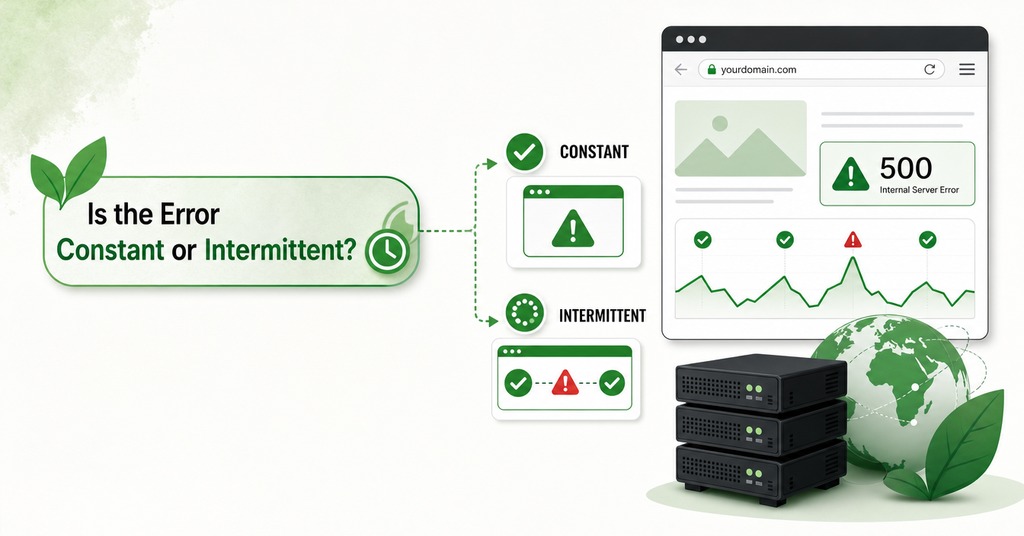
Reloading the failing page 10 times produces one of two results. 10 failures out of 10 mean the fault is in wp-config.php, while 4 failures out of 10 put it on the server side, usually outside the account holder’s control.
Credentials do not fluctuate, so a wrong password is wrong on every request, whereas a crashed service, a restarted node, a moved socket file or an exhausted connection ceiling all vary with whatever else the machine is doing.
Database Credentials in wp-config.php
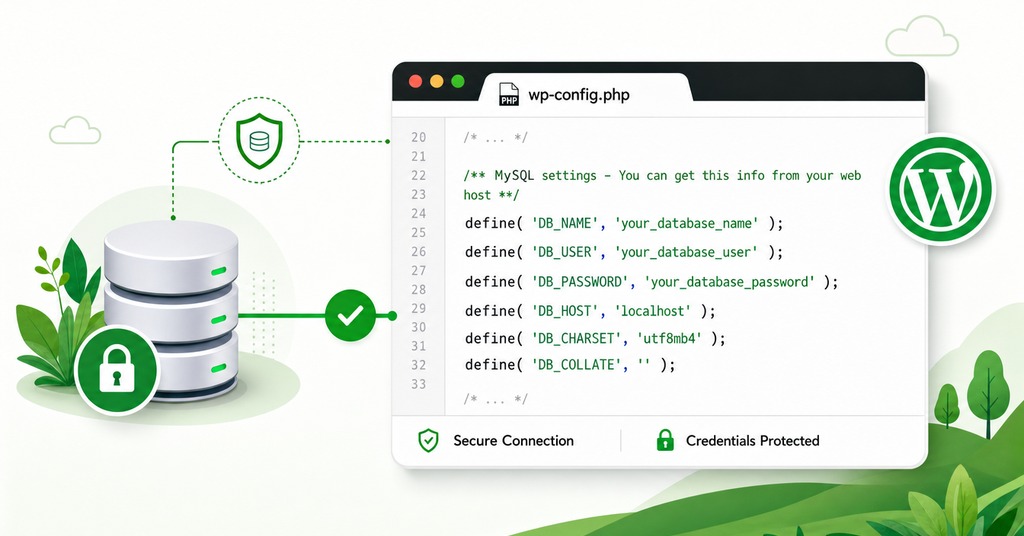
Constant failures almost always turn out to be wrong or stale credentials, and those are almost never spontaneous. Nearly every case traces back to a migration to a new host, a backup restored into a different account, a manual install, a local XAMPP or Docker setup, a password reset performed on the host’s side, or an edit that broke the PHP in the file.
Four constants control all of it, and WordPress reads them before anything else loads. The file is in the WordPress root (normally public_html) and cannot be edited from the admin file editor by design. Breaking it takes the whole site offline. Editing wp-config.php means using the control panel’s file manager or FTP.
DB_NAME and DB_USER on cPanel
On cPanel both values have the account name and an underscore in front of them. A database created as wrdp1 under an account named yourname is stored as yourname_wrdp1, and the MySQL user gets the same treatment. Copy wp-config.php out of an old host into a new one and the old prefix comes with it. Migrations produce this error more reliably than anything else on the list. Both values are case sensitive, and the user has to be assigned to that database with privileges, a separate step from creating either of them.
A wrong DB_NAME is the usual first suspect for the connection error, though the fifth argument WordPress passes to mysqli_real_connect() is null where the database name would go. Core connects to the server, authenticates, and only then calls select() with the configured DB_NAME, so a wrong database name fails at a later step and produces error 1049, “Unknown database”.
How to Reset the Database Password
An existing MySQL password cannot be read back out of cPanel, so comparing it against wp-config.php is impossible and resetting it is the only move. Open MySQL Databases, find the user under Current Users and choose Change Password, then set it to the string already written in the file. That brings the two into agreement without any edit to wp-config.php.
DB_HOST, localhost and 127.0.0.1
On cPanel shared hosting DB_HOST is localhost, because PHP and MySQL are on the same machine. Managed and cloud platforms issue a hostname or an IP address that goes into the file verbatim. A control panel that hands out a hostname while the error message still says localhost has identified the fault before any file is opened.
The field accepts more than a bare host. wpdb::parse_db_host() searches for the literal “:/” before it does anything else and treats whatever follows as a socket path, then counts colons to tell IPv6 from a port. So localhost:3307 and localhost:/var/lib/mysql/mysql.sock are both valid.
localhost and 127.0.0.1 do not reach MySQL the same way. On Linux, localhost makes PHP connect over a UNIX socket file, while 127.0.0.1 forces TCP to port 3306. Move a MySQL data directory without updating the socket paths in php.ini and the result is a database that answers from the command line alongside a WordPress install that will not load, with every ordinary test coming back green. Swapping those two values in wp-config.php tests for a transport problem faster than anything else. The log entry to look for is (HY000/2002) with “No such file or directory”. PHP looked for a socket file at the configured path and found nothing there.
Syntax Errors and Smart Quotes in wp-config.php
A missing closing quote in a define() line takes the site down as surely as a wrong password. PHP reports it three lines below the actual mistake, so an unterminated DB_PASSWORD on line 29 produces a parse error blaming line 32. Copying a define() line out of a web page or a word processor is worse. Curly quotes look correct at a glance, and PHP will not parse them. Both go unnoticed when the file is edited in a plain editor with no syntax checking. The parse error is frequently followed by the database error once the quote is patched in the wrong place.
Testing the Database Connection Without WordPress
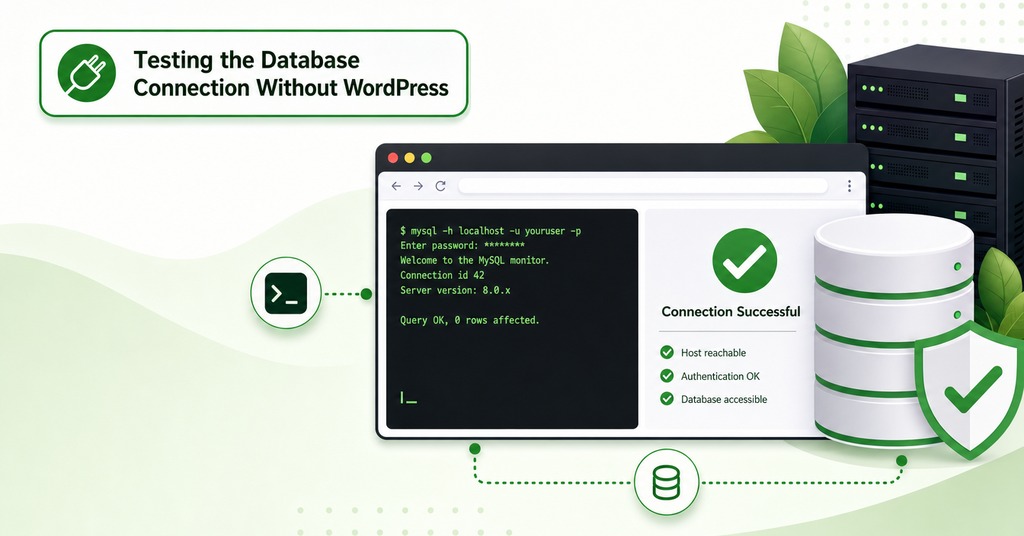
Every check to this point still happens inside the thing that is broken. A standalone script removes WordPress from the question along with the theme and every plugin, and no other test separates wrong credentials from the remaining causes as cleanly. Put a small PHP file next to wp-config.php that calls mysqli_connect() with the host, user and password from the file, prints mysqli_connect_errno() and mysqli_connect_error() on failure, then calls mysqli_select_db() with the configured DB_NAME as a second stage, and load it once before deleting it.
The result reads in two halves, the same two-stage structure core uses. A failure at the connect stage with 1045 means the username or password is wrong. A successful connection followed by a failed database selection with 1044 or 1049 means the credentials are correct and the database name is wrong or the user was never attached to it. A script that connects cleanly while WordPress still errors places the fault in the WordPress files. The four constants have been proven good by the script itself.
The command line gives the same split faster over SSH, where mysql -h localhost -u user -p dbname -e “SELECT 1” either connects or does not. A working CLI alongside a failing site narrows the problem to PHP, to the socket path, the mysqli extension or the file itself. WP_DEBUG does less at connect time than most people expect, because the failure happens inside wpdb before most of WordPress exists. All it changes is that db_connect() stops suppressing the mysqli warning.
When the Database Server Is the Problem
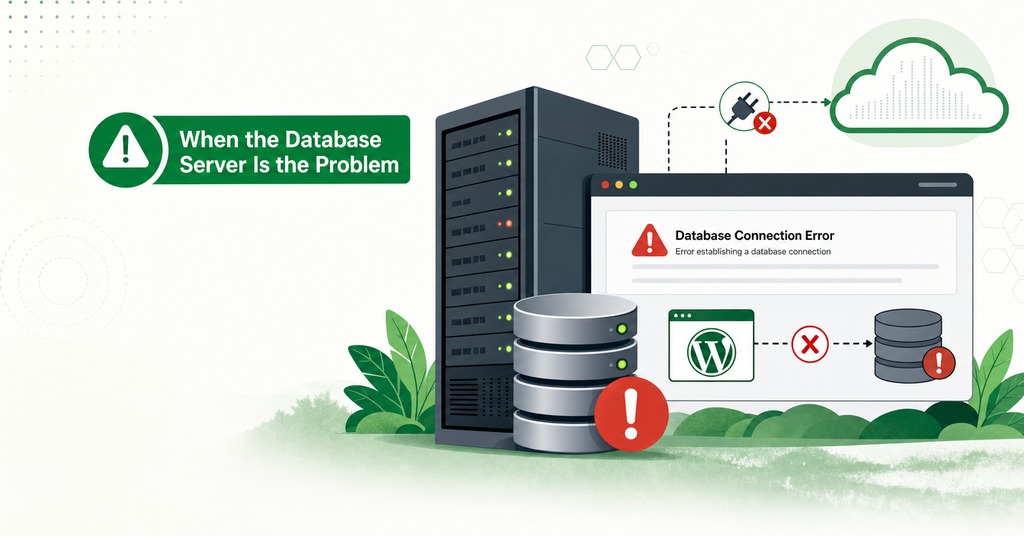
An intermittent failure takes the investigation off the account and onto the machine, where the correct move is to open a ticket before opening a file. GreenGeeks asks customers to raise it with support before debugging the site for that reason.
MySQL Down, Restarted or Migrated
Database servers are restarted for maintenance, migrated between nodes and upgraded on a schedule nobody publishes to customers. MySQL 8.0 reached end of life on April 30, 2026 and MariaDB 10.6 on July 6, and both were common shared-hosting defaults, so a host-side database migration is a reasonable first hypothesis when this error appears against a site nothing has changed on.
Out of Memory on a Shared Node
MySQL error 1041 reports out of memory and asks after mysqld or another process taking everything available. On an oversubscribed shared node it appears when the database process loses memory to other accounts or is killed outright by the kernel. The symptom on the account side is an outage that clears on its own and returns at the same hour the next day.
Max User Connections on Shared Hosting

Three separate ceilings each produce a different error, and they get conflated routinely. The number in the error names whose fault the outage is.
Three Ceilings and Three MySQL Error Numbers
Error 1040, “Too many connections”. The server-wide max_connections limit, shared with every other account on the box. Somebody else can exhaust this.
Error 1203, “User %s already has more than ‘max_user_connections’ active connections”. Your account’s cap on simultaneous connections, enforced per user and host pair rather than per username.
Error 1226, “User ‘%s’ has exceeded the ‘%s’ resource”. The per-account hourly quota, where the middle placeholder is filled with max_questions, max_updates or max_connections. Because that limit counts statements where the others count connections, a site with two visitors can exhaust max_questions if a plugin issues hundreds of queries per page load.
Per-account connection ceilings on shared hosting are typically 15 to 25, low for a busy WooCommerce store. GreenGeeks does not publish a figure for its own accounts.
What Uses Up MySQL Connections
Connection use is a function of requests in flight. WordPress opens one connection per PHP request and holds it for the life of that request, so simultaneous connections equal concurrency multiplied by request duration. 20 people on a page that takes 4 seconds is a heavier load than 80 people on a page that takes 200 milliseconds. Estimates usually leave AJAX out of the arithmetic. A theme that loads its content dynamically can fire six admin-ajax.php calls for one page view, which is six concurrent PHP processes and six connections from a single person.
What Happens If You Raise max_connections
Setting max_connections high enough that MySQL never refuses anybody moves the failure without removing it. Each connection reserves memory, and a server pushed into swap or killed by the kernel is a worse outage than a refused query. A request served from a static file never opens a connection at all, so caching changes the arithmetic. Once caching is in place and the ceiling still gets hit, only a bigger plan or a different host remains.
Who Can Reset MySQL Resource Counters
Those counters are cleared with FLUSH USER_RESOURCES, FLUSH PRIVILEGES or an admin reload, none of which an unprivileged shared-hosting account can execute. An administrator retains a connection slot when ordinary clients are locked out, and the host can read SHOW PROCESSLIST during an incident while the account holder cannot. A resource-limit outage therefore has to go through support, whichever of the three ceilings was hit.
Why Your Site Loads but wp-admin Shows the Error
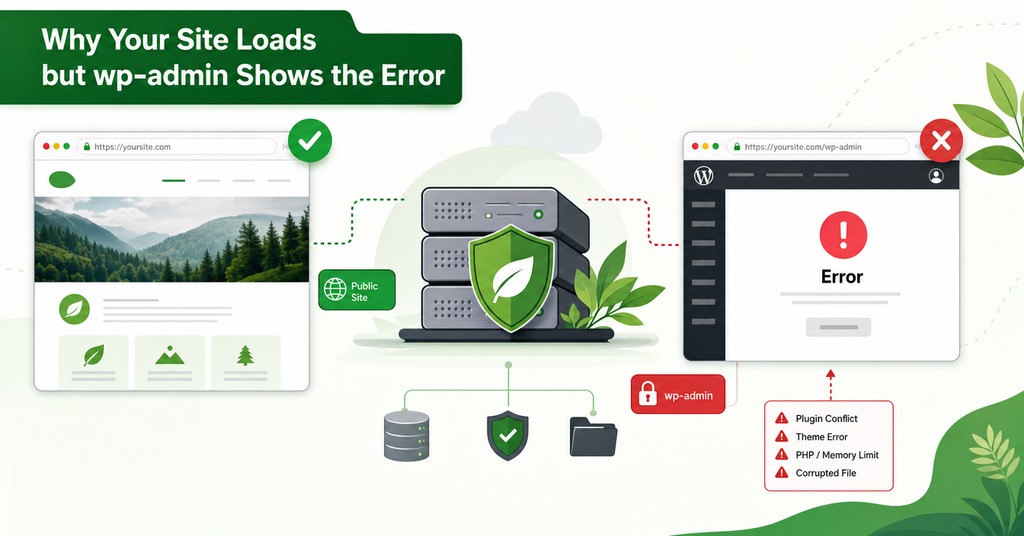
A working homepage during a database outage confirms only that page caching is doing its job. Caching converts the front end into pre-generated static files that never touch MySQL. Those pages keep serving while the database is entirely unreachable. Because the admin is uncacheable by design and hits the database on every request, it fails first and by itself.
The same logic identifies which URLs stay under load during a traffic-driven outage. Everything cacheable stops mattering, and the load concentrates on wp-login.php, admin-ajax.php, the REST API, WooCommerce cart and checkout pages, logged-in sessions, internal search results and any URL a bot invented with a query string on the end.
How to Repair a Corrupted WordPress Database
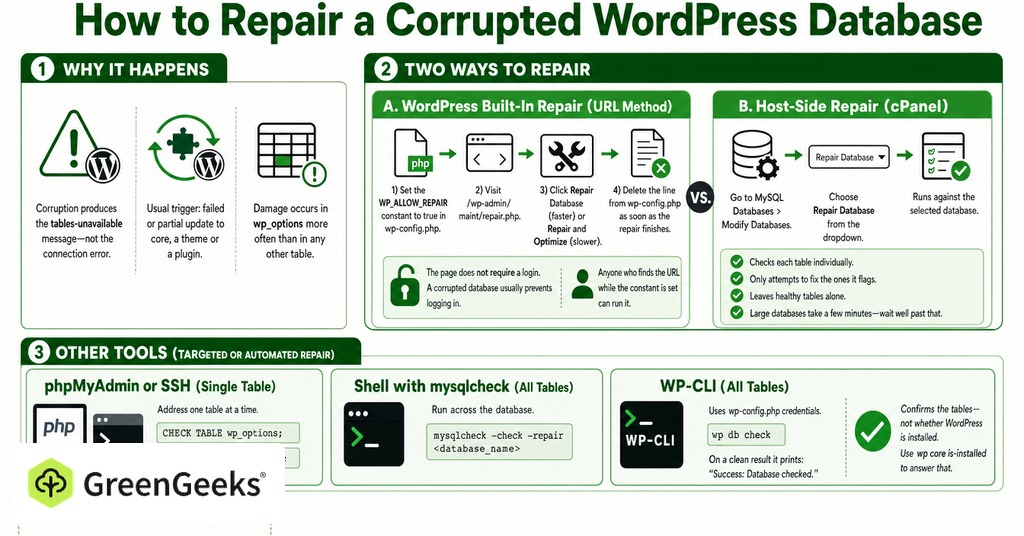
Corruption produces the tables-unavailable message and never the connection error, so a site owner who arrives here from a connection failure has misdiagnosed the outage. The usual trigger is a failed or partial update to core, a theme or a plugin, and damage occurs in wp_options more often than in any other table.
WP_ALLOW_REPAIR and repair.php
Set the WP_ALLOW_REPAIR constant to true in wp-config.php, then visit /wp-admin/maint/repair.php. That page deliberately does not require a login, on the reasoning that a corrupted database usually prevents logging in. Anyone who finds the URL while the constant is set can run it. Delete the line the moment the repair finishes. Of the two buttons offered, Repair Database finishes faster and suits a site that is down, while Repair and Optimize takes longer for a benefit that does not matter mid-outage.
How to Repair a Database From cPanel
The host-side equivalent needs no file edits at all. The Modify Databases section of MySQL Databases has a Repair Database dropdown that runs against whichever database is selected. The tool checks each table individually and only attempts to fix the ones it flags, leaving healthy tables alone. Large databases take a few minutes, so nothing should be assumed stalled until well past that.
CHECK TABLE, REPAIR TABLE and wp db check
The phpMyAdmin database manager and an SSH session both allow a single table to be addressed instead of all of them, running CHECK TABLE wp_options and then REPAIR TABLE wp_options. From the shell, mysqlcheck with –check and –repair against the database does the same across the board. WP-CLI’s wp db check wraps that utility and reads its credentials straight out of wp-config.php. On a clean result it prints “Success: Database checked.”, which confirms the tables and says nothing about whether WordPress is installed. wp core is-installed answers that question.
What to Change Once the Site Is Back
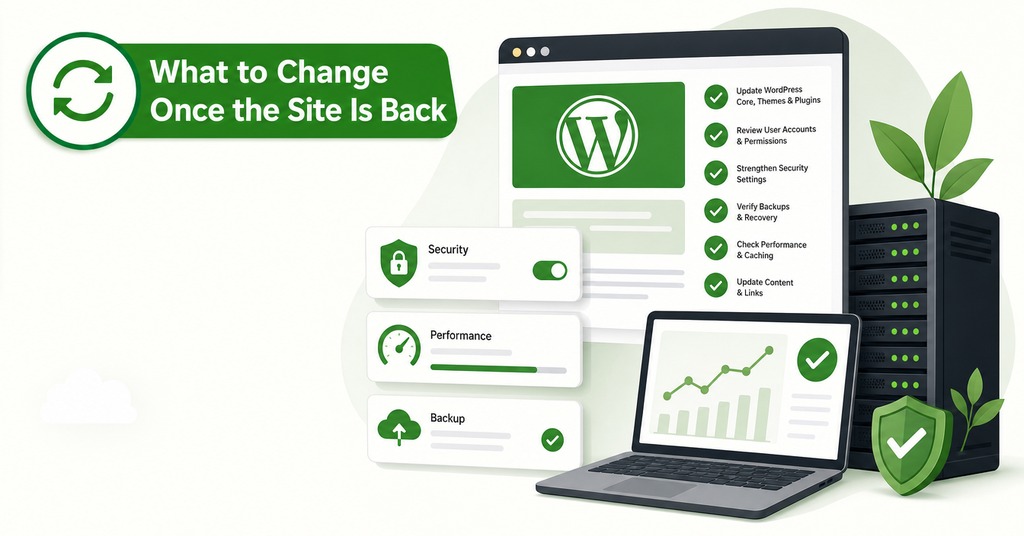
The site comes back and the owner never establishes which of the changes made was the one that mattered. The same fault is then free to recur on the same site.
Guessing also leaves two wrong beliefs standing. Plugin conflicts do not cause the error directly, and plugins only become relevant through failed updates that corrupt tables or through query load that exhausts a ceiling. A hack is the explanation reached for most often and supported least often, given that a compromise damages files and leaves the connection alone.
Because every top-ranked trigger for this error is a planned action, a database backup belongs before any migration, restore or manual credential change. An external uptime monitor pointed at the site should match on the page body as well as the status code, since a proxy or CDN in front of the origin can rewrite a 500 into something reassuring. A wp-content/db-error.php drop-in should write failures to a log file, because every request in flight fires the drop-in and an email alert would send one message per failed request.
Frequently Asked Questions
Where is the database connection error coming from in WordPress?
It comes from wpdb::db_connect() in wp-includes/class-wpdb.php and from dead_db() in wp-includes/functions.php. Nothing else in core emits it, and both send HTTP 500 so search engines do not cache the page.
Why does my site say the database server at localhost could not be established?
That sentence prints your live DB_HOST value back at you. On cPanel shared hosting localhost is correct. It points at a fault only if your host issued a different hostname or the MySQL socket has moved.
What is DB_HOST supposed to be?
On cPanel shared hosting, localhost. On managed or cloud hosting, the hostname or IP address the control panel gives you. It also accepts a port, written as localhost:3307, and an explicit socket path such as localhost:/var/lib/mysql/mysql.sock.
How do I check my WordPress database credentials in cPanel?
Open wp-config.php in File Manager, note DB_NAME, DB_USER and DB_PASSWORD, then confirm the database and the user are listed under MySQL Databases. The password cannot be read back, so reset it to the value already in the file.
Is it safe to leave WP_ALLOW_REPAIR enabled?
No. The repair page does not require a login, by design, because a corrupted database usually blocks logging in. Enable the constant, run the repair, then delete the line.
What does “user has exceeded the max_questions resource” mean?
It is MySQL error 1226. max_questions is the hourly query quota your host applied to the account, not a connection count. A plugin issuing hundreds of queries per page load can exhaust it on modest traffic.
How many MySQL connections does WordPress use?
One per PHP request, held for the life of that request. Simultaneous connections equal concurrency multiplied by request duration. Slow pages and AJAX-heavy themes therefore exhaust a ceiling faster than visitor numbers suggest.
Can a plugin cause error establishing a database connection?
Not directly. A failed or partial plugin update can corrupt tables, and an unoptimized plugin can generate enough query load to exhaust the account’s limits. Neither of those is a connection fault inside the plugin.
How do I check the error logs for a database connection problem?
Set WP_DEBUG and WP_DEBUG_LOG to true in wp-config.php. WordPress then writes wp-content/debug.log. For the server-side error logs, cPanel’s Errors page under Metrics shows the last 300 entries or 2MB.
Can I customize the database error page visitors see?
Yes. Create wp-content/db-error.php and WordPress loads it instead of the default page, from both db_connect() and dead_db(). Send HTTP 500 from it so the message is not cached.
Does the error mean I have been hacked?
Rarely. A compromise can leave corrupted WordPress files behind, but it is the least likely cause of this particular error.
Will the database connection error hurt my SEO?
The page returns HTTP 500 by design, which tells crawlers the failure is temporary and discourages caching of the message. A short outage is not a ranking event, while a prolonged one is treated as downtime like any other 5xx response.