
A small nonprofit can launch a dependable website without a large design budget. The responsible low-cost approach limits the first version to essential visitor tasks and budgets for the renewal year. It keeps the domain and hosting under the direct control of the organization. Email and donation accounts receive the same organizational treatment.
Launch expenses and recurring expenses should be considered separately. A deeply discounted first hosting term can make the initial total look modest. Domain and hosting charges return in the following year, as may costs for extensions or email. The budget decision should therefore cover at least two years, even if the board authorizes only the first year today.
Set the smallest useful scope

Begin with the actions visitors must complete. A five-to-seven-page first release commonly covers these jobs:

- Explain the mission and the work.
- Describe programs and evidence of impact.
- Provide donation and contact routes.
- Publish volunteer information.
- Make required financial or governance documents available.
Additional functions change the project. An event calendar requires somebody to keep it current, while a member portal needs access management. Multilingual content adds an editorial process. A connection to a donor database needs testing after updates. Treat each function as a continuing responsibility with an owner. An unassigned feature is likely to become inaccurate after launch.
The first site can also use a domain other than .org. That ending is familiar for nonprofit organizations, though it does not establish legal status. Choose an address that is easy to say and controlled by the organization. Direct control of the registrar account lets the organization renew or transfer the domain after a staffing change.
Write down the content owner beside every planned page. A page without an owner should leave the first release unless it is necessary for legal disclosure or a core visitor task.
Choose the setup your team can maintain
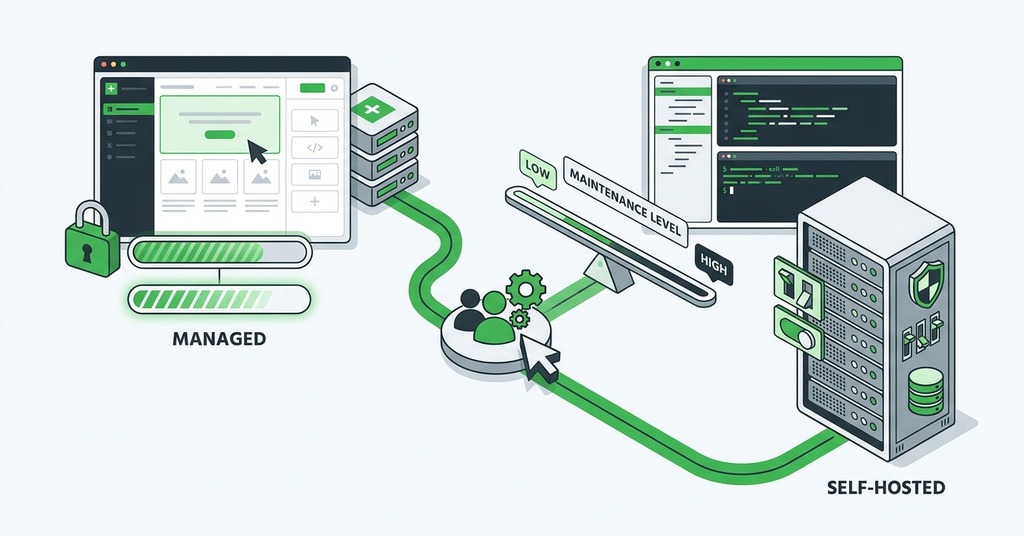
The correct platform depends on what the site must do and who can care for it after launch.
Use a simple hosted page for information and contact
A basic hosted builder or simple publishing service can suit a new organization that needs a public description and contact details. The page can link to an external donation service. This arrangement reduces technical maintenance because the provider manages the server and software. A staff member can usually edit text without working in a hosting control panel.
This path works when content changes infrequently and the donation processor supplies its own secure form. Confirm that the service permits a custom domain and provides HTTPS. It should also allow more than one administrator and provide an export or exit route. Free service is less useful if the next volunteer cannot recover the account or move the domain.
Use managed WordPress for donations and regular publishing
WordPress becomes useful when the organization publishes news or manages several program pages. It may also need more control over forms as the site grows. The low-cost version requires restraint, beginning with a maintained theme and few extensions. Hosting should include automatic certificate provisioning and WordPress updates. Daily backups protect the recovery point. Secure file access and human support cover two different operating needs.
GreenGeeks provides one current example of this package. Its entry WordPress plan includes one site with automatic WordPress updates and daily backups. Migration help is part of the package, and support is available around the clock. Those inclusions reduce the number of services a small organization must manage. On-demand restoration and staging vary by plan, so the buyer should confirm those controls before treating the backup feature as a complete recovery process.
Choose a simpler hosted page when nobody can own WordPress maintenance. The WordPress invoice omits the staff time required to approve updates and remove abandoned administrator accounts. The maintenance owner must also test forms and respond when an extension conflicts with the theme.
Pay for help when the workflow becomes operationally complex
Professional help is reasonable when the website affects case intake or protected information. Membership access and multilingual publishing can also justify outside help. A donor database connection adds another reason. These functions require discovery and documented privacy decisions. Testing and documented ownership follow before the site can launch. A donated build can also need a written scope and an exit plan. Volunteer labor does not remove the cost of future changes.
Ask a provider to identify what the organization will own and which licenses recur. The proposal should name the update owner and explain restoration. It should also state what support costs after launch. Request an administrator handoff and a list of every service used. A quotation that covers page design without these operating details is incomplete.
Build a first-year and renewal budget
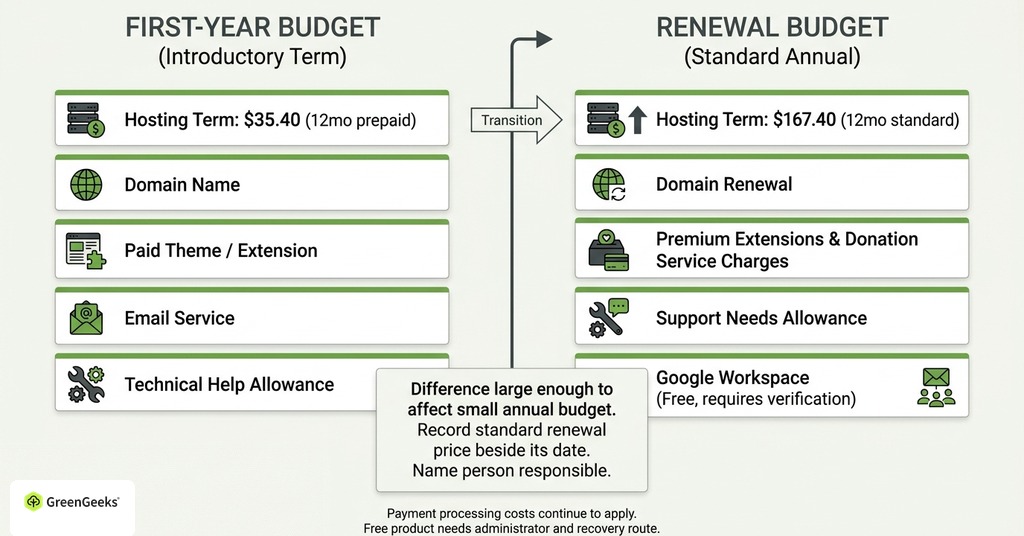
Budgeting begins with the full service package, since a monthly hosting headline rarely represents the annual operating cost.
Price the launch term
List the domain and hosting in the first-year worksheet. Add any paid theme or extension, followed by email service and a small allowance for technical help. GreenGeeks currently lists its introductory entry WordPress term at $2.95 per month when twelve months are prepaid, or $35.40 for that hosting term. The organization would need to account for later domain renewal and any paid donation or form tools.
An organization using an external donation service may spend very little on site software. Payment processing costs continue to apply. Staff should complete a real donation before launch, then confirm that the donor receives the expected acknowledgment. An authorized staff member should receive the notification. Contributions with disclosure requirements need a workflow that produces the appropriate record.
Price the second year before buying
The same GreenGeeks entry plan is currently listed at $13.95 per month on renewal, or $167.40 for twelve months. That difference is large enough to affect a small annual budget. Before approving the first payment, record the standard renewal price beside its date. Name the person responsible for billing in the same account record.
Add the annual cost of the domain and email. Then include premium extensions and any charges from the donation service. Occasional support needs its own allowance in the annual estimate. Eligible organizations can apply for Google Workspace for Nonprofits at no charge, though verification can take time. Apply well before the planned launch if organization email is part of the setup. A free product needs a designated administrator and recovery route.
Put the organization in control
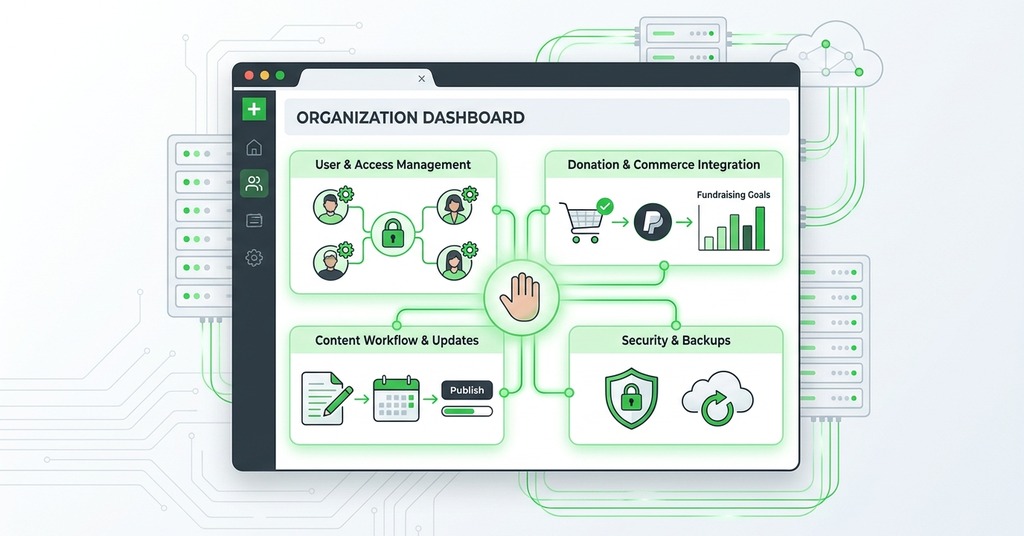
Every essential account should use an organization-controlled email address. This includes the domain registrar and DNS provider. Hosting and content management accounts belong on the same list. Apply the rule to the donation processor and analytics account. The email administrator also needs an organizational identity. A volunteer can receive access through an individual login without becoming the sole owner or recovery contact.
Keep a handoff record with the account names and service addresses. Record renewal dates beside the billing and recovery contacts. The record should also identify the person authorized to contact support.
Store passwords and recovery codes in an organization-controlled password manager. Give access to at least two authorized people. Remove access promptly when a role changes.
Domain control deserves special attention because losing it can interrupt the website and email together. Record the registrar name and expiration date in the domain handoff record. Put the automatic-renewal status beside the payment method. Document the transfer procedure in its own entry. A nonprofit discount program or favored vendor can change its services, so the organization must be able to manage the domain directly.
Review these records twice a year and after any board or staff transition. The review should verify that recovery email addresses work and that payment cards remain current.
A contractor may need administrator access during a project. Create an individual login that can be removed at the end of the engagement, while retaining an organization-owned administrator account throughout the work.
The handoff is complete only when a second authorized person can use the records. A short access test can expose a missing recovery code or an account that remains tied to a former volunteer.
Test the site and approve its budget before launch
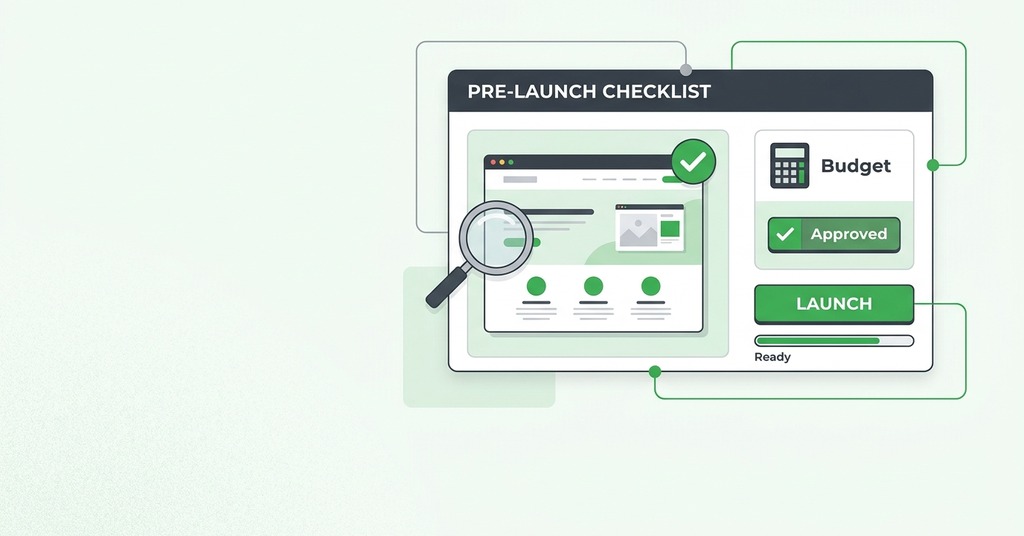
Complete one donation or form submission on a phone and a computer. Check the receipt and staff notification after the transaction finishes. Submit an error so the response can be examined as well.
Review the confirmation page and keyboard navigation. Examine text contrast across the important page templates. Ask a person unfamiliar with the site to find the program information and complete the primary action.
Then test the operating controls. Confirm that a second authorized person can enter the registrar and host accounts. If the plan provides the function, restore a disposable backup or a staging copy. Record the steps after the test. A daily backup has limited value when nobody knows where it is stored or how long restoration takes.
Fund an organization-owned domain first. Suitable hosting or a hosted service follows in the allocation. Working email and a tested donation route come next. Keep a small reserve for support and limit the initial page count. Features without a named maintainer can wait. Record the normal renewal total beside the launch total.
This allocation gives a small nonprofit a site it can operate after the original volunteer leaves. Once visitor demand or internal workflows exceed that arrangement, the organization can pay for added capability with a documented account map and a known annual cost. The tested recovery process remains useful through that change.
