Web hosting is a service that provides the internet-connected servers and related systems needed to deliver a website. It stores site files and runs application code when required. The service sends a response when a visitor asks for a page. A domain name gives people an address to enter, and hosting provides the system that answers there.
Preparing that answer may require storage and processing power. Memory and database access also affect how quickly it is ready, while network capacity affects delivery after the page has been prepared.
A basic page can return as a prepared file. A WordPress page may need PHP to run before a database query can finish the response.

Web Hosting in One Sentence
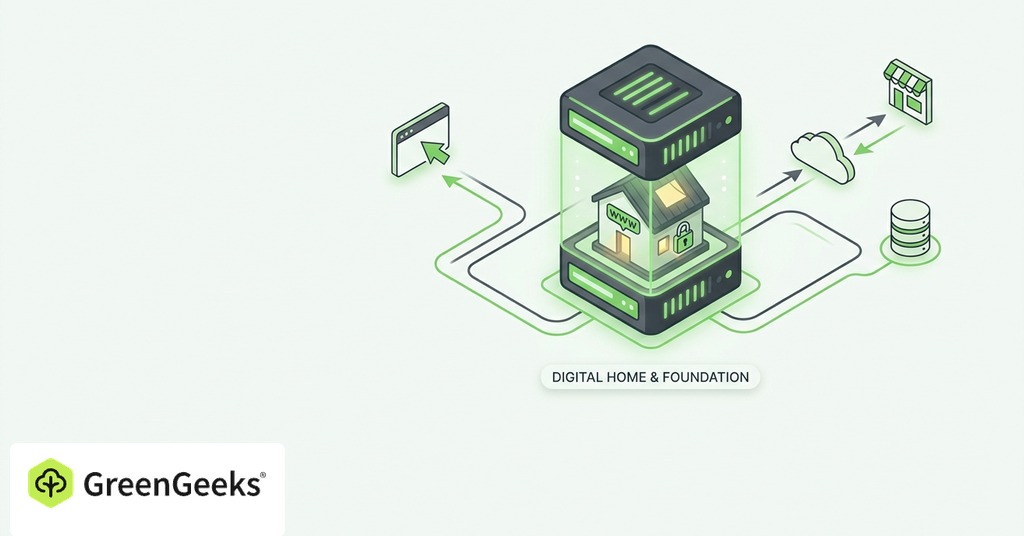
You rent a portion of a server system so your website can answer requests throughout the day. The provider maintains the physical equipment and network connection. It also maintains the host environment described in the plan. You upload or build the website that uses those resources. Some website builders bundle both services under one account for a single monthly price. The builder supplies the publishing software used to create and update pages. Hosting supplies delivery infrastructure.
One Website Request From Start to Finish
Domain and DNS Lookup
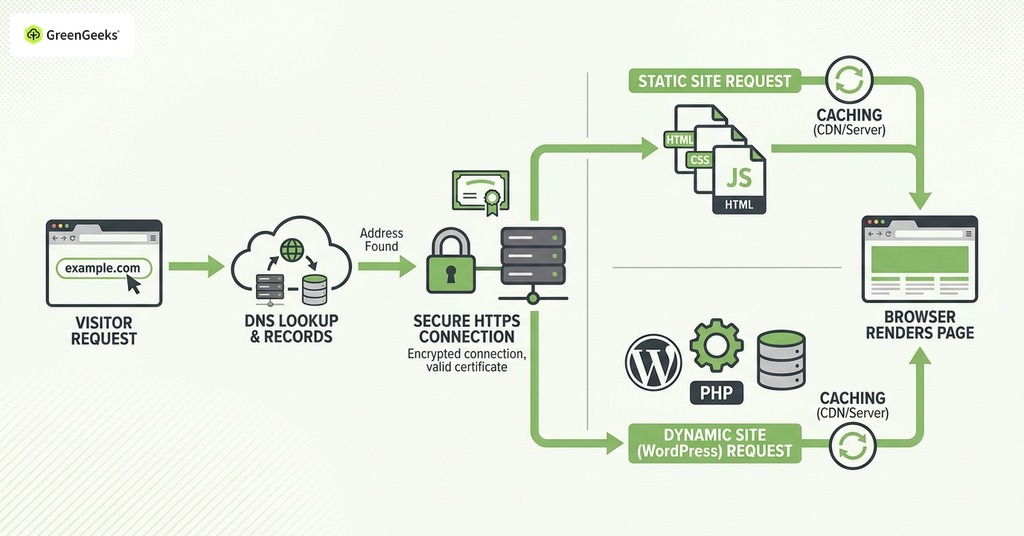
A visitor begins with a domain such as example.com. The browser asks the Domain Name System for the information needed to find the service assigned to that name. Buying a domain gives you control of an address. DNS records connect that address to a host or another service.
DNS changes explain why a new site can appear on one network before another. Resolvers cache records for the period set by their time to live. Until those cached answers expire, some visitors reach an earlier server. DNS updates the directions to the service. Website files remain on the host.
HTTPS Request and Server Response
Once the browser locates the service, it opens a connection and requests a resource. With HTTPS, the server presents a valid certificate and encrypts the connection. A static-site request returns a prepared HTML file. The browser then requests the stylesheets and scripts referenced inside that file. It assembles those resources before rendering the page. This route uses disk space and network transfer with little server computation per visit.
HTTPS protects information while it moves across the connection. Site administrators patch application plugins and enforce password policy. Certificate service covers the transport layer of that security work.
Caching shortens this route when a prepared response is available. A cache keeps that response near the web server or closer to the visitor through a content delivery network. The system returns the stored version without rebuilding the page. Expired material and requests for fresh information go back to the original application.
Application and Database Work
A dynamic site adds more steps. WordPress receives the request through PHP and determines which content is needed. It then queries a database for posts or settings. During a store visit, the application reads inventory and creates a session for the shopper.
The application builds the response, and the web server then sends it to the browser.
Each step consumes resources. Slow database queries can delay a page even when the network is fast. Too few application workers can create a queue during a traffic spike. Monthly visitor counts therefore give an incomplete picture of hosting needs. A cached brochure site and a store processing many simultaneous checkouts place different demands on a server at the same traffic volume.
Background work adds another source of demand that remains easy to overlook. Image processing continues after some uploads. Stores also send order messages after checkout. A plan must leave enough capacity for that work while visitor requests are being served.
Resources Included in a Hosting Plan
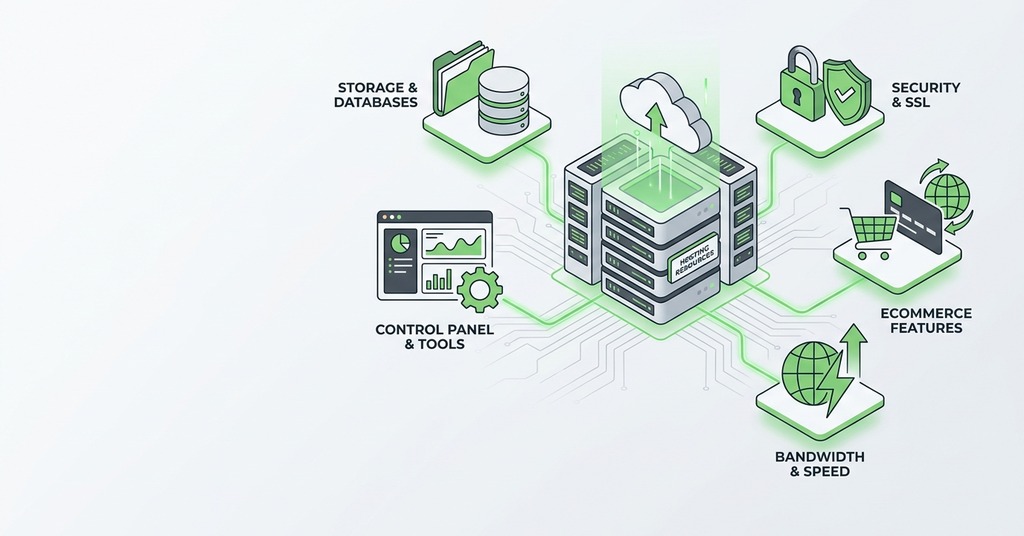
Disk space is only one part of the purchase.
- Storage keeps site files and databases. When email is included, logs or mail use account storage as well.
- Processing and memory let the web server and application complete requests.
- Network transfer moves responses between the server and visitors.
- Server software supplies the operating environment and supported language versions. Some plans include a database service in that environment.
- Operational coverage varies by plan. It can include monitoring and backups, plus a control panel or technical support.
Plan limits can be expressed through storage totals or memory allowances. Other hosts meter processes and application workers. Read the resource policy as part of the product because the word unlimited rarely removes every operational limit.
Main Types of Web Hosting

Shared Hosting
Shared hosting places many customer accounts on common infrastructure. Those accounts use a general pool of CPU and memory. Web-server capacity is shared as well, with access controls separating customer files. The arrangement keeps cost and administration low. It also limits operating-system control and exposes each site to some degree of resource contention.
For a new business site or portfolio, shared hosting is usually sufficient. Blogs commonly begin there as well, and efficient caching can serve substantial traffic.
Special server software may justify a different tier sooner. Expensive background work and sustained dynamic demand can do the same.
Resource contention should be diagnosed through evidence from the account. Repeated process-limit warnings and slow uncached requests give a clearer upgrade case than a monthly traffic total. Queues during predictable peaks add another useful signal. A large media library may instead require more storage while the processing tier remains adequate.
VPS Hosting
A virtual private server provides a virtual machine with allocated resources and deeper configuration access. Each customer receives an isolated operating environment on shared physical hardware. That environment supports custom libraries and scheduled jobs that shared plans may restrict. Applications that need predictable memory can benefit as well.
Control creates administration work. On an unmanaged VPS, the customer owns operating-system patches and firewall configuration. The contract assigns monitoring and recovery. A managed VPS assigns specified tasks to the provider, and the service description should name them because the word managed has no universal scope.
Cloud and Dedicated Hosting
Cloud hosting uses pooled computing resources that can be provisioned on demand. A single virtual machine on a cloud platform can fail as one unit.
Automatic scaling requires an application designed around multiple instances. Fault tolerance also depends on health checks and replicated data. A cloud label alone does not create either property.
Dedicated hosting assigns physical server resources to one customer. It provides strong resource separation and broad control, with a higher price and a larger management burden. Sites with ordinary publishing workloads rarely need to begin there.
GreenGeeks shared hosting illustrates the middle category. Its current plans pair LiteSpeed with NVMe storage and include a control panel. Automated certificate service covers routine HTTPS setup, while support supplies an operating route when the hosting layer needs attention.
Managed Hosting and Support Scope

Managed hosting should be read as a list of duties. Check who patches the operating system and monitors the service. The contract should identify who restores backups or responds to an application failure. A control panel exposes administrative settings to the customer. The service description names the tasks performed by provider staff. Review backup retention and database coverage, then check restore access and the ability to export an independent copy.
Your Responsibilities After Buying Hosting
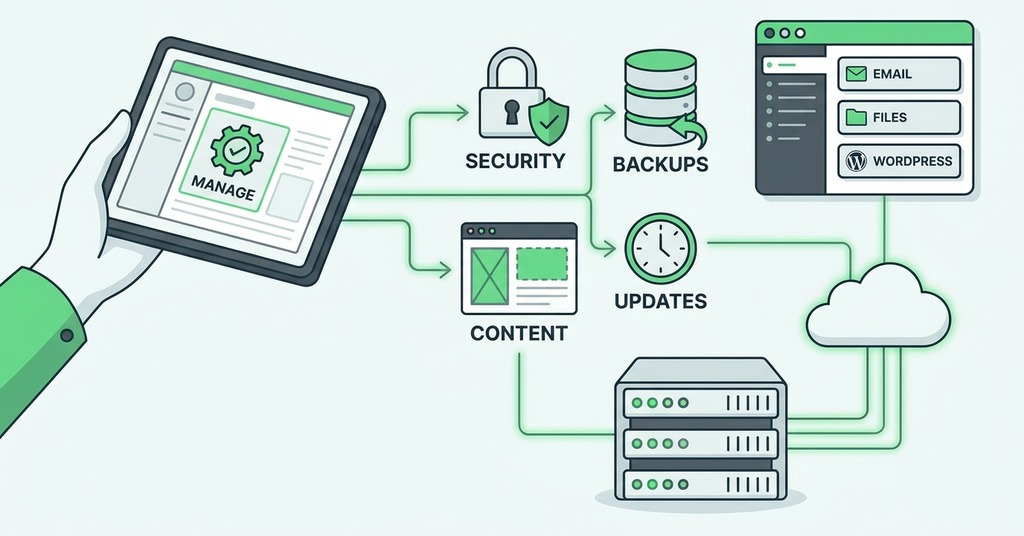
Within the provider's stated scope, hosting keeps the delivery environment available. The site owner retains business and application responsibilities.
- Renew the domain and keep its contact details current.
- Protect account credentials and limit administrator access.
- Maintain site code and themes unless the plan explicitly includes that work. Apply the same rule to plugins.
- Review content and forms. Check payment and privacy settings after material changes.
- Keep a recovery copy that can be used outside the hosting account.
Start with the simplest plan that supports the software and workload you have now. A static site may need little beyond file delivery and HTTPS. A new WordPress site usually fits shared or managed WordPress hosting. Move to isolated resources when measurements show processing queues or memory pressure. A requirement for server control can justify the move earlier. The final purchase should leave you able to name the provider's duties and your own.