A founder with a brand-new online store and almost no traffic asked a hosting forum whether he should start on shared hosting or a small VPS. He described himself as a fast learner but not a sysadmin, and that profile has never needed a VPS on day one.
A VPS buys a guaranteed slice of a server and full control of it, along with responsibility for everything inside. Entry-level unmanaged plans start around $4 to $6 per month for 1 GB of memory and one virtual CPU.
What a VPS Is
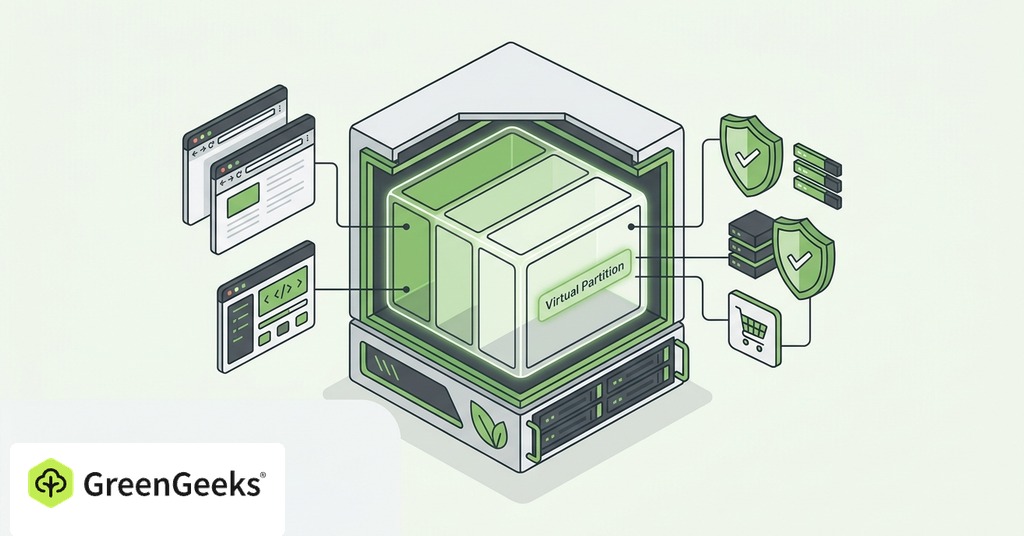
A VPS is a virtual private server, a virtual machine sold as a service. Virtualization software divides one physical server into several isolated virtual servers. Each one runs its own operating system with root access and a reserved allocation of CPU, memory and storage. It occupies the middle tier between shared hosting, where hundreds of sites share one operating system and one resource pool, and dedicated hosting, where one customer rents the entire machine.

The name is literal, since virtual means software-defined and private means the allocated resources stay yours.
Each VPS also receives its own IP address and your choice of operating system, usually a Linux distribution. Root access means you can install any software and configure the firewall without affecting other tenants.
How Virtualization Splits One Server
The component doing the dividing is the hypervisor, a software layer that stands between the physical hardware and the virtual machines. It carves up CPU time and memory along with storage and network capacity, then hands each virtual machine a guaranteed, isolated share. Every serious VPS provider runs one. The same layer sits underneath the public cloud platforms run by AWS and Google Cloud.
Type 1 hypervisors, the kind data centers use, run directly on the hardware with no host operating system underneath, giving near-native performance and strong isolation. Type 2 hypervisors run on top of a desktop operating system and belong on a laptop for testing, not in production.
KVM vs OpenVZ
KVM and OpenVZ are the two virtualization types a buyer will meet, and only the difference between them matters at purchase. KVM gives each VPS a fully virtualized kernel with dedicated resources and full isolation. OpenVZ is container-style virtualization, where resources can be redistributed among neighbors, which opens the door to overselling. The standard advice in 2026 is to choose a KVM-based VPS.
One naming difference matters while you are shopping. Some providers sell a Virtual Dedicated Server as a distinct product, meaning dedicated, non-oversubscribed CPU and memory, while most consumer VPS plans run shared virtual cores with burst capacity. The specific label on the plan says more than the word VPS on the page.
VPS vs Shared vs Dedicated Hosting
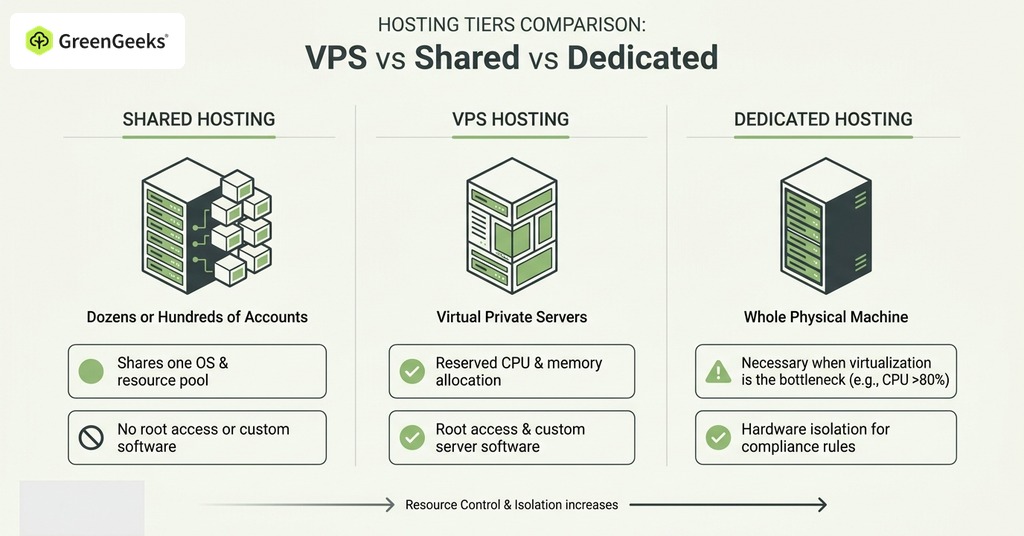
The tiers differ on who shares the resources and on who holds root access. A shared hosting account shares one operating system instance and one resource pool with dozens or hundreds of other accounts, gets no root access and no custom server software, and leaves platform security to the host.
A VPS still shares the physical machine. The CPU and memory allocation is reserved, though, and the root password is yours.
Dedicated hosting gives one customer the whole physical machine. It becomes necessary only when virtualization itself is the bottleneck, meaning sustained CPU usage above 80% of the allocation, the out-of-memory killer firing, or compliance rules that demand hardware isolation. For almost every small project, dedicated hosting is a conversation for a later year.
When Shared Hosting Stops Being Enough
Resource-Limit Errors
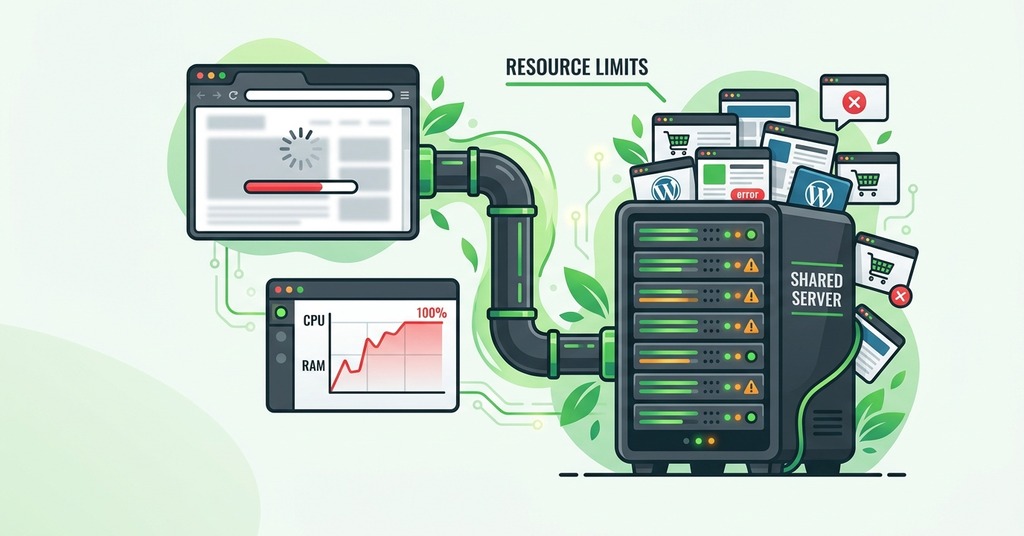
Repeated 508 errors in your logs, or a host email about resource usage, mark this wall. Every account on CloudLinux-based shared hosts, the most common limit system, has caps in several categories.
Exceed the memory cap and the system kills processes. Visitors see that as Error 500 or 503. Hit the process limit and visitors get Error 508, “Resource Limit Is Reached,” which is the signal a small site gets first. Hosts also enforce fairness at the account level. HostGator’s shared terms cap any single account at 25% of total server resources, a concrete example of what unlimited shared hosting means in practice. Once the informal limits are exceeded, the host may throttle the account, suspend it, or require an upgrade. Recurring errors of this kind end the branch at a VPS or at a host with documented higher limits.
Software the Platform Forbids
If your stack needs Node, Redis, Docker, or a specific PHP version, the decision is already made. In practice the software wall arrives before any traffic wall. Shared platforms block specific PHP versions along with Redis and Node.js. Docker and long-running queue workers are off-limits as well. So are custom Nginx configuration and cron jobs that run more than once a minute. Any one of these needs forces a VPS regardless of how few visitors you have.
Read a host’s blocked-software list before its resource limits. A platform that forbids your stack cannot be tuned around, while a tight resource cap sometimes can.
Email Reputation and Security Isolation
Shared hosts commonly cap outbound email at 500 messages per hour. Mail from a shared account leaves from an IP address shared with every neighbor on the server. When a neighbor sends spam, that address’s reputation is poisoned for everyone using it, and order confirmations end up in junk folders. On a VPS the IP address belongs to one customer, which removes both the risk and the excuse. Deliverability alone can justify the upgrade.
A compromised neighbor or a platform-wide misconfiguration on shared hosting can reach a site that has done nothing wrong. Security works in both directions here. Every patch and every firewall rule belongs to the VPS owner, along with every consequence of getting them wrong.
Traffic is rarely the wall a small site hits first. A cheap LiteSpeed shared plan with server-level caching and a CDN in front has absorbed 40,000 visitors in a single day, far more than vendor upgrade guides suggest a shared plan can take, with the caching doing most of that work.
How Much a VPS Costs
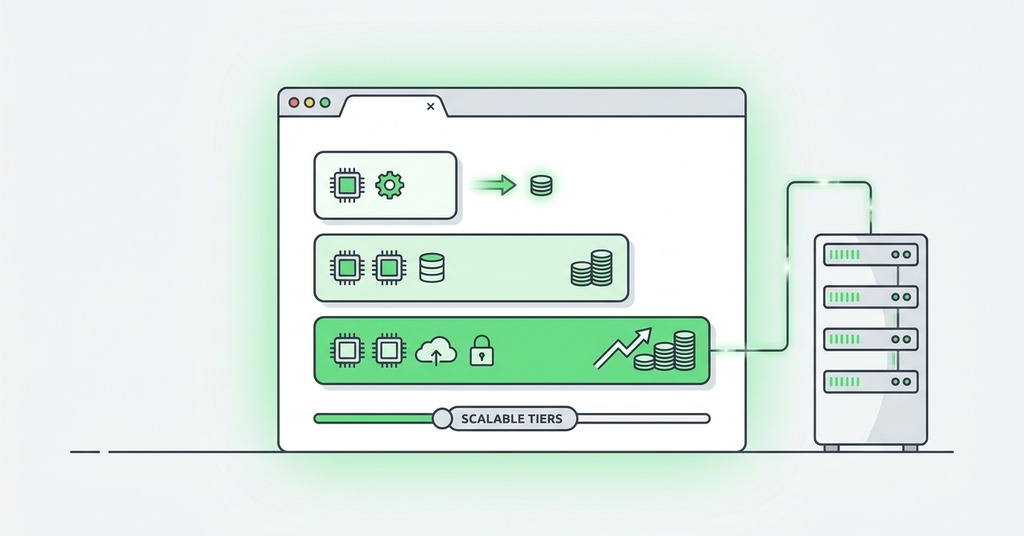
Entry-level unmanaged cloud VPS plans from providers like Hetzner and DigitalOcean start around $4 to $6 per month for 1 GB of memory and one virtual CPU. Managed VPS, where the provider maintains the operating system and security baseline, roughly doubles the price for equivalent specifications. Price ranges in comparison articles disagree because some measure only traditional web hosts and others fold in the cheap cloud providers, two different populations.
The sticker price is not the whole bill on unmanaged plans. Automated backups frequently cost an extra 20 to 30% of the server price, and IPv4 addresses have become a paid line item at some providers, a few dollars per month each. Those extras are small individually and large enough together to reorder the plans by price. The cheapest listing on a comparison table often stops being the cheapest server once it is running.
Price and performance also decouple at the low end. One August 2026 benchmark of 4 vCPU plans found the cheapest providers among the fastest on CPU, while one of the best-known names returned the lowest CPU throughput of the group. Paying more did not buy more speed.
The cost question for a small project does not end at $5 a month. What matters is whether the plan includes the work. An unmanaged $5 VPS plus your own evenings is a different product from a $40 managed plan. Comparing the two on price alone is how small projects end up with a second unpaid job.
What an Unmanaged VPS Makes You Responsible For
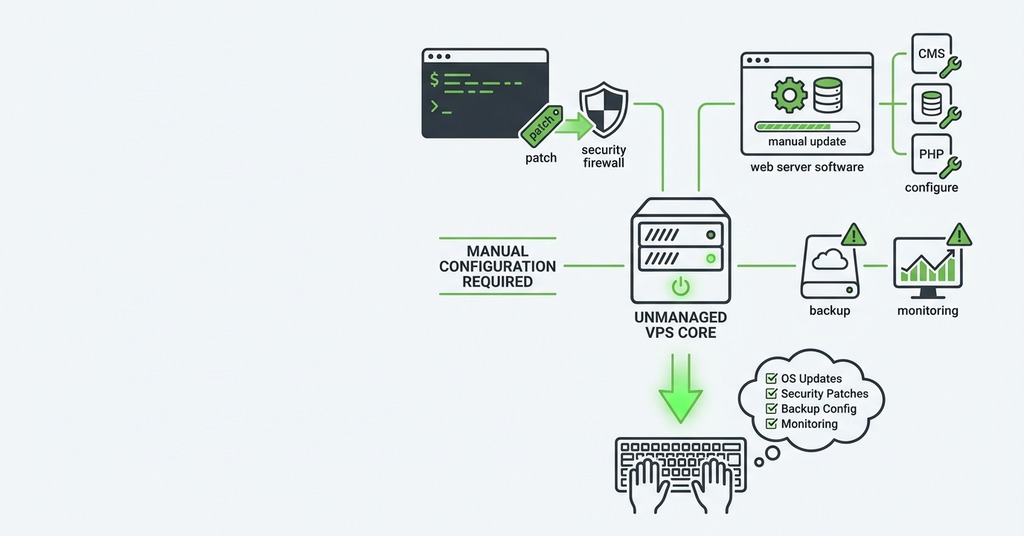
On an unmanaged plan the provider hands you the virtual machine and the network connection. Everything after that is yours. Operating system updates, security hardening, firewall rules and backups all sit with the owner, along with every incident at whatever hour it happens.
The first week has known traps. Some providers ship servers with swap disabled, which surfaces as 502 errors under load until you add it yourself. First-time owners regularly enable the firewall before allowing their own SSH port, which locks them out of the machine entirely. A serious mistake is repaired by reinstalling the server. Budget providers sell that as a feature, since a broken machine can be wiped and rebuilt in five minutes, and the pitch is a fair summary of the first month.
Owners who move from a managed shared platform to a plain VPS have found their sites slower or compromised, and have asked support why the upgrade felt worse. Nothing on the shared platform had advertised the pre-tuned caching and the baseline security it was applying on their behalf, and the bare VPS did neither. Bundling isolation and security tooling back onto VPS plans has cut hacked-site tickets by around 80% where hosts have done it.
An upgrade performs worse than the old plan whenever the new owner does not rebuild what the platform was doing invisibly.
A managed VPS such as the GreenGeeks VPS Hosting line keeps cPanel and WHM in place. The provider patches the operating system, the security baseline is already configured, and the upgrade path from shared hosting does not pass through a month of learning Linux at midnight. Managed plans cost roughly double the equivalent unmanaged specifications, and GreenGeeks sells no unmanaged tier at all, leaving hands-on practice with a bare server to be bought elsewhere.
Would a Small Project Ever Need One

A project that has hit no wall belongs on shared hosting, and a VPS would only add cost and work. Once one of the walls above has been hit, a VPS is the usual next step. Entry plans start at $4 to $6 per month. An owner forced to move who does not want to learn Linux administration should buy the managed tier, the version of the answer that does not include becoming a sysadmin.
Buying the VPS early, as a vote of confidence in the project’s future, is the common mistake. A better use of the waiting period is watching the account’s own resource graphs and the host’s blocked-software list, both of which name the wall in advance.
Frequently Asked Questions
What Is the Difference Between Shared Hosting and VPS?
On shared hosting your site shares one operating system and one resource pool with dozens to hundreds of other accounts. A VPS gives you a guaranteed, isolated allocation of CPU and memory, plus root access. The physical machine is still shared on a VPS, but the resources inside your slice are not.
What Is the Difference Between a VPS and a Dedicated Server?
A VPS is a virtualized slice of a physical server, while a dedicated server is the entire machine rented by one customer. Dedicated hosting typically costs $70 to $1,000 per month, against roughly $10 to $90 for VPS.
When Should I Upgrade from Shared Hosting to VPS?
Repeated “Resource Limit Is Reached” (508) errors and throttled CPU or memory are the standard triggers. Slow server response times that tuning cannot fix point the same way. So does needing software the shared platform forbids, such as Node.js, Redis, Docker, or a custom PHP version. Email deliverability pain from a poisoned shared IP is another trigger.
Do I Need a VPS for a Small Website?
Usually not at launch. A new low-traffic site fits comfortably on shared hosting. A VPS becomes necessary when the account hits resource limits, needs root access or custom software, or outgrows the platform’s email and security constraints.
How Much Does VPS Hosting Cost?
Unmanaged cloud VPS starts around $4 to $6 per month for 1 GB of memory and one virtual CPU. Fully managed VPS with cPanel typically starts around $40 to $70 per month. Backups can add 20 to 30% on unmanaged plans, and IPv4 addresses have become a paid extra at some providers.
What Is the Difference Between Managed and Unmanaged VPS?
Unmanaged means the operating system, its security patches, the backups and the troubleshooting are all yours. Managed means the provider handles OS maintenance and security, at roughly double the monthly price.
How Much RAM Do I Need for a VPS?
For a small project or a learning server, 1 to 2 GB is the commonly recommended starting point. One GB handles a simple site or a bot, while 2 to 4 GB leaves room for an application plus a database.
Is VPS Hosting Secure?
A VPS is more isolated than shared hosting, because the hypervisor separates each virtual machine from its neighbors. On an unmanaged plan, security is the owner’s responsibility. Most VPS compromises trace back to weak passwords, unpatched software left too long, or open ports.
What Is KVM VPS vs OpenVZ?
KVM is full virtualization, with a dedicated kernel and guaranteed resources per VPS. OpenVZ is container-based and allows redistribution among neighbors, so the standard advice is to choose KVM.
Is a VPS Faster than Shared Hosting?
Generally yes for dynamic sites, because the CPU and memory are reserved for one account alone. A heavily cached static site on good LiteSpeed shared hosting can still outperform a small unmanaged VPS, so architecture matters as much as tier.
Can I Host Multiple Websites on One VPS?
Yes. Root access lets you host as many sites as the resources allow, and managed VPS plans with cPanel and WHM let you create a separate cPanel account per site.
What Is Root Access and Why Does It Matter?
Root access is administrator-level control of the server, which covers installing any software, changing any configuration, and managing security directly. Shared hosting never offers it. That is the defining functional difference of a VPS.