Wix hands an owner the 20 most recent blog posts in an RSS file on the way out and keeps everything else. Self-hosted WordPress leaves the whole database and every file in the owner’s possession. Ownership of the result is the main difference between the two routes. Builders are quicker to start on and both routes produce a working site. The question to settle first is which direction the site is expected to grow across the next three years.
Is WordPress Harder to Learn than Wix or Squarespace
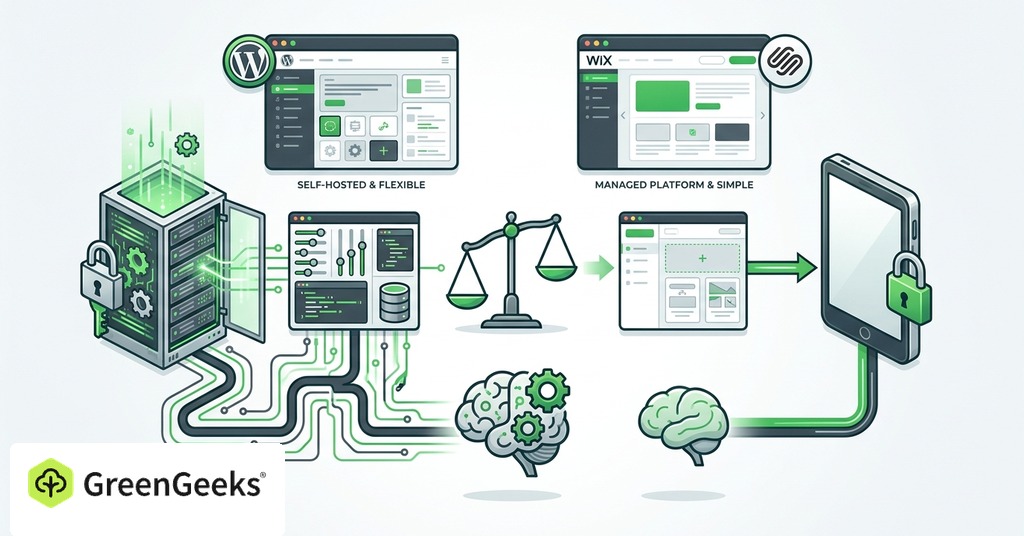
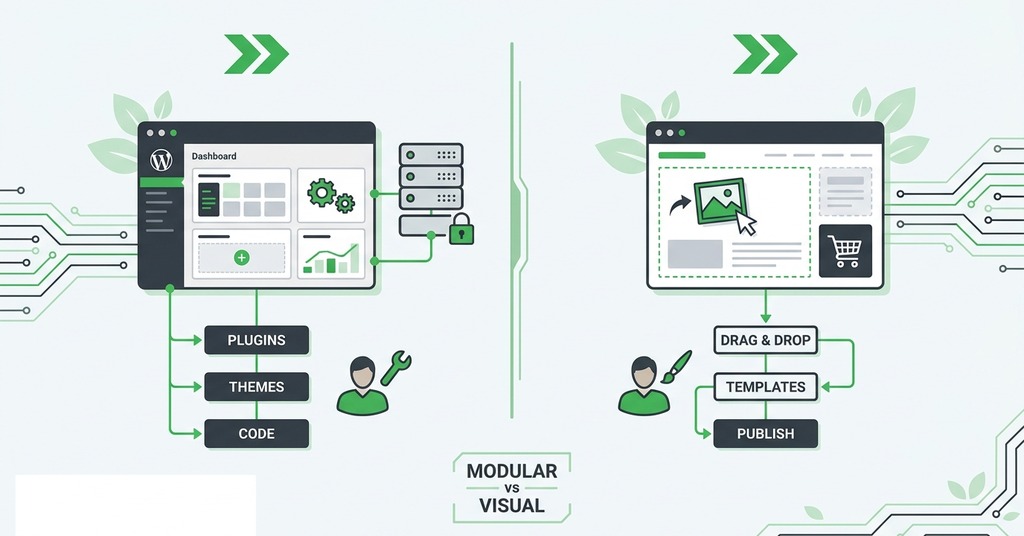
Wix and Squarespace earn their reputation by bundling everything. One account covers hosting, security, updates and support, with a free-form drag-and-drop editor included. WordPress asks more of you at the start. Hosting has to be sourced separately, though most hosts install the software in a single click. The theme and plugins are the owner’s job. Hands-on comparisons across 2025 and 2026 rate Wix the easiest start and WordPress the steepest, with Squarespace in between.
The WordPress dashboard is intimidating for the first few days and ordinary after that. Three weeks of self-teaching is roughly what the change costs. Builders shorten that stretch without removing it, because a drag-and-drop editor still has to be learned. Squarespace gets recommended for service businesses precisely because it is harder to make ugly. For an owner with low design confidence, that constraint is worth more than Wix’s total freedom. Builders also reprice their simplicity at will. Squarespace users found that out in 2026, when the portfolio-only plan went to $228 a year and photographers cancelled in numbers.

Elementor, a drag-and-drop builder plugin, is installed on 31.5% of all WordPress sites. A third of WordPress already works through a builder. That makes the editor-versus-editor framing a weaker guide than it looks.
Three-Year Cost: WordPress vs Wix and Squarespace
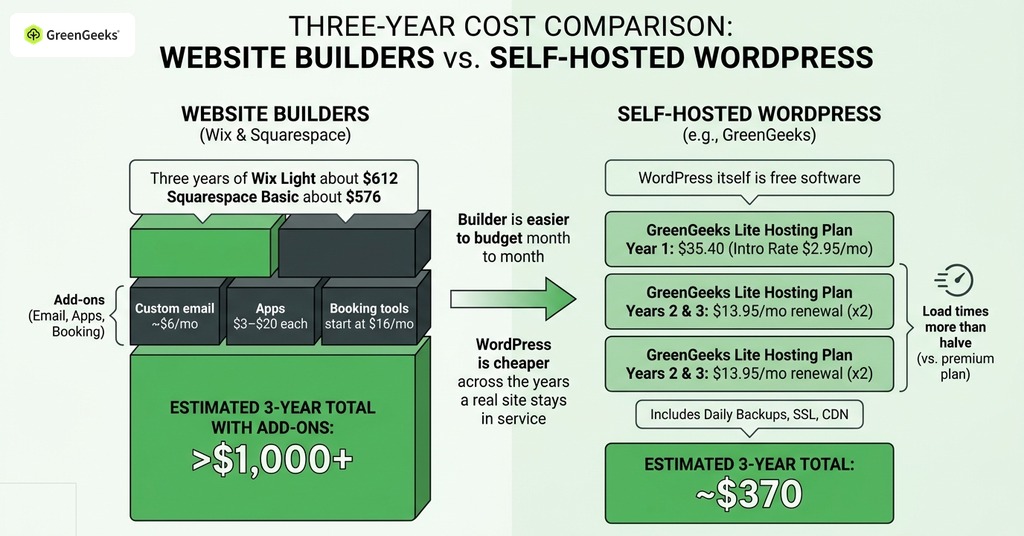
Wix starts at $17 per month billed annually, with $29 the minimum for selling. Squarespace is $16 to $99 per month. Three years of Wix Light is about $612 at list price and three years of Squarespace Basic about $576, with a 3% transaction fee on the Squarespace Business tier. Beginners price the plan and forget the additions nobody quotes at signup. Domain renewals start after the free first year and custom email adds around $6 per month. Apps cost $3 to $20 each, and booking tools like Acuity start at $16 per month. A site with booking attached costs $32 per month at minimum, double the advertised entry plan.
Three years on GreenGeeks Lite cost $370. Year one is $35.40 at the $2.95 intro rate. Years two and three are billed at the $13.95 renewal, with the domain free for the first year and daily backups, SSL, CDN and migration included. WordPress itself is free software. The paid parts are hosting, a domain and any premium add-ons you choose. A site costing about $300 a year on a Wix premium plan with apps comes to roughly $150 all-in after a move to self-hosted WordPress. Load times more than halve.
The renewal rate, not the intro rate, is the real price of the hosting. Self-hosted WordPress also trades the builder’s bundled maintenance for the owner’s own update hygiene. Skipped updates are the most common root cause of hacks, and 91% of new WordPress-ecosystem vulnerabilities in 2025 were in plugins.
Over five years a Wix subscription with its apps costs more than commissioning professional WordPress development and paying for the hosting alongside it. The builder is easier to budget month to month, and WordPress is cheaper across the years a real site stays in service.
Exporting and Owning Your Site
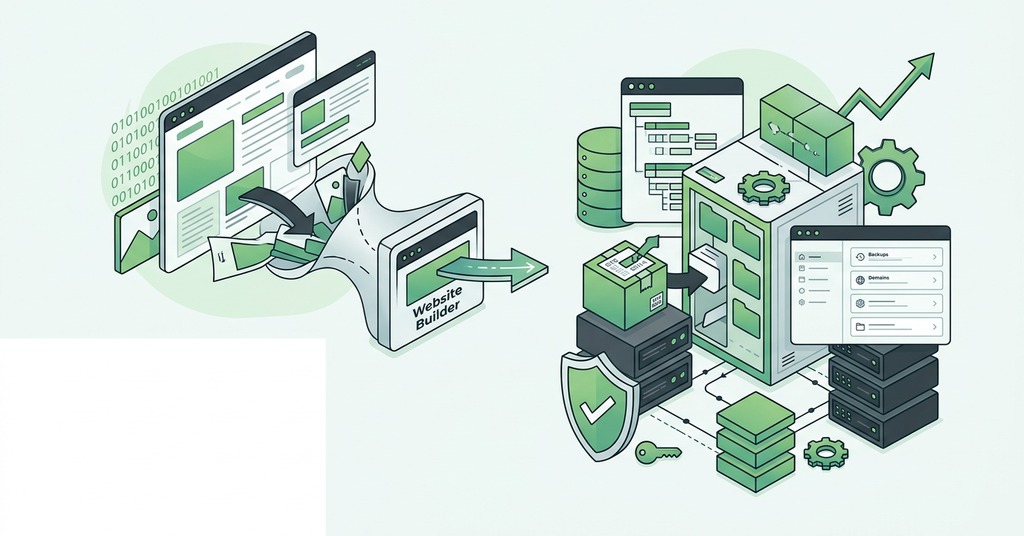
Wix does not support exporting a site to another host. The only content that comes out is the 20 most recent blog posts, delivered by RSS feed as text with no images. Cancelling the subscription takes the site offline the same day. Beginners rarely check whether a site can be exported, and the omission is expensive. Two years of work on Wix amounts to access to a website for as long as the subscription is paid.
Squarespace exports more than Wix. The file it produces is WordPress-compatible and covers blog posts and basic pages with their images, leaving out design, navigation, product catalogs, member areas and anything form-related. Professional Squarespace-to-WordPress moves cost $2,500 to $8,000 for that reason, and Wix-to-WordPress costs $3,500 to $10,000. Leaving a closed builder means weeks of rebuilding work on top of the fee.
Self-hosted WordPress keeps everything in a standard database and in files the owner controls. Moving hosts is a genuine transfer, often done free by the new host. The content arrives intact. A WordPress site built on a proprietary page builder does store its content in that plugin’s own format, so a particular build can have a soft lock-in even though the CMS itself is portable.
Registering the domain separately from the builder, in the owner’s own name, protects the site on either path. Owners who buy the domain through the platform find out at the moment they want to leave that the name is bound to the subscription.
Which One Fits Which Beginner
Which platform fits depends on the stage the business is at. If you are brand-new and short on cash, testing an idea on a five-page brochure site, start on a builder and be live this weekend. Wix’s automated setup tool, which drafts a first site from a few questions, is rated the most beginner-friendly starting point in 2026 testing. If you expect content growth, a store past roughly 100 products or $20,000 a month, multilingual pages or membership features, start on WordPress and skip the rebuild.
Mobile load time on a Squarespace site can reach 8 seconds once a property listing catalog passes 200 entries. Wix blogs become unmanageable somewhere around 80 articles for a business trying to build topical authority. An ecommerce ordering flow eventually outgrows the platform too, though a manufacturer can stay on Wix for a decade before that happens. Owners in these situations rarely describe the builder years as a mistake. They regret not seeing the limit sooner, and the cost of moving rises with every year of content added before it.
Wix’s bad-SEO reputation dates from limitations removed years ago. A Wix site ranks normally now. The exception is Wix blogs, which are harder to rank than the equivalent on WordPress.
Pick the tool for the site you expect to have in three years, and not for the site that is easiest to start this week. For a small and stable site, the builder’s subscription buys real simplicity. Its limits never come up. If the site is going to grow, three weeks of learning WordPress costs less than a single migration quote, and the dashboard stops being unfamiliar after about a month.
Frequently Asked Questions
Is WordPress Better than a Website Builder?
WordPress powers 40.7% of all websites and gives the owner far more control over what happens to the site afterwards. Wix and Squarespace are easier at the start, since hosting and security come bundled. A small stable site is fine on a builder, and a growing one belongs on WordPress.
Should Beginners Use WordPress or Wix?
Wix is the easier start for a simple site that has to be live quickly. WordPress is the better start for a site expected to grow in content, ecommerce or search traffic.
Is WordPress Hard to Learn for Beginners?
The curve is steeper because hosting, themes and plugins are all the owner’s responsibility. Self-taught beginners arriving from a builder usually need about three weeks of documentation and experimentation before the dashboard stops being intimidating.
Is WordPress Free?
The software is free and open source. Hosting costs roughly $3 to $14 per month and a domain about $14 per year after a free first year.
How Much Does a Website Builder Cost per Month?
In 2026, Wix plans are $17 to $159 per month and Squarespace is $16 to $99. Apps and custom email each add a few dollars per month on top.
Is WordPress Cheaper than Wix or Squarespace in the Long Run?
Usually, once the first year or two has passed, and the difference widens as builder app subscriptions and transaction fees are counted.
Do I Own My Website If I Build It on Wix?
Not in any portable sense. Wix is a closed platform, so the site code and design cannot be exported, and neither can forms, products or member data. Cancelling the subscription takes the site offline immediately.
What Is the Difference Between WordPress.com and WordPress.org?
WordPress.org is the free self-hosted software installed on hosting the owner buys. WordPress.com is a hosted service run by Automattic, where plugin installs require a higher-tier plan. It is also the only major hosted builder with a real export path to self-hosted WordPress.
Do I Need to Know Coding to Use WordPress?
No. Themes and the block editor handle design visually, and page-builder plugins like Elementor, installed on 31.5% of WordPress sites, cover the rest.
Which Is Better for SEO, WordPress or a Website Builder?
WordPress gives deeper technical control over schema, redirects and the rest, with dedicated SEO plugins on top. Wix’s bad SEO reputation is out of date, with the exception of Wix blogs, which are harder to rank.
Do Website Builders Include Hosting?
Yes. Wix and Squarespace both fold hosting and SSL into the subscription, along with security and updates. Self-hosted WordPress works the other way, since hosting is bought separately.
Can I Switch from a Website Builder to WordPress Without Losing My Google Rankings?
Yes, if the migration maps every old URL to its new one with 301 redirects and preserves the metadata. A brief traffic dip while Google recrawls is normal, and sessions can recover within about two days on a clean Squarespace-to-WordPress move.