Four public resolvers, asked about the same .com domain inside the same minute, returned four different answers to the question of how long that domain’s nameserver record was good for.
One said 21600 seconds, another 86370, and the remaining two 43200 and 86400, and every one of those answers was correct.
DNS changes take time because every cache in the chain expires on its own clock. The 48-hour figure belongs to exactly one change filed at the .com and .net registry, and a .org delegation is 3600 seconds for the same event.

What DNS Does When You Type a Domain Name
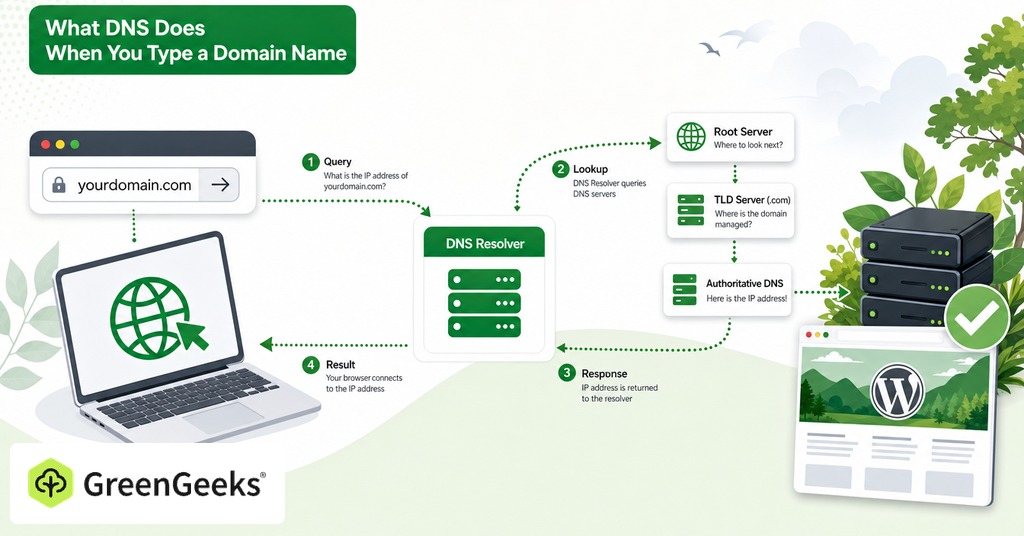
A domain name has to become an IP address before a browser can open a connection. The system that performs the translation is arranged as a hierarchy in which each level knows only where to ask next. A device asks a recursive resolver, and if that resolver has nothing cached it asks a root server which nameservers hold .com, then asks those for the nameservers holding the domain, then asks those for the record. The stub resolver on a laptop hands that whole walk to the recursive resolver and waits for one answer.
No server anywhere holds a list of who would need to be told about a change. Every step in that walk is a request traveling outward from the device. A resolver that already has an answer keeps using it until the lifetime attached to that answer runs out, then asks again and gets what the authoritative server has at that moment. Every stale answer therefore has a specific expiry behind it, and the number setting that expiry is the TTL.
Caching exists because the full walk is expensive. A cold trace for a .com domain measured 12 milliseconds to the local resolver, 25 to a root server, 32 to the .com servers and 9 to the authoritative nameserver, 78 milliseconds of network time across four queries, against 8 to 11 milliseconds for a warm hit at the same resolver. Every visitor after the first one pays the shorter figure, and the price of that saving is that the first answer stays in place until its lifetime expires.
Where the Word Propagation Comes From

Registrars did not invent the word for marketing purposes, and it described two real processes until 1996, when the second of them went away.
Registry Updates and Zone Transfers Before 1996
The first process was the registry update. A nameserver change filed with a registrar had to reach the .com servers, and in the early years registrars batched those submissions and sent them to the TLD servers about twice a day. Waiting hours or days was correct behavior for the era, while modern registries take the update in minutes.
The second process was internal to the domain owner. Under the original specification a zone edit reached the primary nameserver first, and every secondary nameserver picked it up on its own refresh timer, leaving the change two invalidations to work through before the outside world could see it.
What DNS NOTIFY Changed in 1996
RFC 1996, published in August 1996, gave primary nameservers a standard way to tell their secondaries that the zone had changed as soon as it happened. That removed the second of the two processes, and the first has been fast for years. One mechanism is left in place, a resolver holding an answer until its remaining lifetime reaches zero. Expiry is the accurate word for that wait.
Thirty years later the word is in the support macro of nearly every registrar, and the people using it are rarely trying to mislead anybody, since it ends a conversation the support agent has already had that morning.
Where the 48-Hour DNS Number Comes From
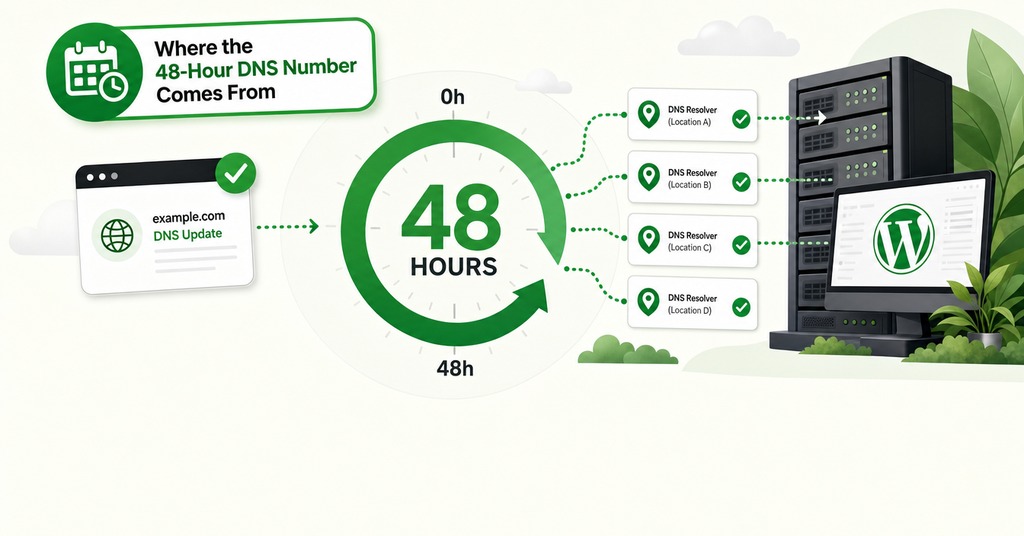
The 48-hour figure has a published source at the .com registry. It is correct there and nowhere else.
The .com and .net Delegation TTL Is 172800 Seconds
Ask a .com registry server which nameservers hold a domain and the answer arrives with a lifetime of 172800 seconds attached, exactly 48 hours. Verisign sets that value on every .com and .net delegation, and it is the same for every domain under both, while other registries chose differently. A .org delegation is handed out with 3600 seconds, .io with 3600, .dev with 10800. Two days is a Verisign policy applied to two top-level domains, and most of the internet’s namespace uses something shorter.
Every registrar support page that quotes 24 to 48 hours took that one number and applied it to every DNS change anybody makes. The number survived the generalization because it is unfalsifiable in the direction that matters. If a change is live in five minutes the customer is pleased, and if something is wrong at hour 40 the promise has not yet expired.
What Stops Registrars From Lowering the 48-Hour TTL
EPP, the protocol registrars use to file changes with registries, has no field for a TTL. A registrar cannot shorten the delegation lifetime because there is nowhere to put the request. Neither can a hosting provider.
Parent-Centric and Child-Centric Resolvers
The 48 hours does not bind every resolver, and the two-day split where some visitors see the new site while others see the old comes out of that division. A resolver that trusts the registry’s delegation holds the old nameservers for the registry’s TTL. A resolver that trusts the zone’s own nameserver record follows whatever value the domain owner set, usually far shorter.
Measurement across two country-code registries found 52% to 90% of queries following the child, meaning 10% to 48% still take the parent’s word. RFC 2181 ranks the authoritative answer above the parent’s glue, making child-centric behavior the correct reading. DNSSEC moves resolvers further that way because signature validation has to evaluate records from the child zone. The parent-centric minority still has to be planned for by setting the same nameserver TTL in both places.
How Long Does a DNS Record Change Take?
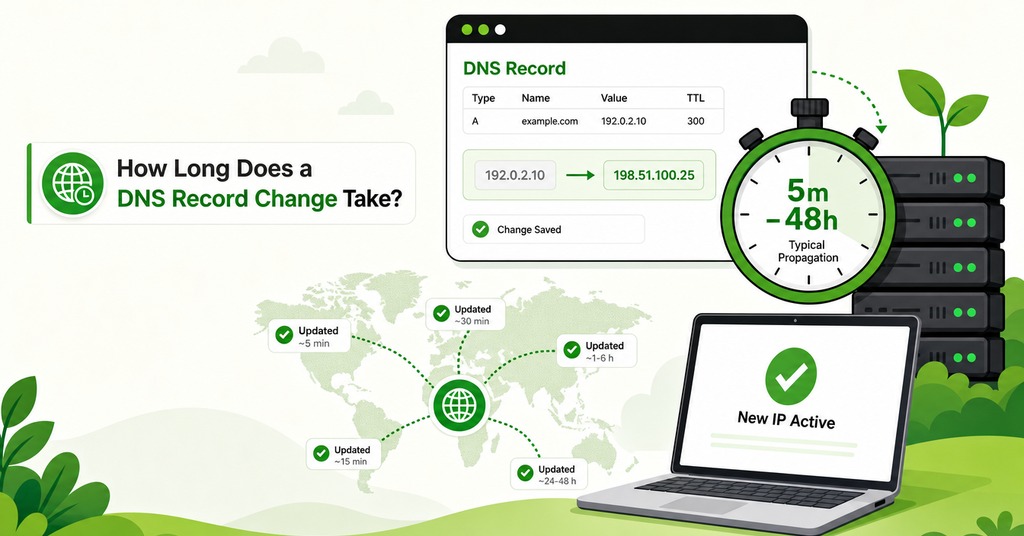
Editing an A, CNAME, MX or TXT record in a hosting account or a DNS panel is the change most people mean when they ask how long DNS takes, and it is bounded by that record’s own TTL and nothing else. A resolver that already had the record waits out the remainder of its countdown, while one that never asked for it gets the new value on the first query, immediately, with nothing to expire. Two different changes hide behind the same question, and the other one, a nameserver change, runs on a number the registry sets.
The DNS provider’s default sets the ceiling. Cloudflare fixes proxied records at 300 seconds and allows no edit, while Namecheap defaults to 1800 seconds and GoDaddy to 3600. An untouched cPanel zone defaults to 14400 seconds, four hours, and most shared-hosting operators are working against that figure, including anyone editing a zone in the cPanel that ships with GreenGeeks shared plans. Measured A records at major hosting and technology domains came back at 300 to 500 seconds.
Aliased names have one detail that changes the arithmetic. When a name points through a chain of CNAMEs, the refresh interval governing the final answer is the shortest link anywhere in that chain. A large software vendor’s www record measured 1942 seconds on the customer-facing CNAME, 100 on the next link and 3 seconds on the address at the end, which is how a content delivery network can move traffic between servers in near real time while the record the operator edits stays at half an hour.
How Long Does a Nameserver Change Take?
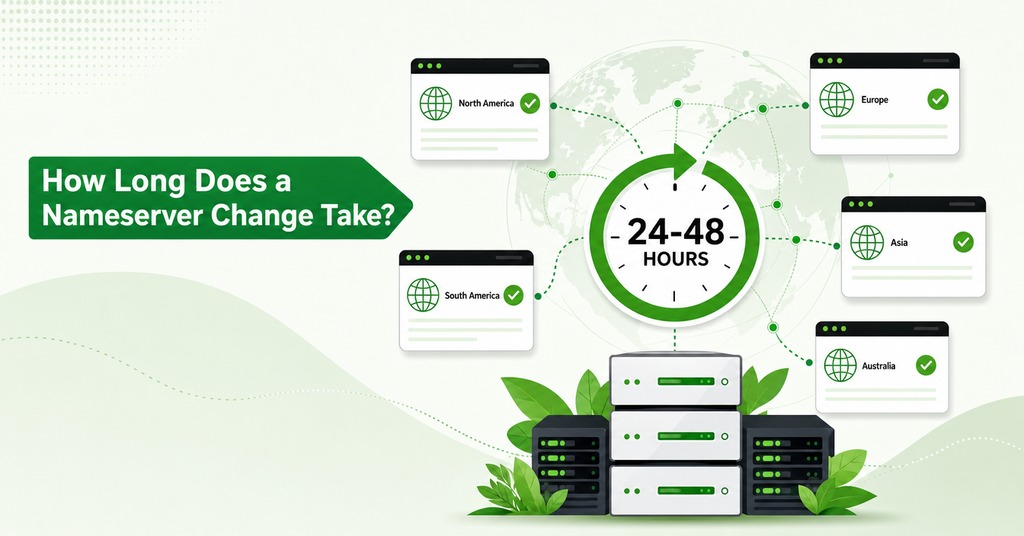
Pointing a domain from one host’s nameservers to another’s is a different event with a different owner, filed at the registrar in the panel used to set the nameservers on your domain rather than in the hosting zone editor. The registry takes the filing in minutes, after which the parent-centric share of resolvers holds the old delegation for up to the registry’s TTL. On a .com that window is 48 hours and on a .org it is one hour.
Keeping the old nameservers answering with correct records for at least as long as the registry TTL matters as much as filing the change, and the old web server has to stay up alongside them. Resolvers arrive at the old address for the whole window, and every visitor behind them is served correctly as long as something accurate is waiting there. Traffic has been observed still arriving at an old address ten days after a nameserver change, since registrars have been known to confirm a registry filing they never made, and an old nameserver left answering keeps a site reachable while that is found.
Moving a domain between registrars is a third event again, and it is slow for policy reasons, none of them technical. ICANN’s transfer rules give the losing registrar a five-day window and impose a 60-day lock afterwards. A transfer that keeps the same nameservers moves the registration record and leaves resolution running as it was.
What TTL Means in DNS
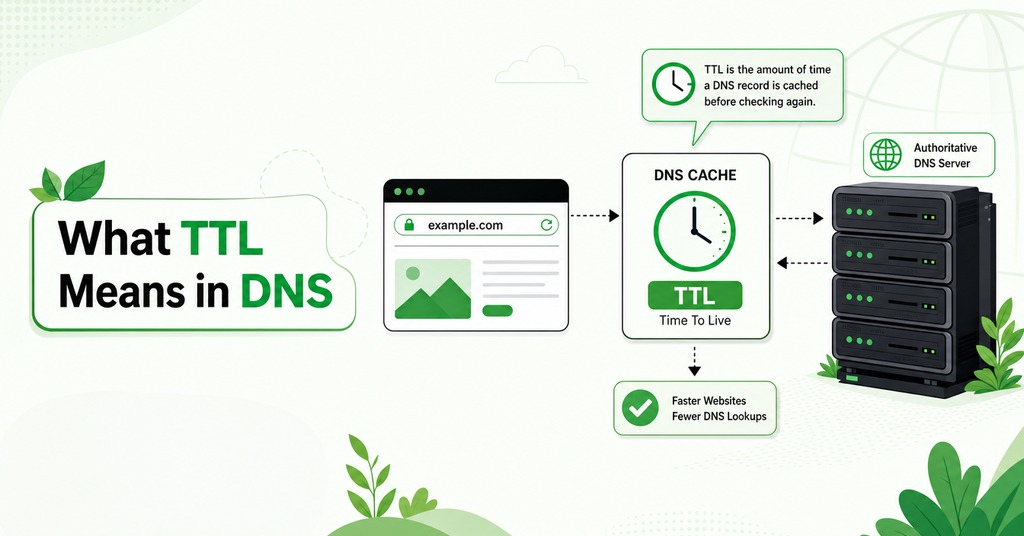
Both changes run on one mechanism, and ownership of it explains everything else. TTL is a number of seconds attached to every record, handed out by the authoritative server together with the answer, after which the resolver counts down from that number on its own. Editing the record afterwards changes what the next resolver receives and leaves every resolver that already holds a copy untouched until its countdown ends. Running the same query twice thirty seconds apart against a public resolver shows the number dropping, and when it reaches zero the resolver asks again.
The specification was amended in March 2020 to recommend capping the value at 604800 seconds, seven days, on the grounds that this matches what modern resolvers already do. The old ceiling allowed 68 years. Early software took that literally often enough that resolvers had to be restarted to remove those entries.
How to Lower a TTL Before a Migration
A TTL change is itself subject to the old TTL, and that single fact decides whether a planned migration goes smoothly. Records set to 86400 and dropped to 300 an hour before a cutover leave every cache that already holds the old copy counting down a 24-hour lifetime, and those caches ignore the new value for the rest of the day.
The sequence that works starts a full old-TTL period early. Lower the TTL on every record due to change and edit nothing else. Wait out one complete old TTL so that every cache expires and refetches, picking up the 300-second version as it goes. Then change the values, and every resolver rechecks within five minutes. Raise the TTL back to an hour or more once the change is confirmed stable. Caching keeps latency down and reduces query volume at the nameservers. One hour is the floor for normal operation, and four to 24 hours suits records that rarely change.
How Google, Cloudflare and Quad9 Cap TTLs
Public resolvers shorten long TTLs and never extend them, the opposite of what most people assume. Measured against several unrelated zones, Google Public DNS capped nameserver records at 21600 seconds and everything else at 259200, while Quad9 stopped at 43200. Cloudflare honored the authoritative value in full, including a 42-day lifetime on one root-server name, and all three returned a 10-second TTL exactly as published when a test zone offered one. The resolvers serving most consumer traffic honor whatever floor the zone publishes.
The three resolvers most visitors use will recheck a record within 6 to 12 hours whatever value the zone publishes. Over-caching comes from badly run ISP resolvers and consumer routers rather than from the large public resolvers.
A New DNS Record That Does Not Resolve
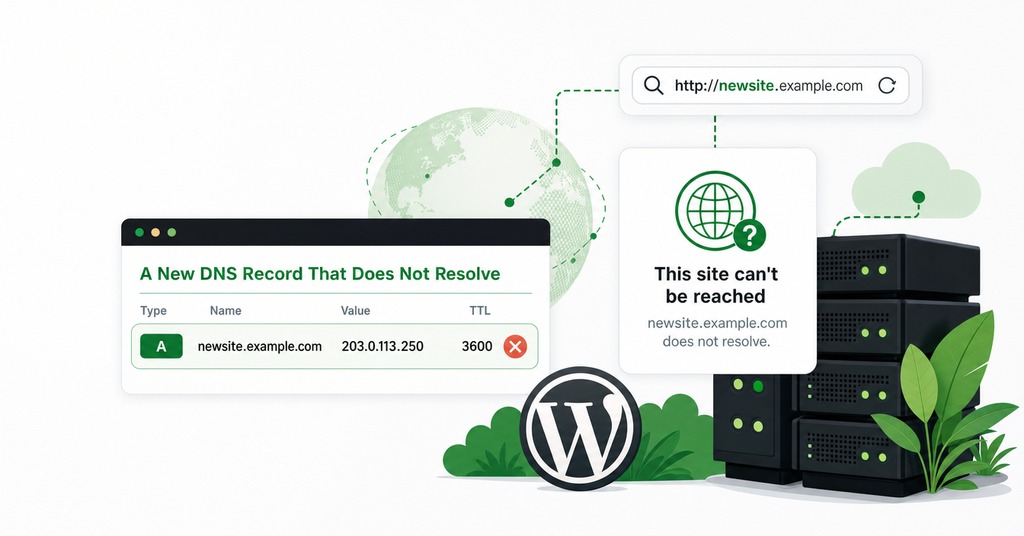
A “no such record” answer is cached exactly like a working one. Negative caching stopped being optional in March 1998. When an authoritative server reports that a name does not exist it includes the zone’s SOA record, whose lifetime is how long every resolver that heard the answer will keep repeating it.
The number doing the work is the last of the seven values in an SOA record, the minimum field, whose one surviving meaning has nothing to do with the word minimum. It governs how long “no” is remembered, and it imposes no floor on ordinary record TTLs at all. Measured across major DNS hosts in 2026, the values run 1800 seconds at Cloudflare, 3600 at GoDaddy and Namecheap, 300 at Azure DNS and Akamai, and 60 at Route 53 and Google. On a Cloudflare-hosted zone, a lookup made before the record finished being created costs 30 minutes even though the A record itself refreshes in five, six times the wait for having checked a moment early.
A negative answer comes in two kinds, and they are cached against different keys. A name that does not exist at all, the condition behind an NXDOMAIN error in a browser, is cached against the name. A name that exists but has no record of the requested type is cached against the name and the type together. That second case is why adding an MX record to a domain that already has a working A record can lag for half an hour while the A record answers instantly.
The DNS Caches Between You and the Answer
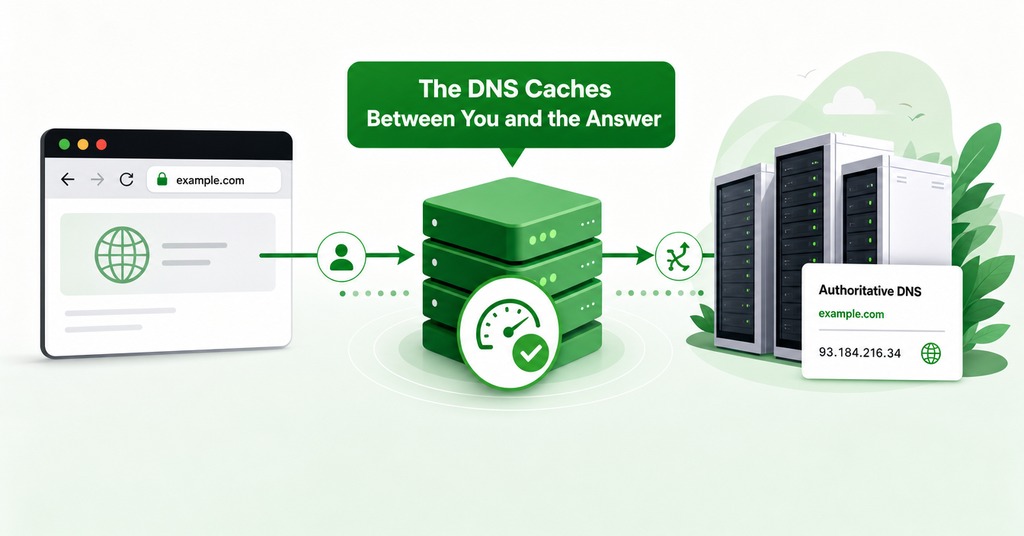
Five caches can hold a stale answer between the keystroke and the packet, and troubleshooting a DNS change is mostly a matter of working out which one is responsible.
Your Browser
Chromium caches every hostname the operating system resolves for a flat 60 seconds regardless of the record’s TTL. The OS function it calls does not hand back TTL information, and 60 is the constant in the source, so a 30-second TTL changes nothing for browser traffic. Chromium also discards its host cache on network-change events, which is why toggling wifi off and on empties it. To do it deliberately, open chrome://net-internals/#dns and use the button that empties the host cache. Firefox keeps its own cache at about:networking#dns with its own button and a 60-second default expiry.
A second layer underneath the host cache produces the same symptom. A connection that already exists never triggers a lookup, so an already-open keep-alive connection to the old address keeps being reused. A hard refresh discards that connection and forces a fresh lookup.
Your Operating System
Windows caches on behalf of every application through the DNS Client service, holding each answer for the lifetime it arrived with. Use ipconfig /displaydns to see what is in there and ipconfig /flushdns to empty it, and its main effect is discarding negative entries. On macOS the current form is two commands, sudo dscacheutil -flushcache followed by sudo killall -HUP mDNSResponder, and running only the first is the most common reason somebody flushed their DNS and still saw the old site. On Linux with systemd-resolved, resolvectl flush-caches empties it and resolvectl statistics proves the machine was caching in the first place.
Your Home Router
The forwarding resolver inside a consumer router is the least predictable cache in the chain. Some of these devices cache badly and others ignore TTLs entirely, so an answer can persist there with no published lifetime counting down anywhere, and rebooting the router is the only access anybody has to it from outside, the whole reason that piece of advice has outlived the hardware it was written for. A cutover can therefore be finished at the authoritative server, finished at every public resolver, and still wrong on one household’s laptops until the router is power-cycled.
Your ISP or Public Resolver
One resolver serving invalid TTLs can ruin a cutover day, and at large enough traffic somebody is always behind that resolver. The recursive resolver a visitor uses holds the answer that visitor gets, and it is the one cache the domain owner cannot reach, though it is also the one that can be reasoned about precisely, since the published TTL is the number it is obliged to honor. Its failure mode is the badly behaved minority described earlier.
How Mail Servers Cache MX Records
Sending mail servers cache MX lookups on their own schedule, independently of any DNS resolver anybody controls, and every flush command in this section stops short of them. MX changes therefore cost more than A changes. Mail sent during a cutover overlap can be delivered to the old mailbox, where the recipient never sees it. Measured MX TTLs in 2026 run from 300 seconds at several hosting and developer platforms to 3600 at large commerce providers.
How to Check If a DNS Change Has Gone Through
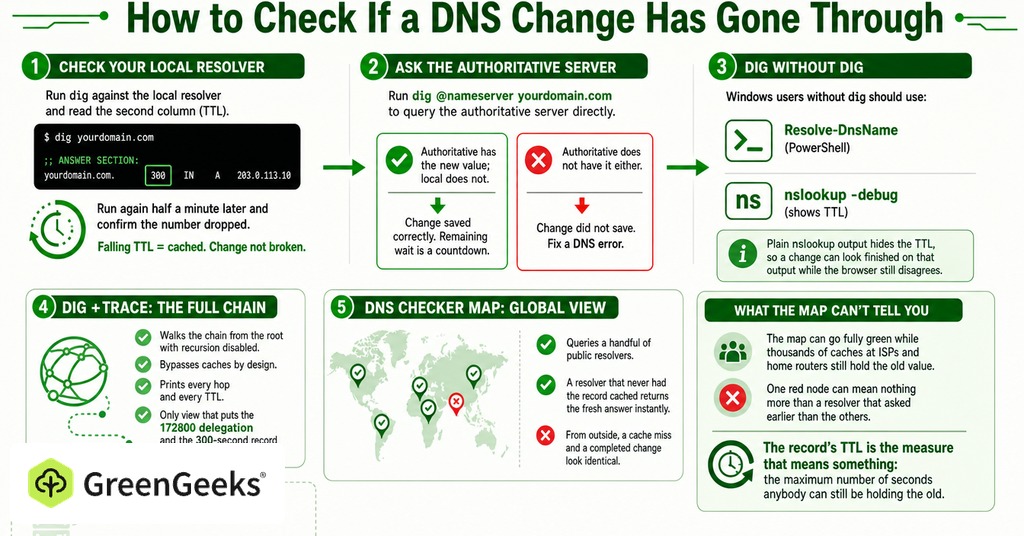
The panic around a DNS change usually comes from mixing up two questions, what the operator’s own resolver is still holding and what the authoritative server already has.
Reading the TTL With dig and nslookup
Run dig against the local resolver and read the second column of the answer section. That number is how many seconds remain before the resolver refetches. Run it again half a minute later and confirm the number dropped, since a falling number proves the answer is cached and the change is not broken. Then ask the authoritative server directly with dig @nameserver yourdomain.com. When the authoritative server has the new value and the local resolver does not, the change saved correctly and the remaining wait is a countdown. When the authoritative server does not have it either, the change did not save and the job becomes fixing a DNS error.
Windows users without dig should use Resolve-DnsName in PowerShell, or nslookup with the -debug flag. Plain nslookup output hides the TTL, so a change can look finished on that output while the browser still disagrees. dig +trace walks the chain from the root with recursion disabled and bypasses caches by design, printing every hop and every TTL, and it is the only view that puts the 172800 delegation and the 300-second record on one screen.
What DNS Propagation Checkers Show
A map of green checkmarks queries a handful of public resolvers, and a resolver that never had the record cached returns the fresh answer instantly. From outside, a cache miss and a completed change look identical. The map can go fully green while thousands of caches at ISPs and home routers still hold the old value, and one red node can mean nothing more than a resolver that asked earlier than the others. The record’s TTL is the measure that means something, the maximum number of seconds anybody can still be holding the old answer.
DNS Change Times in 2026
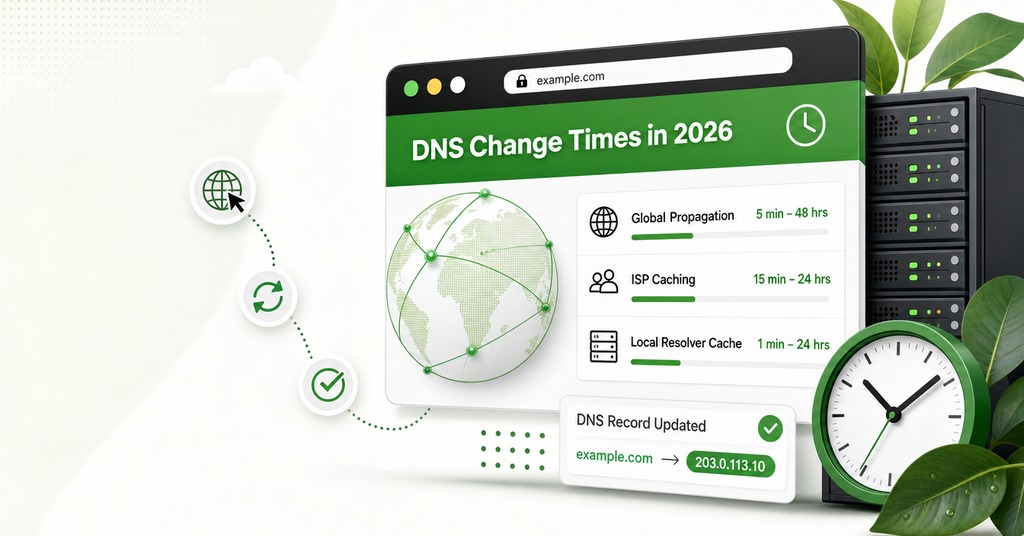
| Situation | Realistic wait |
| Record change, TTL 300, already cached | Under 5 minutes |
| Record change, name nobody had queried | Instant |
| Record change, cPanel default TTL 14400 | Up to 4 hours |
| Checked before the record existed | Add 30 to 60 minutes |
| Chrome specifically | Add up to 60 seconds |
| Nameserver change, .com or .net | Up to 48 hours for 10% to 48% of queries |
| Nameserver change, .org or .io | Up to 1 hour for the same share |
| Old server switched off at cutover | Up to 3 days |
Experienced operators use a one-hour rule on small sites. When a record change has not taken effect within an hour, the right move is to treat it as a mistake and query the authoritative server. The rule stops holding at high traffic, where the non-compliant tail of resolvers appears on every cutover once enough people are asking.
Switching the old server off at the moment of the cutover leaves resolvers permitted to serve expired records when they cannot reach anything else, a behavior standardized in 2020 with a recommended stale window of one to three days. That window is the real minimum for how long the old machine stays powered on. Moving a DNSSEC-signed .com to a new DNS provider without matching the keys already published at the registry is worse again. The registry publishes the delegation signer record with an 86400-second lifetime, so every validating resolver gets SERVFAIL for up to 24 hours and the domain is unreachable to all of them.
Every row in that table describes one resolver holding an answer that arrived with a lifetime already attached, and work done at the authoritative server reaches that copy only when the lifetime expires. Publishing the new value and leaving the old one answering until that number has counted down covers every case above.
Frequently Asked Questions

What is DNS in simple terms?
DNS translates a hostname a person can remember into the IP address a computer needs to open a connection. It is arranged as a hierarchy of servers rather than one central directory, and every layer caches what it learns.
What is a good TTL for DNS records?
At least one hour for normal operation, and ideally four, eight or 24 hours. Lower it to around 300 seconds a full old-TTL period before a planned change, then raise it again once the change is confirmed.
What causes a website to still show the old IP after changing DNS?
Some cache between you and the authoritative server is still inside its TTL. The five candidates are the browser, the OS resolver, the home router, your ISP or public resolver, and the sending mail server on an MX change.
Why does nslookup show the new IP but my browser shows the old site?
They use different caches. Chromium holds every OS-resolved hostname for a flat 60 seconds regardless of TTL, and it reuses already-open connections to the old address without performing a lookup at all.
What is the difference between a registrar, a nameserver and a web host?
The registrar is where the domain is registered and where the delegation to nameservers is set. The nameserver answers questions about the zone, while the web host runs the machine the A record points to. One company can be all three.
Does changing MX records affect email delivery?
Yes, and MX changes are the most painful category, because sending mail servers cache MX lookups on their own schedule outside the DNS resolver layer. Mail sent during the overlap can be delivered to the old mailbox.
Does DNSSEC slow down DNS changes?
Not for ordinary records. A delegation signer change at the registry is cached for 86400 seconds on .com, so moving a signed domain to a provider whose keys do not match returns SERVFAIL to validating resolvers for up to a day.
What happens if I set my TTL to zero?
Every lookup reaches your nameservers, latency goes up for visitors, and the caching that shields your nameservers from traffic spikes goes with it. Zero is not a workable setting, and Chromium ignores anything under 60 seconds on the OS resolver regardless.
Should I turn off my old server right after a DNS change?
No. Resolvers are permitted to serve expired records when they cannot reach your authoritative servers, with a recommended stale window of one to three days, so an immediate shutdown is what stretches a short change into a long one.
What does dig +trace do?
It walks the delegation chain from the root servers down to the authoritative nameservers with recursion disabled, printing every hop, every TTL and every response time. It bypasses caches deliberately, so it shows the published truth rather than what visitors are getting.