A small website needs a CDN when its visitors live far from its server or its pages can be cached whole at the edge, and it does not need one when its audience is local and its host is competent. Where the visitors are relative to the server, and whether every one of them gets an identical page, are the two facts that decide it. Analytics report where the visitors are. The host publishes its datacenter locations. Comparing the two takes a few minutes and settles most of the decision.
What a CDN Does
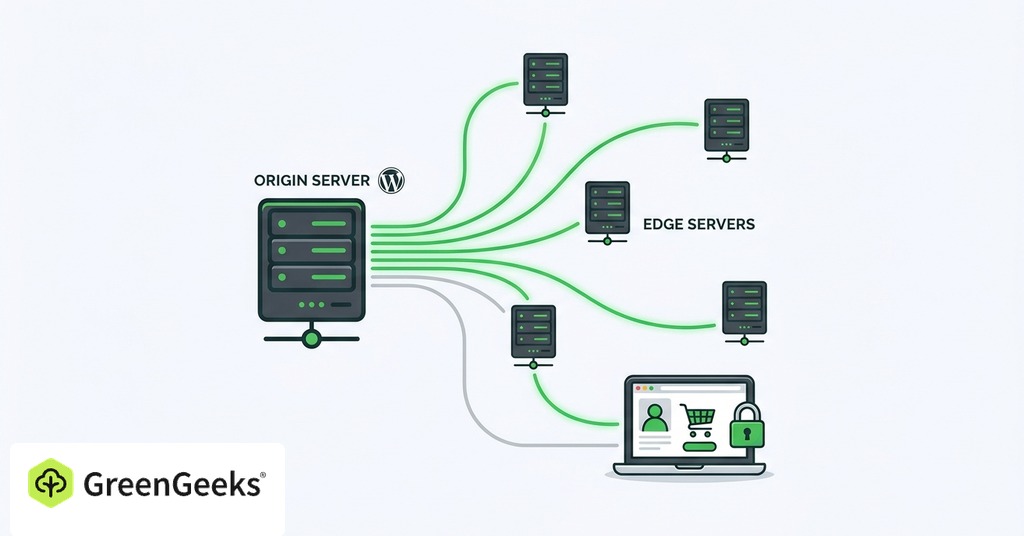
A content delivery network is a geographically distributed group of caching servers, organized into points of presence. The hosting server stays the authoritative source. When a visitor requests a page, the nearest edge server answers if it has a copy stored. A miss travels back to the origin, where the response gets saved for the next visitor. The first request for any object pays full price, sometimes more than full price, while every later request in that region is fast.
DNS-based routing and anycast both put a visitor on a nearby edge server. DNS-based routing returns different IP addresses to visitors in different places. Anycast announces one address from many locations at once and lets internet routing pick the nearest. If one location disappears, traffic reroutes itself.

On WordPress in particular, a traditional CDN caches only static assets like images and stylesheets. The origin keeps running PHP and database queries to build the HTML for every visitor. Full-page edge caching stores the entire document. That is the version that moves time to first byte from 600ms down to 20 or 30ms.
The Case for Adding One to a Small Site
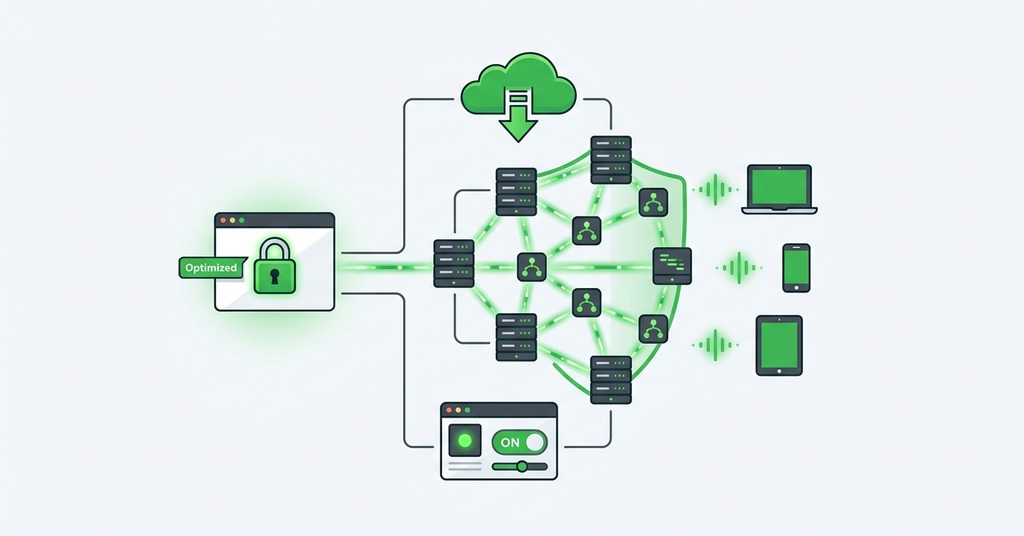
Asset TTFB averaged 136ms without a CDN and 37ms with one in a controlled test. Total load time fell from 1.45 seconds to 788ms. The deeper effect is on the origin rather than the visitor. A 14-day measurement of a WordPress site moving to Cloudflare edge caching recorded 84,300 requests a day to the origin before the move and 3,100 after. The edge answered the rest. Global average TTFB fell from 612ms to 178ms. A personal site with a 100 Lighthouse score still could not load in under a second. Time to first byte from distant visitors ran over 1.4 seconds. Moving static assets to a CDN cut a full second off that, since nothing but the distance was left to fix.
Cloudflare blocked 7.3 million DDoS attacks in the second quarter of 2025 alone. It once absorbed a 26 million requests-per-second attack for a customer paying nothing. Anycast spreads attack traffic across hundreds of datacenters. The proxy also hides the origin server’s address from direct attack.
Cost stopped being the objection. Cloudflare’s free plan covers the CDN, unmetered DDoS protection and universal SSL for ordinary websites. For a beginner the answer has not changed in years, which is to take that free tier and leave the rest alone. For a site with a global audience or spiky traffic, the case is straightforward.
When a CDN Hurts a Small Site
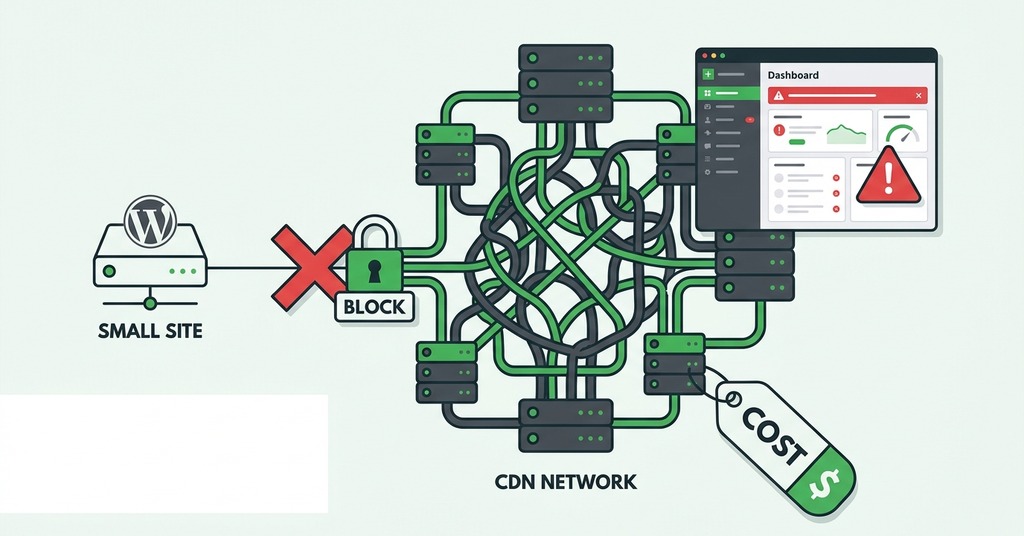
A CDN adds a second connection to every uncached request, and on a local audience that cost is not repaid.
When a CDN Makes a Site Slower
When visitor and server share a city, a CDN can make the site slower. A Mumbai-hosted site measured from Mumbai showed exactly that, with a direct time to first byte of 391ms against 713ms through the CDN. Every uncached request needed two SSL connections, one from the client to the edge and another from the edge to the origin.
A CDN only pays for the distance it removes, and a local audience has none to remove.
Low-traffic sites reach the same limit for the opposite reason. Caches go cold between visits. A higher share of requests miss and travel to the origin with an extra leg added, a first-visitor penalty built into how edge caching works.
A CDN does not fix a slow origin. High TTFB caused by slow database queries or overloaded shared hosting stays high when only static assets move to the edge. Full-page edge caching does bypass the origin. It also breaks features that depend on per-visitor output.
The WordPress migration that cut TTFB by 71% also froze real-time comments and showed stale WooCommerce cart counts. Every A/B test visitor saw one cached variant. Sites built on logged-in pages, such as memberships, courses and forums, are better served by strong managed hosting.
The Setup and Maintenance Tax
Setup on the free tier means changing the domain’s nameservers and waiting through propagation, typically 2 to 4 hours and up to 48. A DNS import that missed a DKIM record dropped one site’s email deliverability 30% before anyone noticed. Choosing the wrong SSL mode causes redirect loops, a common beginner mistake with its own support articles.
A site owner publishes a correction and sees the new version on reload. Two hours later a reader emails about the mistake that was already fixed. Some edge node or browser cache kept the old copy. Purging after every change becomes part of publishing. The same thread recurs on Cloudflare’s community forum, opened by a site owner who is sure WordPress is broken when the cache is working as designed.
The Two Questions That Settle It
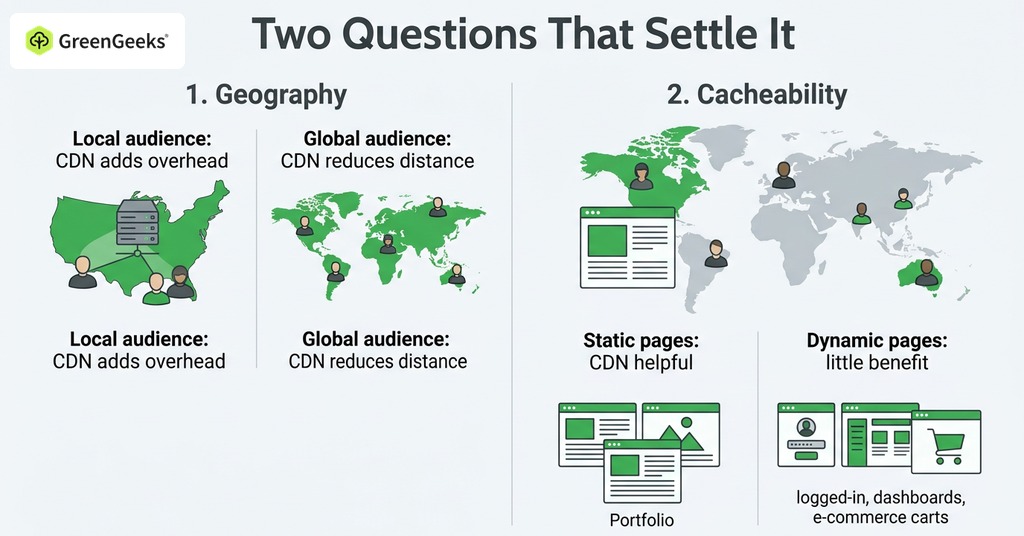
The first question is geography, meaning where the visitors live relative to the server. A regional business whose audience shares a metro area with its host’s datacenter already has almost no distance to remove. A CDN there only adds overhead. A site with readers on four continents has distance to remove on nearly every request.
A dentist’s office and a craft blog are on opposite sides of that question. The dentist’s site, with patients in one county, is minutes from its host’s datacenter. A CDN changes its load times by milliseconds the patients cannot notice. A craft blog with readers spread from Sydney to Toronto, all served from one US server, gives every overseas reader a cross-ocean round trip on each uncached page.
The second question is cacheability, meaning whether every visitor gets the same page. Blogs and portfolios qualify, as do documentation and marketing pages. Dashboards and carts fail the test, as do logged-in pages. No CDN will speed them up. A site with static pages and readers on several continents gets the most out of a CDN.
Your Host May Already Include One
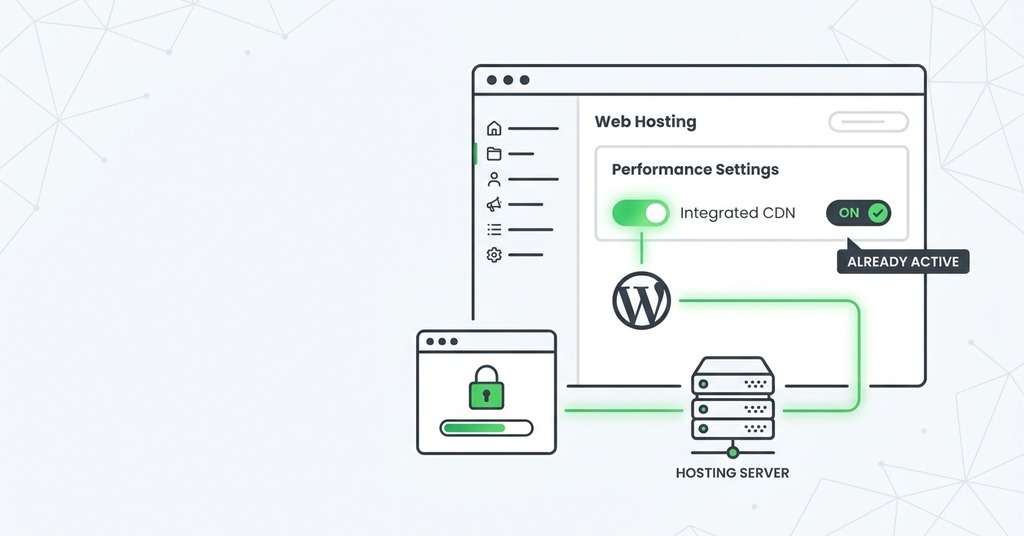
A good modern host narrows the case further. On a small WordPress site with GreenGeeks, the server pairs LiteSpeed with LSCache for page caching at the server level, on NVMe storage with HTTP/3. For an audience near one of its datacenters, that stack already delivers most of what a basic CDN adds. GreenGeeks also includes free Cloudflare integration, so when the audience spreads out later, the step is enabling a feature rather than buying a service. When the host’s own team can see both the server and the CDN configuration, a stale page or a redirect loop has one owner rather than two vendors passing a problem back.
Enabling the CDN makes the site owner the cache’s operator. Purges after edits belong to the owner. Anyone who turns on full-page edge caching later has to exempt dynamic features like carts and comments as well.
So Does a Small Website Need a CDN

The check itself is short. Analytics show where the visitors are, and hosts publish their datacenter locations. The two can be compared directly. Then measure time to first byte from a distant test location before and after enabling anything. If the gap stays small, the site does not need a CDN.
The free tier means a wrong yes costs the time to change nameservers and purge a cache. A wrong no costs distant visitors a second or more on every page they load.
Because the two costs are that lopsided, a site owner unwilling to run the measurement should turn the CDN on and accept the maintenance that comes with it.
Frequently Asked Questions
What Is a CDN and How Does It Work?
A content delivery network is a group of caching servers distributed across regions, each holding copies of a site’s files. The nearest edge server answers when it has a copy, and only a miss travels back to the origin. The first request in any region is always a miss, so the earliest visitor from a location gets the slowest load and everyone after them gets the fast one.
Does a Small Website Need a CDN?
Only when its visitors are spread far from its server, or when its pages can be cached whole at the edge. The gain tracks audience spread, and the numbers start paying once a meaningful share of visitors is on another continent from the server.
Is a CDN the Same as Web Hosting?
No. Web hosting stores and runs the site, including its database and application logic, while a CDN is an optional caching layer in front that cannot replace it.
Is Cloudflare’s Free CDN Really Free?
Yes for normal websites. The free plan bundles the CDN with unmetered DDoS protection and universal SSL. It excludes video streaming and large-file distribution, and cached objects are capped at 512MB.
How Much Faster Does a CDN Make a Website?
A separate set of European tests across 11 locations averaged 391ms without a CDN and 133ms with one. One city in that set improved from 594ms to 36ms, while a same-city visitor sometimes came out slower through the CDN.
Will a CDN Slow Down My Website?
It can. Visitors who already live close to the origin lose more to the extra connection than the edge saves them, and a cache miss sends the edge back to a distant origin before anything is returned. The measured gain runs the other way in the ordinary case, with asset time to first byte at 136ms without a CDN and 37ms with one. A global purge typically completes in under 30 seconds, while straggler nodes keep serving stale pages for 5 to 15 minutes.
Does a CDN Protect Against DDoS Attacks?
Yes. Large CDNs absorb attack traffic across hundreds of anycast datacenters, and the proxy hides the origin server’s IP from direct attack. The origin address can still leak through old DNS records or email headers if those are not cleaned up.
Does a CDN Improve SEO?
Indirectly. Faster load times improve Core Web Vitals, which feed Google’s page-quality signals. No direct ranking bonus exists for using a CDN.
Will Changing Nameservers to Cloudflare Cause Downtime?
Done correctly it causes none, because Cloudflare imports the existing DNS records and both sets of nameservers serve identical answers during propagation. The failure mode is a record the import misses, such as DKIM, which breaks email rather than the website.
Can I Use a CDN with WordPress?
Yes, and many hosts integrate one directly. The main caution is aggressive edge caching on dynamic features. Real-time comments and WooCommerce cart fragments commonly need exemptions, and A/B testing plugins do too. Toggling Development Mode while editing avoids the stale-page confusion.