Schedule the website migration for a defined cutover window with a named operator and decision deadline. Keep the old system available until that window closes. Copying files is only one task. Orders or form submissions can arrive after the first database copy, and a homepage can load while payment callbacks or mail fail.
Define rollback before transfer begins. Name the person authorized to reverse the cutover and record the known-good system with its last verified state in the same plan. Set measurable triggers there as well. During the cutover, that owner compares live results with those triggers and initiates rollback when a threshold is crossed.
Before the Migration
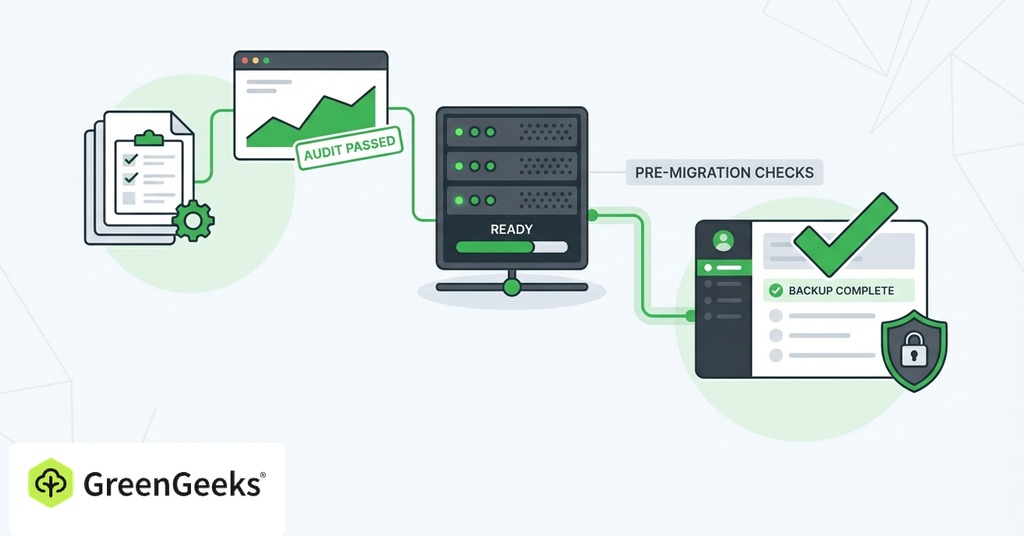
Define the Change Scope
Write down everything the migration changes. A move between hosts can preserve the public domain without changing its public address, and every URL can remain intact. A platform replacement may alter public paths or change the page output. Domain changes introduce their own search and routing task.

Schedule major changes in different phases when the project allows it. Moving the host while redesigning the site makes a failure harder to diagnose. Move the unchanged site first. Verify the new host before scheduling design or structural work.
List the acceptance conditions for the specific change. Acceptance for a same-domain host move covers correct pages and functioning business workflows. Redirects apply when the project's public URLs change from their existing paths. A search-engine change-of-address request belongs to a domain move.
Assign one owner to the cutover decision. Other specialists can test DNS or applications, but one person must confirm that the evidence is sufficient to proceed.
Inventory Dependencies and Access
Create an inventory of systems that serve the site or receive data from it. Include the domain registrar and DNS provider. Record the current host and content system on their own lines. Add the database service as another entry.
Extend the inventory beyond the visible pages.
- DNS records for the website and mail
- TLS certificate issuance or renewal method
- Website files and databases
- Uploaded media
- Scheduled jobs and background queues
- Forms and their delivery destinations
- Payment processors and webhook endpoints
- Analytics and consent controls
- Advertising tags
- External storage or API integrations
- Administrator and service accounts
Name an owner beside each dependency. Record the login location and recovery method. Verify access before the cutover window so a missing registrar credential does not become a production delay.
Capture a baseline from the current site before any production routing changes. Save representative page screenshots and response times. Export a crawl or URL list when search visibility matters, then record current error rates and successful transaction tests.
Validate Backups and Rollback
Take an independent copy of website files and the database. Record its timestamp. Include configuration that exists only in the hosting account, such as scheduled tasks or redirect rules. Restore the backup to a test location and verify the site files. Check the hosting configuration and recovery credentials in the restored environment.
Write the rollback sequence in executable order. Keep the old origin unchanged and available. Record the old DNS values or routing configuration so the operator can restore them during an incident. Set a firm decision deadline within the approved cutover window. Define thresholds for payment failure or broken authentication. Elevated server errors and unreconciled data can require reversal as well. Name the rollback owner and the people who must be informed. A critical threshold triggers the documented decision process immediately.
Prepare DNS and Data Sync
Lower the relevant DNS time to live before the move if shorter caching will help. Make the change at least one existing-TTL interval in advance. A lower value does not command every local cache to update immediately, so plan an overlap between both origins.
Choose the write-control method from the site's transaction pattern. A small site with few user writes can use a short maintenance window. An active store needs a final database sync or transaction reconciliation. Replication fits platforms that support a continuous connection between both systems.
Define the freeze precisely. Specify which actions users cannot take and who enables the restriction. Block new orders and accounts at the application level. Either block comments and uploads or route each write to a destination included in the final sync. Send form submissions to a monitored destination during the interval.
Prepare the destination before production day by installing supported runtime versions and configuring HTTPS. Add monitoring while the site is private so the team can observe the first public requests.
During the Cutover
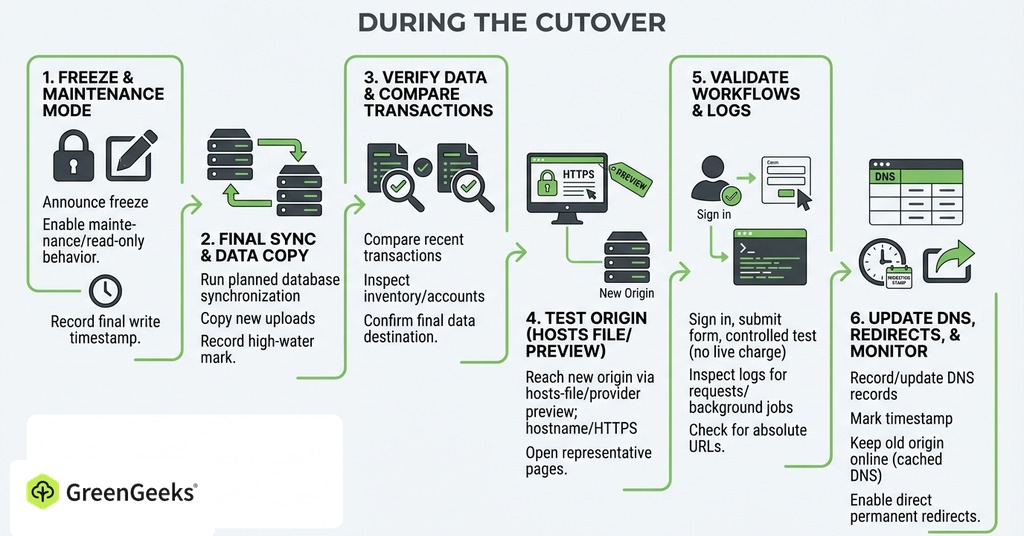
Freeze Changes and Take the Final Copy
Follow the cutover sequence in order.
- Announce the freeze to editors and operators, then enable maintenance or read-only behavior.
- Record the final permitted-write timestamp and run the planned database synchronization.
- Copy files uploaded since the initial transfer and record a high-water mark such as the newest order ID.
- Compare recent transactions between systems and inspect inventory or newly created accounts.
- Keep writes closed until the destination contains the final data and passes its primary workflow tests.
Test the Destination Before DNS
A bare-IP test can miss virtual-host or certificate errors. Reach the new origin through a hosts-file override or provider preview. A temporary hostname is another option. Preserve the correct host name and HTTPS behavior where possible.
Open representative pages and media, then sign in with a test account. Submit a form and confirm its delivery. For a transactional site, complete a controlled test through checkout without creating an unintended live charge.
Inspect server logs while the tests run. Confirm that requests reach the new origin and that background jobs start. Check the application for absolute URLs that continue to reference a temporary host name. Verify that the destination records the same application version and environment configuration expected in the migration plan.
Change Routing and Record Evidence
Record the old and new DNS values before editing them. Save the deployment version and the name of the operator making the change. Then update the planned records.
Mark the migration timestamp and begin checking from more than one network or resolver. Keep the old origin online because some traffic may continue reaching it while cached DNS answers expire.
If public URLs have changed, enable direct permanent redirects to the most relevant new destinations. Avoid redirect chains. Do not send unrelated missing pages to the new home page.
Apply the Rollback Trigger
Compare production behavior with the thresholds written before the move. Roll back when payments fail beyond the accepted test count or data is inconsistent. Broken authentication and sustained server errors can also cross the line.
Use the documented route back to the known-good origin. Preserve any new data created on the destination before switching. Reconciliation may be required even when the site has been live there for only a few minutes.
If the issue can be repaired inside the approved window, document who approved the repair. Avoid extending an unstable cutover indefinitely because the team has already invested time in it.
After the Migration
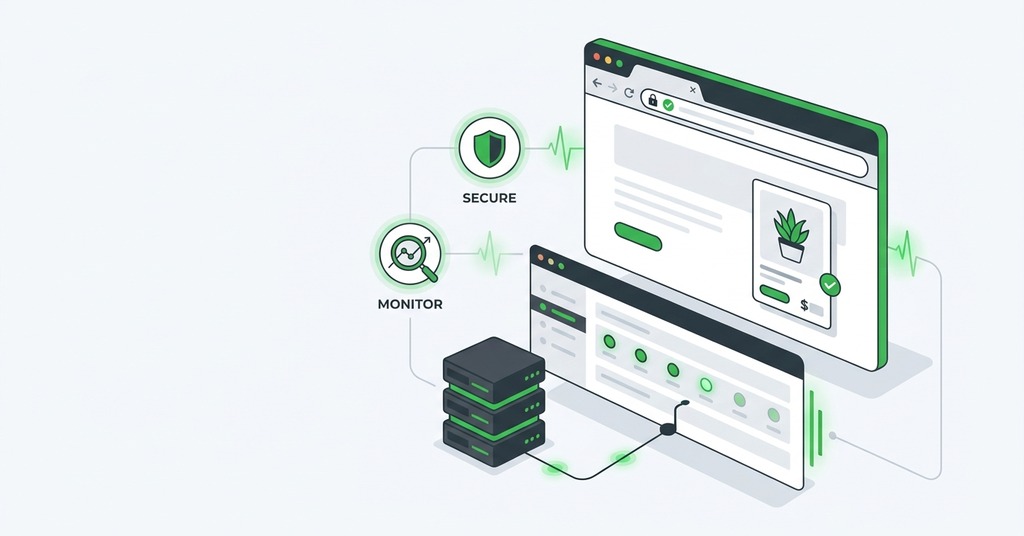
Verify Business Workflows
Test the site as a customer and as an administrator. Open key navigation paths and exercise search, then verify form delivery. Complete a store checkout. Confirm that the payment callback reaches the order record in the new database.
Check scheduled work after its next expected execution, including transactional mail or protected downloads. Review permissions for administrative actions, then inspect analytics or consent behavior.
For URL-changing moves, crawl the old URL list against production. Each old page should reach its relevant destination through a direct permanent redirect. Check canonical tags and robots directives on the new pages.
Compare the final production output with the saved baseline. Match representative screenshots and response codes. Differences identify missing styles or media, while the logs provide request-level evidence for failures outside the sampled pages.
Monitor Both Hosting Environments
Old-origin access logs show how much traffic follows cached DNS information. They identify services that continue calling an old endpoint. Watch the new-host logs alongside them during the observation window.
Monitor availability and server errors at the new system. Add checks for the business paths that matter, including form delivery or checkout. Observe job queues and webhook failures separately.
Review search and analytics signals when the migration changed URLs. Crawl errors and indexed-page counts can move while search systems process the change. Use the URL map to investigate individual failures.
Keep a cutover log with fixes and test results. A later error is easier to diagnose when the deployment version and DNS timeline are available.
GreenGeeks support can migrate a compatible site and reduce the file-copy work. The owner must supply the dependency inventory and approve the data-freeze method. Business-flow testing and registrar access remain owner duties. The rollback decision also falls outside a simple file transfer.
Retire the Old Service
Keep the old host until meaningful traffic has moved and the observation window covers at least one normal business cycle. Confirm that backups are usable and recent writes are reconciled. Verify website DNS and mail routing before canceling anything.
Export the final logs and any provider-specific configuration you may need later. Raise DNS TTLs to their normal values after the new service is stable. Retire credentials that no longer have a purpose.
Close the migration with recorded evidence. The new host should have passed business-flow tests and scheduled work. Backup recovery and monitoring also need recorded results. Cancel the old service after the rollback window closes and the team identifies the source of requests that continue reaching it.