
ModSecurity, the engine behind most host-side firewall claims, is distributed in logging mode. Installing the module and enabling a ruleset are separate steps, and a ruleset loaded in detection mode logs without blocking anything.
Hosting plans sold in 2026 advertise a network-layer firewall far more often than one that reads the HTTP request itself, and only the second kind can tell what a request asks the application to do. In the sense buyers mean, hosting usually does not come with a web application firewall, and no shared-hosting page names the ruleset that would settle it.
Does Web Hosting Come With a Firewall?

Almost every plan sold in 2026 includes something called a firewall. That one word covers at least three unrelated products:

Packet filtering at the network edge, deciding whether traffic reaches the server at all.
A server security suite such as Imunify360, watching script behavior on the machine and killing processes that look wrong.
A web application firewall, a reverse proxy that parses each HTTP request, header by header, before the application ever sees it.
A buyer asking if a plan comes with a firewall usually means the third product and usually has the first. Settling the question takes two pieces of information. The first is the name of the ruleset being enforced, the second the mode it is enforcing in.
Network Firewall vs Web Application Firewall
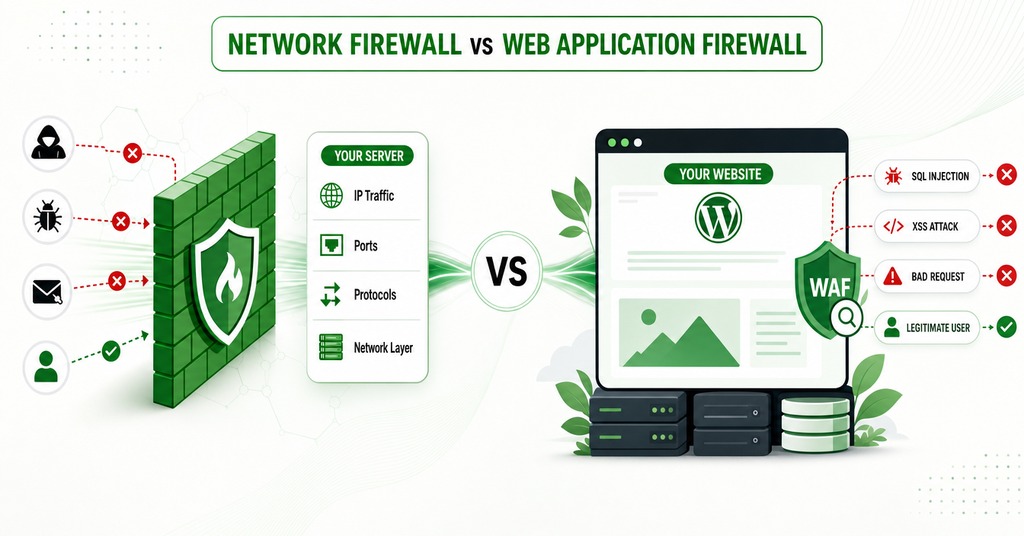
Send a normal POST to /wp-admin/admin-ajax.php and an exploit POST to the same URL, and a network firewall sees one thing twice. It works at OSI layers 3 and 4, on IP addresses and ports, so it decides if a packet may reach port 443 and has no view of the conversation inside that connection. Server-side packages such as ConfigServer Security Firewall operate there. Because a web application firewall works at layer 7 and parses the method, the path, the headers, the parameters and the body, an injection string in a query parameter is visible to it.
A local appliance gives the lowest latency at the highest price, and an engine compiled into the web server allows per-site tuning at the cost of local CPU and memory. Buying it as a cloud service takes only a DNS change, and the ruleset then belongs to the vendor, so the buyer never sees what it contains.
Firewall Claims on Shared Hosting Plans in 2026
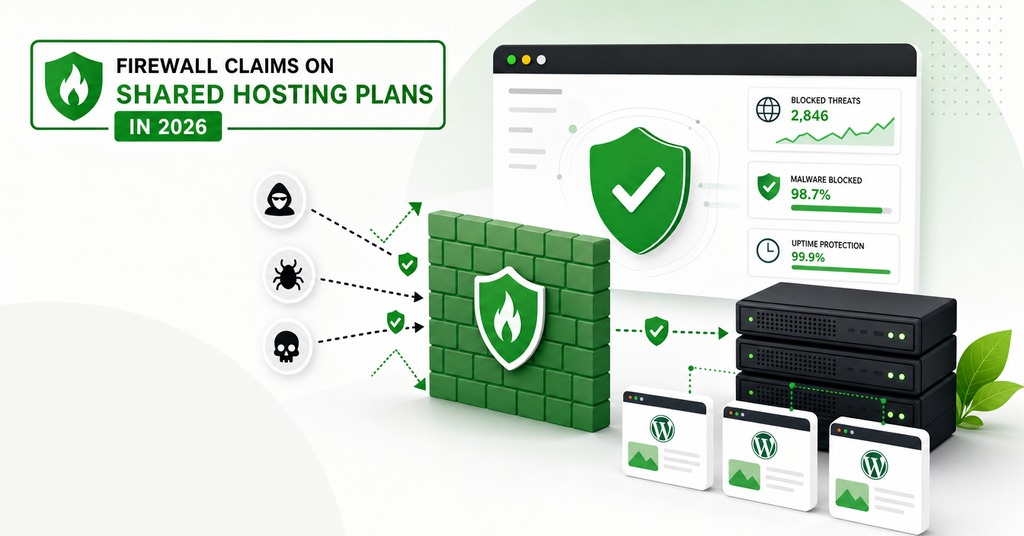
Across 11 pages published in July 2026, 10 hosting companies use the word firewall in 5 different ways:
Namecheap and Cloudways name Imunify360, a server security suite, as the product behind the claim. Cloudways also names Cloudflare Enterprise and prices it as an optional layer on top.
SiteGround claims a custom in-house web application firewall with rules updated several times a day.
Bluehost, HostGator and DreamHost print “Web Application Firewall” as a plan bullet with no technology named and no description attached. Bluehost and HostGator share a parent company, and the plan bullets read identically.
GoDaddy sells its firewall inside a separately priced Website Security product on a 30-day trial that renews annually unless canceled. WP Engine sells a managed firewall as a $19 a month add-on.
GreenGeeks and Kinsta describe firewall and DDoS protection at the network level without using the phrase web application firewall at all.
None of the 10 publishes the ruleset, the ruleset version, or the paranoia level it runs at, and that absence applies to the hosts making the loudest claim as much as to the ones making none. The identical commercial product produces inconsistent results across the companies running it. Hosts appear to be enabling only some of its components.
Is ModSecurity Turned On by Default?
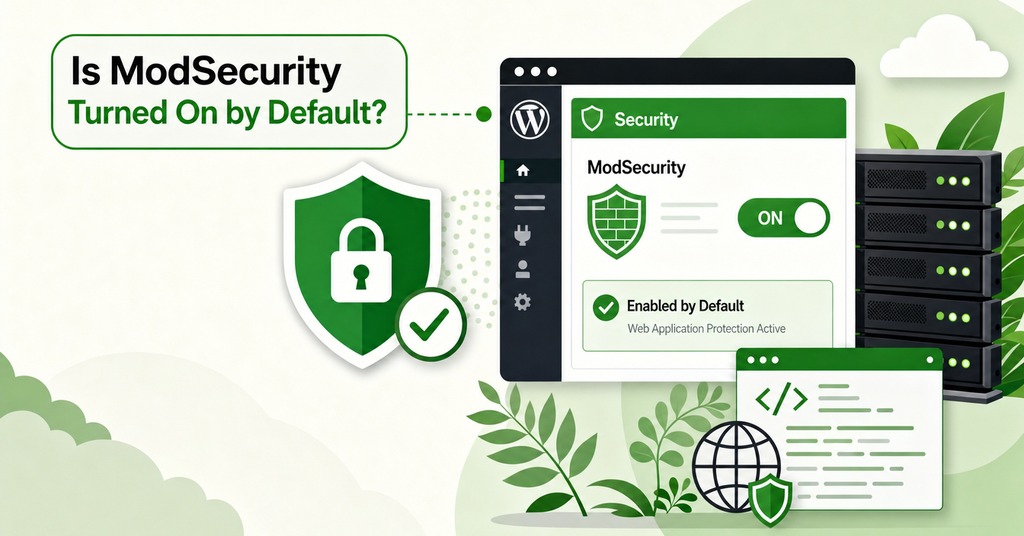
A cPanel account only has ModSecurity available after the mod_security2 module for the Apache web server is installed through EasyApache 4 in WHM and the ModSecurity Domain Manager feature is enabled in Feature Manager. Rules are a third, separate decision, made in the ModSecurity Vendors interface by installing a rule vendor from cPanel’s own list or by URL. An account with the module enabled and no vendor installed has no rules to enforce.
The recommended configuration file distributed with ModSecurity opens with SecRuleEngine DetectionOnly, seven lines in, so by default it logs and does not block, and the value has to be changed deliberately. Detection mode is the most common reason an operator reports SQL injection strings sent through URLs and forms passing untouched against a staging server.
None of that means the project is dead. Trustwave ending its commercial sponsorship in July 2024 is commonly read that way and should not be. Custodianship moved to OWASP and both branches released updates last month, v3.0.16 on 29 June 2026 and v2.9.14 on 2 July. The rules carry the nearer deadline, since the OWASP Core Rule Set is at v4.28.0 and support for the 3.3 line that most integrations still run ends this quarter.
Hosts keep their rules loose because tuning away false positives at higher paranoia levels can take weeks, and a badly tuned deployment produces enough of them that the usual outcome is the whole thing being switched off.
Cloudflare Free vs Pro WAF Coverage
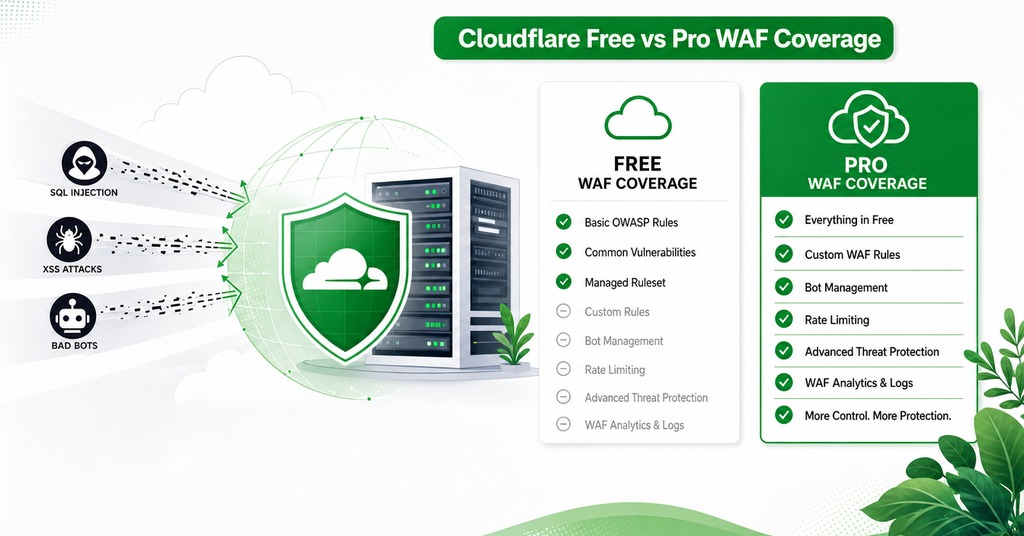
Cloudflare’s public pricing table lists a web application firewall on Free, Pro, Business and Enterprise, while the availability table in the WAF documentation is more specific. Free gets the Cloudflare Free Managed Ruleset and nothing else. The Cloudflare Managed Ruleset and the Cloudflare OWASP Core Ruleset both begin at Pro, which costs $20 a month billed annually or $25 billed monthly.
The free ruleset covers high-impact and widely exploited vulnerabilities and is safe to deploy on most applications. It is a deliberately small subset chosen for a low false-positive rate. Anyone comparing a free Cloudflare zone against a paid host’s unnamed firewall is comparing one disclosed narrow ruleset against one undisclosed unknown.
Cloudflare’s OWASP implementation is pinned to CRS version 3.3.0, and that set changes far less often than its proprietary managed rules. Managed rules also inspect only the first part of a request body, and the limit varies by plan. Content past that limit may not be fully analyzed, so padding an attack string past the inspection cutoff is an old technique that still works. Managed rules evaluate last, after DDoS protection, custom rules and rate limiting. A terminal action in any earlier phase stops them from seeing the request at all.
Plugin Firewalls Like Wordfence and Where They Run
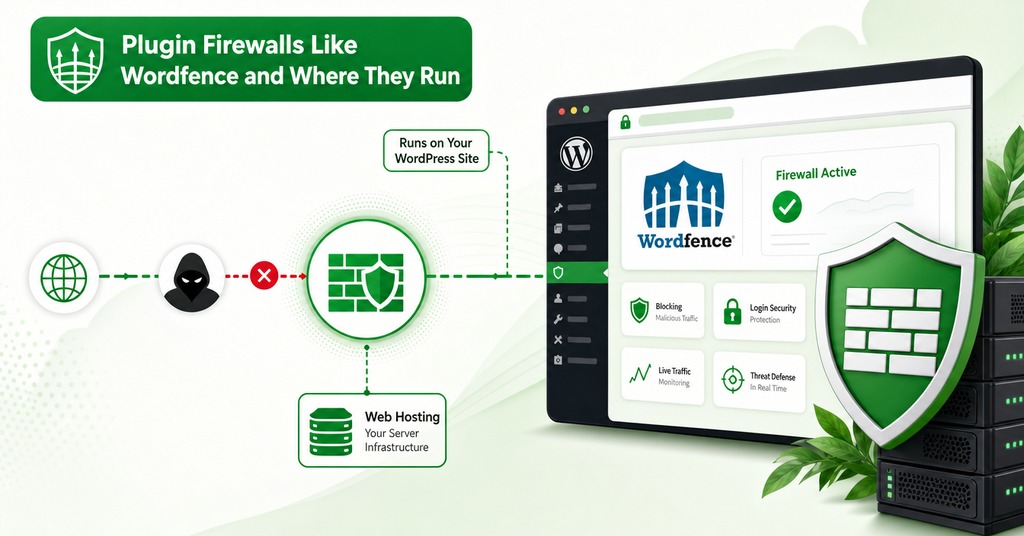
A direct request to a plugin file or a theme file never causes a plugin firewall to load at all. A firewall installed as a WordPress plugin executes only once the web server has accepted the connection, routed the request to PHP and started the interpreter, and in the default Basic WordPress Protection mode it loads like any other plugin. Vulnerable code in core or in another plugin can therefore execute ahead of it.
Getting Extended Protection working means typing an absolute file path into a field most hosts bury. On SiteGround’s Site Tools it is under PHP Variables, two clicks of Load More down the list. The entry sets PHP’s auto_prepend_file directive so the firewall loads ahead of WordPress. Some hosts take up to 5 minutes to apply the change, and a path entered with one extra slash stops the site loading.
The firewall’s position in the request path limits what it can know about the request. An application-level firewall knows who is authenticated and what permissions they hold, which is the question WordPress-specific attacks turn on. A DNS-level service in front of the site has none of that context and can be avoided entirely by requesting the origin IP directly.
The July 2026 WordPress Core WAF Bypass
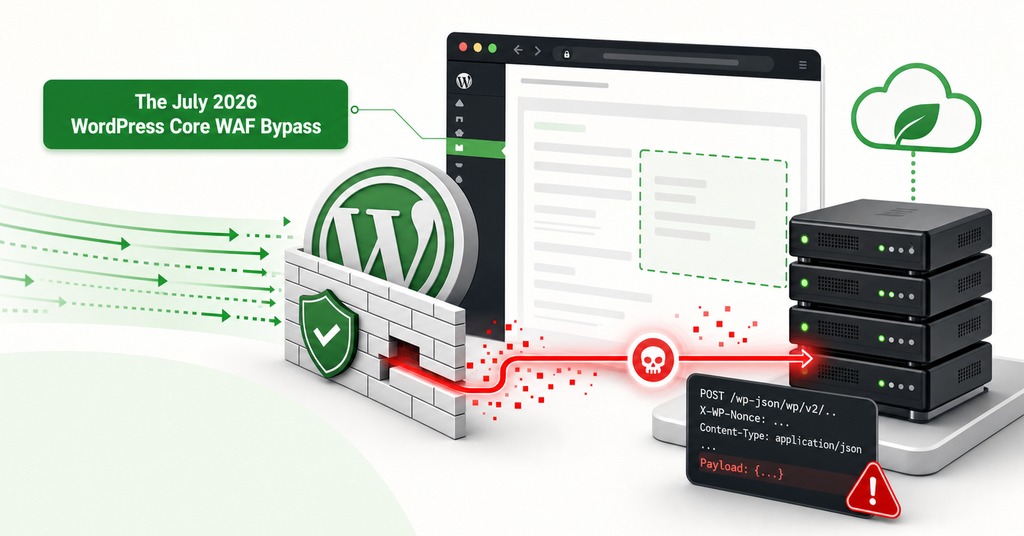
The fix arrived in WordPress trunk about 90 minutes before 7.0.2 was tagged. That commit was the disclosure. Anyone watching core development could diff it and read exactly what had been wrong. Two vulnerabilities were chained, a facilitated SQL injection in WP_Query through the author_exclude parameter and a route confusion in the REST API batch endpoint. First exploitation attempts reached sensors about 90 minutes after the release went out, three hours after the fix was committed.
Rules were written fast and nearly all of them had the same hole. They keyed on the request URL, looking for batch/v1 in the path or query string, because that is how every public proof of concept reached the endpoint. WordPress registers rest_route as a public query variable and reads those variables from the POST body before reading them from the query string. A plain POST to the site root with rest_route in the form body routes to the batch endpoint with the URL never containing batch/v1 at all. A rule inspecting only the URL sees a request to the site root and allows it.
Every provider running that rule could still print web application firewall on a plan page and be telling the truth.
Requests built that way appeared from 17:00 UTC on 21 July. The campaign was high volume and low precision, with more than 65,000 exploitation attempts blocked from over 1,500 unique addresses, mostly VPS and cloud networks, the busiest single network at 6.45% of traffic, and most of it undirected scanning. The full privilege-escalation chain, a POST to /wp/v2/users requesting the administrator role, was attempted from three addresses. Generic rules were in place throughout and accounted for 0.1% of the blocks, while the two rules written for those two specific vulnerabilities caught the rest.
Because the gap was industry-wide, it was handled as a coordinated disclosure, with the affected security companies and the major hosts and DNS-level providers told before anything was published. The first rules shipped by the company that disclosed the chain had the same gap.
How Many Exploits Do Web Hosts Block?
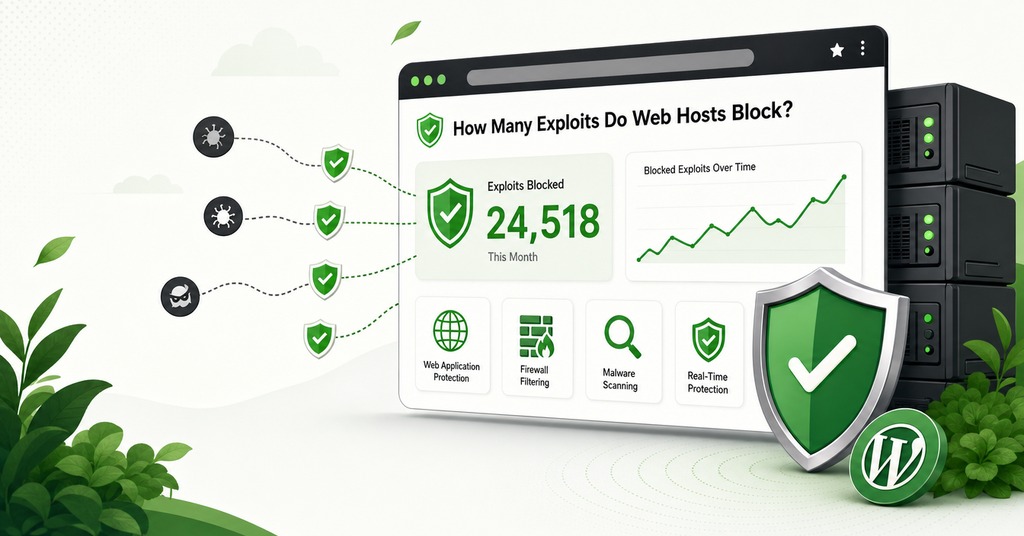
The two figures that circulate for host blocking rates come from tests five months apart and are not measuring the same thing. In August 2025, 5 providers were tested against 11 WordPress-specific vulnerabilities that were severe and known to be exploited, and 87.8% of the attacks bypassed host defenses entirely. That leaves about 12% blocked. In January 2026 a separate test widened to 18 providers and 30 vulnerabilities, many of them generic ones with no WordPress connection, and hosts blocked an average of 25.89%. A wider and less WordPress-specific set is easier for a generic ruleset to catch. Reading the second number as an improvement on the first is a mistake.
The proof-of-concept exploits were kept identical between hosts and deliberately simple, with no obfuscation or bypass techniques, and every security feature a host offered was switched on first, including its own security plugins and any dashboard toggles. Because those conditions favored the hosts, the blocking rates are worse than they look. The testers then re-ran 10 of the vulnerabilities against providers that had already been notified after the first study, and most of those were still unaddressed.
Cross-site request forgery was blocked by no host and by no security vendor either, including the one running the test, because a rule for it that does not break normal site functionality is close to impossible to write.
What a Web Application Firewall Cannot Stop
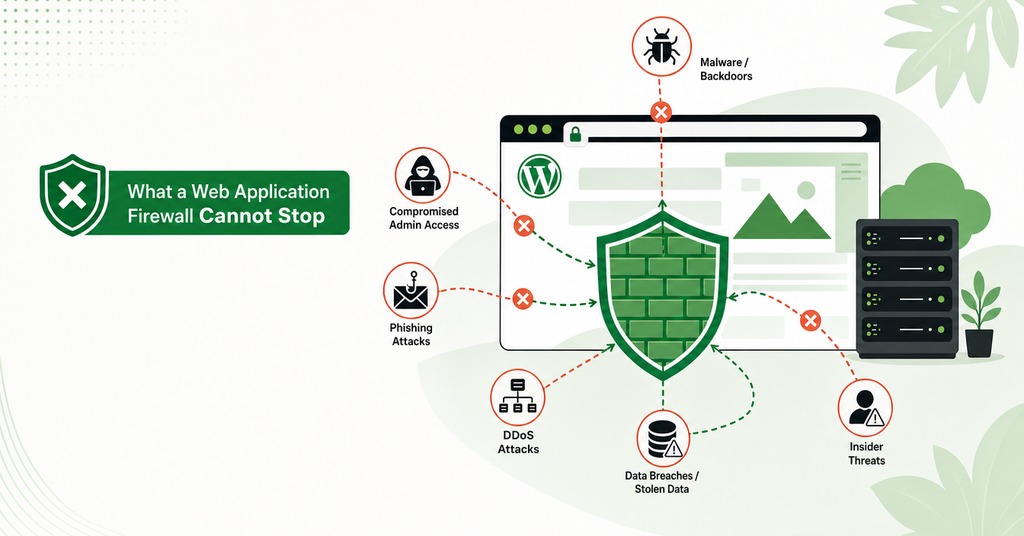
Request inspection cannot help with an attack that produces a well-formed request. The categories this rules out include most of what a WordPress owner is worried about:
Credential stuffing using a correct username and password, which is indistinguishable at the HTTP layer from a genuine login.
Broken access control and privilege escalation, the most exploited vulnerability class of 2025, where the request itself looks entitled to pass the permission check.
Business logic abuse, where each request is legitimate and the sequence is not.
Supply-chain compromise of a plugin or a script.
That last one has a definitive 2026 example. On 15 June, tampered JavaScript was served from the content delivery networks of OptinMonster, TrustPulse and PushEngage after an attacker took a CDN API key. No update was pushed to any plugin, so a site running current versions of everything was served the malicious script anyway. The code executed in the browser of any logged-in administrator who opened an affected page, and it used that administrator’s own session to create hidden admin accounts and install a backdoor plugin that hides itself. In a server log every request it made matches a real administrator adding a user, because it carried valid credentials and a valid nonce. Over 1.2 million sites were potentially exposed. A mitigation rule written for the campaign blocked 271 attempts across customer sites in about 36 hours.
Cloudflare’s mapping against the OWASP Top 10 marks four categories as not applicable to either of its rulesets, covering cryptographic failures, insecure design, authentication failures and logging failures, all of them platform and process problems that no request inspection reaches.
Which Firewall Layer Is Worth Turning On
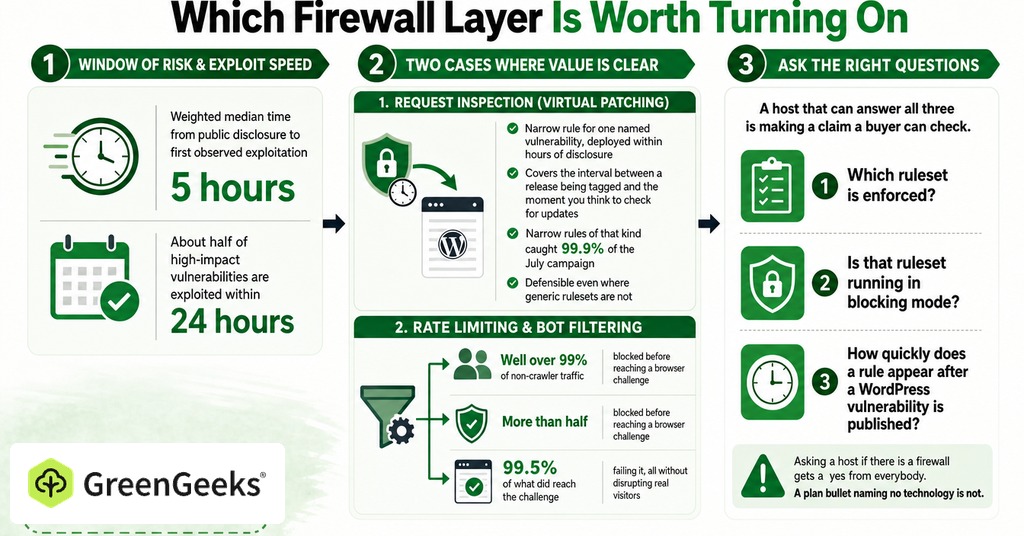
The weighted median time from public disclosure to first observed exploitation is 5 hours, and about half of high-impact vulnerabilities are exploited within 24 hours. A narrow rule written against one named vulnerability and deployed within hours of its disclosure is the first case where request inspection earns its cost. It covers the interval between a release being tagged and the moment a site owner thinks to check for security updates. Narrow rules of that kind caught 99.9% of the July campaign. Virtual patching of that kind is defensible even where generic rulesets are not.
Tightened Cloudflare rules against forum scraping catch well over 99% of non-crawler traffic, with more than half blocked before reaching a browser challenge and 99.5% of what did reach the challenge failing it, all without disrupting real visitors. Rate limiting and bot filtering are the second case, where the value is measurable and has nothing to do with exploits.
Asking a host if there is a firewall gets a yes from everybody, so the question a buyer puts to a sales page has to be narrower than that. Three answers do the work:
Which ruleset is enforced?
Is that ruleset running in blocking mode?
How quickly does a rule appear after a WordPress vulnerability is published?
A host that can answer all three is making a claim a buyer can check, and a plan bullet naming no technology is not.
Frequently Asked Questions
What is the difference between a WAF and an IPS?
An intrusion prevention system matches network traffic against generic attack signatures with little application context. A web application firewall applies rules to the HTTP conversation itself.
Is ModSecurity still supported in 2026?
Yes. Trustwave’s commercial sponsorship ended on 1 July 2024 and custodianship passed to OWASP, but development continued. ModSecurity v3.0.16 was released on 29 June 2026 and v2.9.14 on 2 July 2026.
What is the OWASP Core Rule Set?
A free, generic set of attack-detection rules for ModSecurity and compatible engines, maintained by OWASP. The current release is v4.28.0, covering SQL injection, cross-site scripting, file inclusion, code injection and scanner detection.
What are OWASP paranoia levels?
Four escalating rule tiers that trade detection against false positives, each one including all levels beneath it. Level 1 needs minimal tuning. Level 4 produces so many false positives that tuning it can take weeks.
Does Cloudflare’s free plan include a WAF?
It includes one managed ruleset out of the three. The Free plan gets the Cloudflare Free Managed Ruleset. The Cloudflare Managed Ruleset and the Cloudflare OWASP Core Ruleset both require Pro or above.
Which version of the OWASP Core Rule Set does Cloudflare use?
Version 3.3.0, which changes far less often than Cloudflare’s own proprietary managed ruleset. Upstream support for the CRS 3.3 line ends in the third quarter of 2026.
What is the difference between a cloud firewall and a plugin firewall?
A cloud firewall is in front of the site at the DNS level and inspects traffic before it reaches the server. A plugin firewall executes inside the application, and only after the request has already arrived.
How fast do hackers exploit a new vulnerability?
The weighted median time from public disclosure to first observed exploitation is 5 hours. For the July 2026 WordPress core chain, the first attempts arrived about 90 minutes after the release was tagged.
Why does my firewall block my own website?
Generic rulesets match patterns without any read on intent, and ordinary content matches those patterns constantly. The Core Rule Set has returned a 403 on saving in the WordPress theme editor, which is the most commonly reported case.
Do I need a WAF if my site is secure?
The community answer is a qualified yes on defense-in-depth grounds, since most site owners run third-party code they cannot audit or modify. The counter-position is that a firewall is additional attack surface.
Should I use Cloudflare and a plugin firewall together?
The layered arrangement is common advice from both sides of the stack. A cloud service handles bot traffic and floods, and an application-level firewall handles exploit attempts that require knowing who is authenticated.
Is a WAF worth it, or is it security theater?
Generic pattern-matching rulesets are compliance-driven, while rate limiting and narrow virtual patching against a known vulnerability are the two defensible uses. The split is over the generic rulesets alone.
