Open one message that reached spam and save its complete headers before changing DNS. The Authentication-Results line and Received chain can show if the message failed identity checks, while an SMTP rejection supplies the receiver’s status code.
SPF and DKIM do not certify inbox placement. DMARC adds an alignment policy, but it also stops short of an inbox promise. Mail providers evaluate the sending server and the domain’s reputation. Complaint and bounce behavior supply further signals.
Preserve One Failed Message

Use a message that represents the problem. Choose ordinary business mail sent through the affected service, then export the original or full headers. A forwarded copy can alter evidence and omit fields.

Record these values in a case note.
- Visible From address
- Reply-To address
- Return-Path domain
- Message-ID domain
- Authentication-Results
- DKIM signing domain shown after d=
- Sending IP from the Received chain
- SMTP status code when the message was rejected
Keep the message date and recipient provider. Gmail spam placement and an Outlook rejection may have different causes. Compare several failed messages only after the first trace has produced a testable finding.
Distinguish filtering from rejection. A message in spam was accepted by the recipient server and classified after acceptance. A rejected message has an SMTP code recorded by the sending system. A temporary 4xx response invites a later retry, while a permanent 5xx response reports a failure. Save the enhanced status code and its text. That evidence can identify authentication or reputation enforcement before a recipient ever sees the message.
Identify the application that sent the failed message. A mailbox message may leave through one provider, while a website form uses the local web server. Successful mailbox authentication says nothing about the form message.
Read the Authentication Results
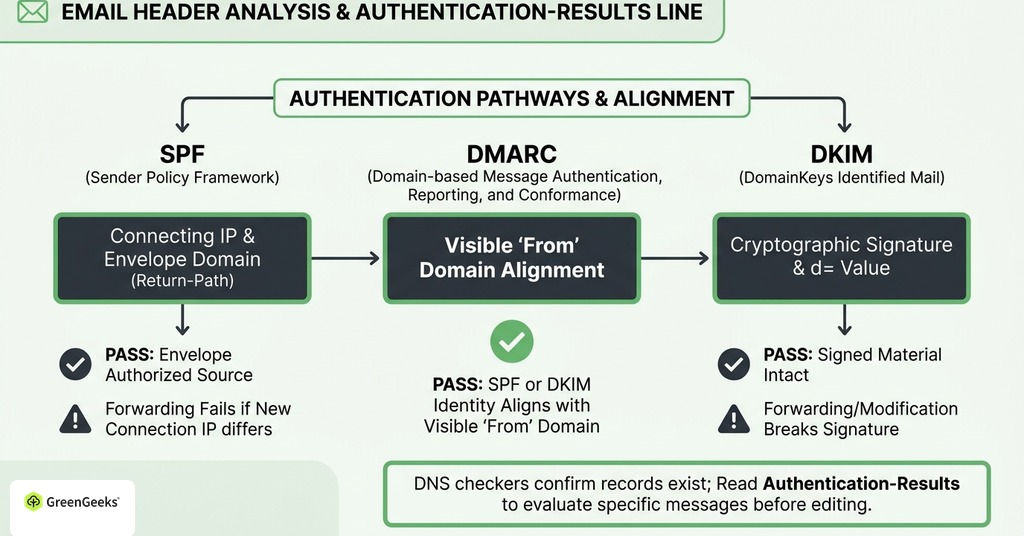
DNS checkers confirm that records exist and can be parsed. The receiver’s Authentication-Results line shows how a specific message was evaluated. Read the domains in that result before editing any record.
SPF Authorization
SPF checks if the connecting IP is authorized for the envelope MAIL FROM domain. That domain usually appears in Return-Path. Compare it with the visible From domain because they may differ.
A pass proves that the envelope domain authorized the source. DMARC can use that pass only when the envelope domain aligns with the visible From domain. An unrelated provider domain may pass SPF while leaving DMARC dependent on DKIM.
Inspect the SPF record for every service that sends mail. SPF evaluation permits no more than 10 mechanisms or modifiers that require DNS queries. A record can look valid in the dashboard and return permerror when nested includes exceed that limit.
When a forwarded message fails SPF, compare the connecting IP with the original source because the forwarding service may become the new connection even though the visible From address remains unchanged.
DKIM Signature
DKIM attaches a cryptographic signature to selected message headers and content. The receiver retrieves the public key from DNS and verifies that the signed material remains intact.
Find the d= value in the signature and confirm that Authentication-Results reports a pass. A valid signature from a provider-owned domain may authenticate the provider without aligning to the visible From domain.
Message modification can break the signature. Mailing lists and forwarding systems may change the subject or body. Compare the result from a direct test with the result after the forwarding path.
DMARC Alignment
DMARC evaluates the visible From domain. It passes when a passing SPF identity or DKIM signing domain aligns with that domain under the published alignment mode.
Read the receiver’s DMARC result on the failed message. A DNS checker reporting a valid DMARC policy does not prove that the message aligned. Confirm which of SPF or DKIM supplied the aligned pass.
Begin policy deployment with reporting when legitimate senders are still being inventoried. Aggregate reports reveal sources using the domain. Move toward quarantine or reject after authorized services pass consistently.
Verify the Mail Server Identity

The sending IP should have a PTR record that resolves to a hostname. That hostname should resolve forward to the sending IP. Large mailbox providers can rate-limit or reject mail when forward and reverse DNS do not agree.
Shared-hosting customers may not control PTR. Ask the mail provider to verify it. If the provider sends through a shared pool, also ask how it detects abusive accounts and moves legitimate customers away from damaged IPs.
Confirm that the connection uses TLS and that the message follows normal formatting rules. A stable Message-ID domain and valid dates support consistent identity. Server operators should also review SMTP logs for temporary deferrals before repeated retries create more traffic.
Account for Every Sending Service
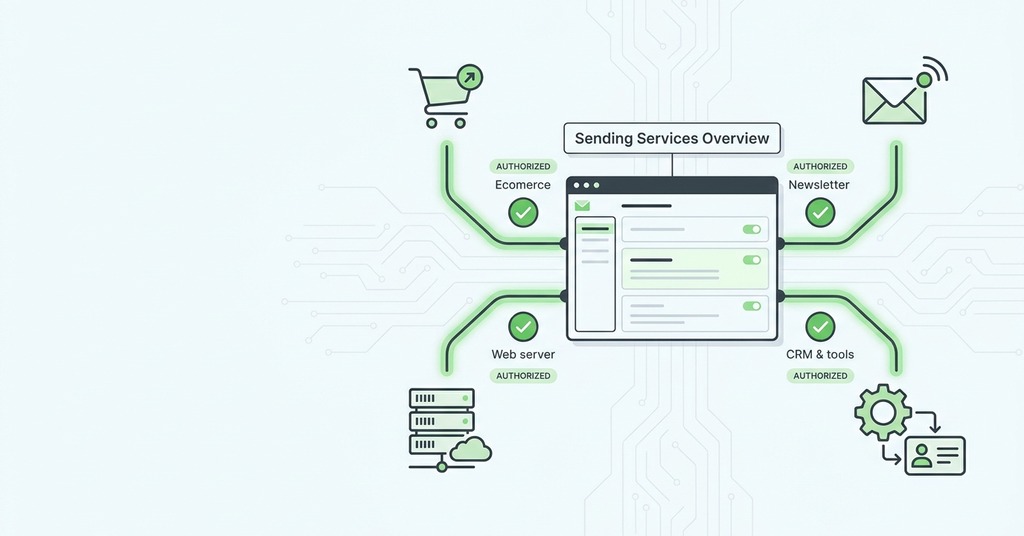
List every system permitted to send mail using the domain. Include employee mailboxes and website forms first because they commonly use different routes. Add billing tools and customer-support software. Newsletter and transaction platforms require individual review.
For each service, record the envelope domain and DKIM signing domain from a real message. Note the sending IP or provider pool used for that delivery. Mark which identity supplies DMARC alignment.
Website forms commonly use a delivery route different from employee mailboxes. Test that route with authenticated SMTP or a transactional provider using a From domain it can sign. Put the visitor’s address in Reply-To so responses reach the person without asking the server to impersonate an outside domain.
Remove retired senders from SPF and revoke old DKIM keys. Unknown services in DMARC reports may be obsolete systems or unauthorized use. Investigate them before enforcing a stricter policy.
Transactional and promotional mail have different complaint risk. Use distinct subdomains or provider streams when volume justifies the separation. A marketing complaint spike should not interrupt password resets or invoices.
Diagnose Reputation and Recipient Signals
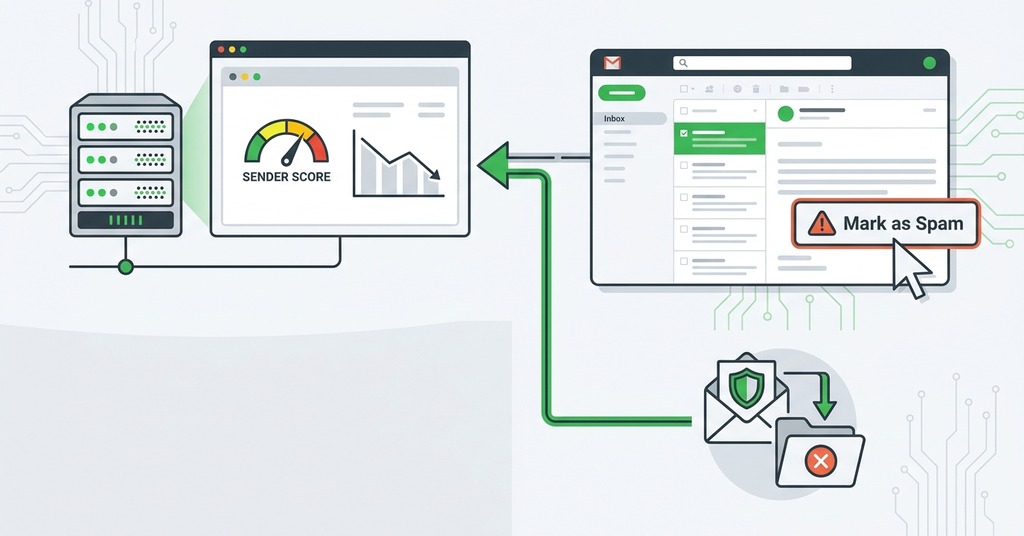
Authentication may pass on every message while reputation remains weak. Mailbox providers evaluate IP history and domain history. New domains begin with limited evidence, while a shared IP may inherit the behavior of other customers.
A dedicated IP gives one sender control of IP reputation. Low-volume senders may lack enough consistent traffic to establish that reputation, so a well-operated shared pool can produce better results. Choose based on sending volume and the provider’s pool management.
Inspect complaint data where provider tools supply it. Google advises keeping user-reported spam below 0.1% and preventing it from reaching 0.3%. At 0.3% or higher, bulk senders can lose mitigation eligibility until the rate remains below that level for 7 consecutive days.
Hard bounces indicate invalid addresses. Remove them after the permanent response and stop retries. High bounce levels usually point to stale acquisition practices or a list that was never validated.
Review consent and sending cadence. Purchased lists and dormant contacts generate complaints. Sudden volume increases also depart from the domain’s established pattern.
A mailbox provider may report domain reputation when daily volume is sufficient. A sending platform may report the status of its shared pool and show deferrals by recipient. Together, those dashboards describe the delivery route in use.
Public blocklists provide another diagnostic input about sender IPs and domains. An absent listing does not prove good reputation. A listing must be resolved through the process named by its operator after the sending behavior that caused it has stopped. Removal without a behavior change produces a short recovery.
Content review comes after these checks. Broken links or misleading formatting can contribute to filtering, but ordinary subject wording rarely explains an authentication failure or poor shared-IP history. Test one variable at a time.
Prove Recovery in Stages

Correct the failure identified in the trace and wait for DNS caches to expire when a record changed. Send a small wanted message to a controlled Gmail account. Inspect its complete headers and save the result with the test date. That Gmail message establishes the post-change baseline for later recipient comparisons. Controlled Outlook and Yahoo accounts extend the test across three recipient systems. Compare authentication and alignment for each. The results should record inbox or spam placement, along with any SMTP deferral.
The first provider comparison should use identical basic content so a changed subject or link does not introduce another variable. Reply from each controlled account when the message is wanted. Add the sending address to contacts only after recording the initial result. A contact entry may improve later placement and should be logged as part of the test.
The case record should preserve every original header from these controlled tests. Group the results by sender service and by the recipient provider that evaluated the message. Continue only when the corrected route produces stable passes.
Every legitimate service produces its own authentication and delivery evidence. A mailbox result cannot validate web forms or billing platforms, so the case record needs one saved message from every source.
Resume normal sending at a low and consistent volume. Send first to recipients who expect the messages and have engaged with the domain. Stop if hard bounces or complaints rise.
Low-volume domains may see sparse reputation reports, which keeps direct header inspection useful. Higher-volume senders can also monitor reputation and delivery-error dashboards for aggregate changes.
Increase volume only after authentication stays aligned and controlled recipients receive the messages as expected. A large send to dormant contacts creates new negative evidence before the corrected route has established a stable record.